Loading

FactoryTalk Batch Software

Scalable and predictable batch control
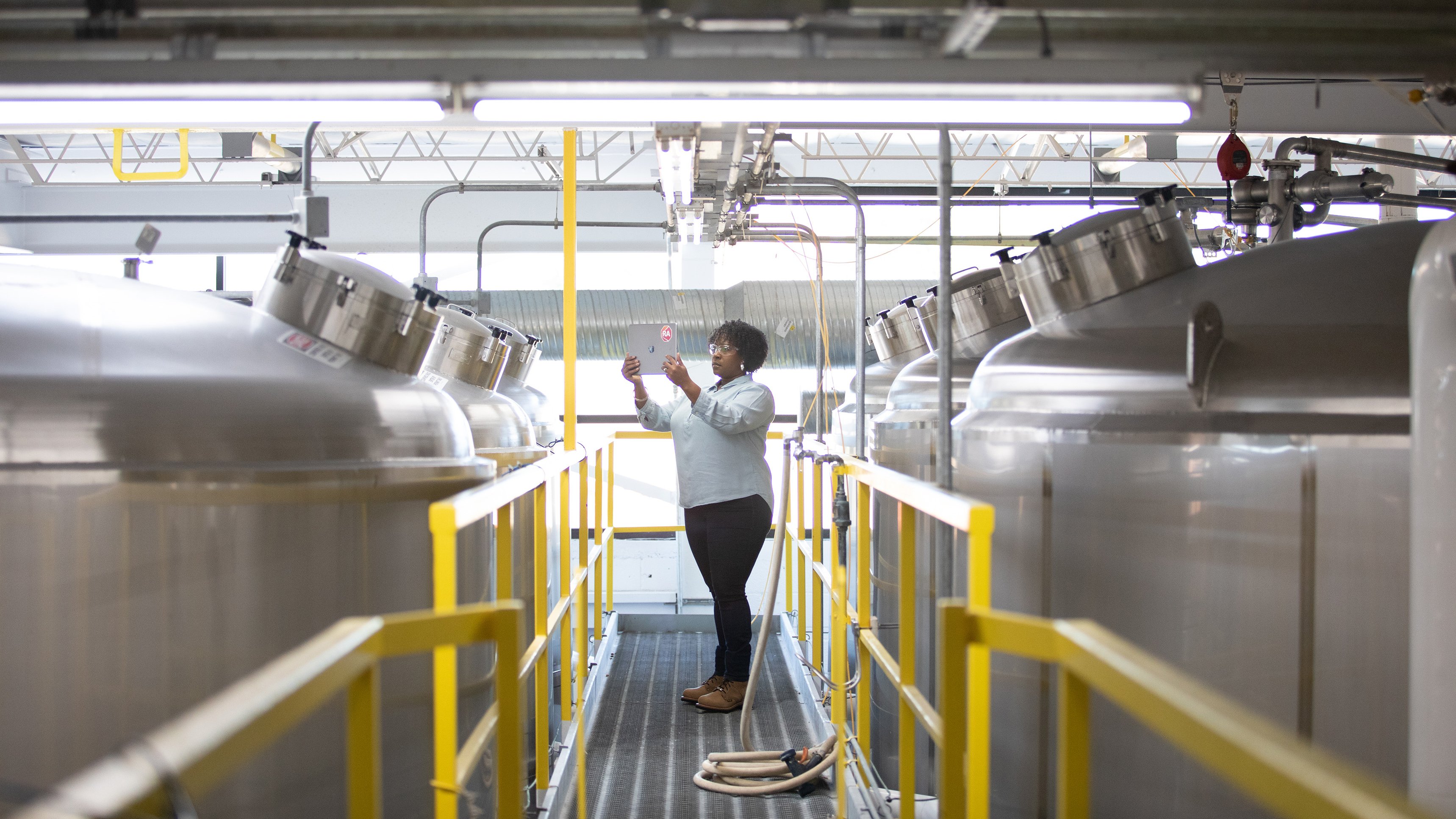
Woman in Automation reviewing content on iPad in manufacturing setting
OperationSuite
    • Overview
    • Plex MES
    • Plex MES
    • Plex Production Monitoring
    • Plex Production Monitoring
    • Plex Quality Management System
    • Plex Quality Management System
    • MES for Automotive
    • MES for Automotive
    • MES for Consumer Packaged Goods
    • MES for Consumer Packaged Goods
    • MES for Life Sciences
    • MES for Life Sciences
    • Overview
    • FactoryTalk Historian Site Edition
    • FactoryTalk Historian Site Edition
    • FactoryTalk Historian Machine Edition
    • FactoryTalk Historian Machine Edition
    • Overview
    • FactoryTalk View Site Edition
    • FactoryTalk View Site Edition
    • FactoryTalk View Machine Edition
    • FactoryTalk View Machine Edition
    • FactoryTalk ViewPoint
    • FactoryTalk ViewPoint
    • RSView32 to FactoryTalk View SE
    • RSView32 to FactoryTalk View SE
    • FactoryTalk Analytics LogixAI
    • FactoryTalk Analytics LogixAI
    • FactoryTalk Batch
    • FactoryTalk Batch
    • FactoryTalk Metrics
    • FactoryTalk Metrics
    • FactoryTalk Transaction Manager
    • FactoryTalk Transaction Manager
    • ThinManager Thin Client Management
    • ThinManager Thin Client Management
    • Industrial Communications
    • Industrial Communications
    • Pavilion8 MPC
    • Pavilion8 MPC
    • FactoryTalk Remote Access
    • FactoryTalk Remote Access

FactoryTalk® Batch is built to help manufacturers run batch operations with confidence—combining native ISA‑88 batch control, integrated visualization, and a practical, phased approach to high availability. Rather than forcing complexity or one‑time architectural leaps, FactoryTalk Batch delivers predictable, repeatable execution today while laying a clear foundation for increased resilience over time. With compliance designed in from the start, secure read‑only visibility into batch, recipe, and equipment information, and proven batch models aligned to industry standards, FactoryTalk Batch supports regulated manufacturing environments where uptime, traceability, and operational consistency matter most.
What’s NEW in FactoryTalk Batch

FactoryTalk Batch v18 introduces targeted improvements across availability, compliance, integration, and usability—delivering immediate value with a scalable roadmap.

clock

High availability

  • Shared configuration across redundant batch servers
  • Faster warm restart and initial hot restart capabilities
  • Reduced recovery time and lower operator intervention after restarts
     
document checklist

Compliance & traceability

  • Event journaling for recipe and parameter changes
  • Improved audit preparedness for regulated environments
arrow gear

Enterprise integration

  • New and enhanced read-only API endpoints
  • Improved visibility into batches, recipes, and equipment without added risk
touch indicator

User experience

  • Improved navigation with enumeration sorting
  • Faster troubleshooting using formulation duplication

What’s NEXT in FactoryTalk Batch

High availability is being delivered in strategic phases, allowing manufacturers to unlock value now while preparing for future system demands. This incremental approach ensures teams can adopt HA confidently—without major disruptions or costly overhauls. Coming in FactoryTalk Batch v19:

shield alert
Primed standby

A redundant pair with active and standby states will share project data, enabling batch operations to continue seamlessly on the standby server during a failover.

Our Customer’s Success in your Industry – Industry Spotlight

Learn how FactoryTalk Batch played a unique role in these industries to solve a customer problem.

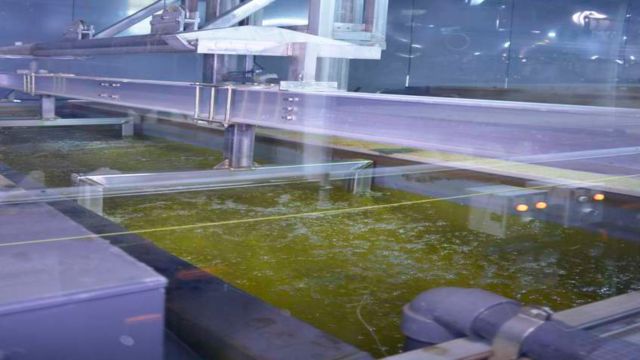
The FactoryTalk Batch solution by Rockwell Automation enables a quick and easy migration of a batch management framework
Case Study
Case Study
The FactoryTalk Batch solution by Rockwell Automation enables a quick and easy migration of a batch management framework
Successful migration without disruptions on the formulation production and maintenance in a validated pharmaceutical framework.
Read Now
Warner Robins Air Logistics Complex Improves Reliability with Batch System
Case Study
Case Study
Warner Robins Air Logistics Complex Improves Reliability with Batch System
Warner Robins Air Logistics Complex Flies High with New, Reliable Batch System and Production Intelligence
Read Now
Leading Construction Chemical Company Migrates Legacy Control Solution to Modern Distributed Control System (DCS)
Case Study
Case Study
Leading Construction Chemical Company Migrates Legacy Control Solution to Modern Distributed Control System (DCS)
Tomatic replaces unsupported black-box hardware & software at construction chemical company with modern, integrated, connected process control solution with Industrie 4.0 capabilities.
Read Now
PlantPAx DCS Helps Country Maid Ramp Up Production
Case Study
Case Study
PlantPAx DCS Helps Country Maid Ramp Up Production
Interstates, a Rockwell Automation PartnerNetwork Systems Integrator, helps Country Maid increase production and gain operational efficiencies
Read Now

Who is FactoryTalk Batch built for?

FactoryTalk Batch supports the needs of cross‑functional teams responsible for uptime, compliance, and integration, in industries such as life sciences, consumer packaged goods, food and beverage, specialty chemical, and more.

factory

Plant managers

focused on production continuity, operating costs, and recovery time

person with computer

Process engineers

managing batch control systems while promoting engineering reuse and modular design

document checklist

Quality and validation leads

responsible for audit readiness, minimizing errors, and reducing process variability

network connectivity

IT / OT leaders

supporting resilient system architectures and managing critical updates

arrow gear

MES and enterprise teams

seeking better integration and batch analytics

Better Together as Batch Process Solutions 

FactoryTalk Batch, when integrated into the broader Batch Process solution as a part of PlantPAx® Distributed Control Systems (DCS), optimizes batch processing operations comprehensively. This holistic approach enhances operational efficiency, minimizes errors, and delivers regulatory compliance. By centralizing recipe management and providing intuitive control visualization, the combined FactoryTalk Batch and PlantPAx DCS solution is simple to integrate and empowers manufacturers to achieve superior productivity, quality, and regulatory adherence in their manufacturing processes.
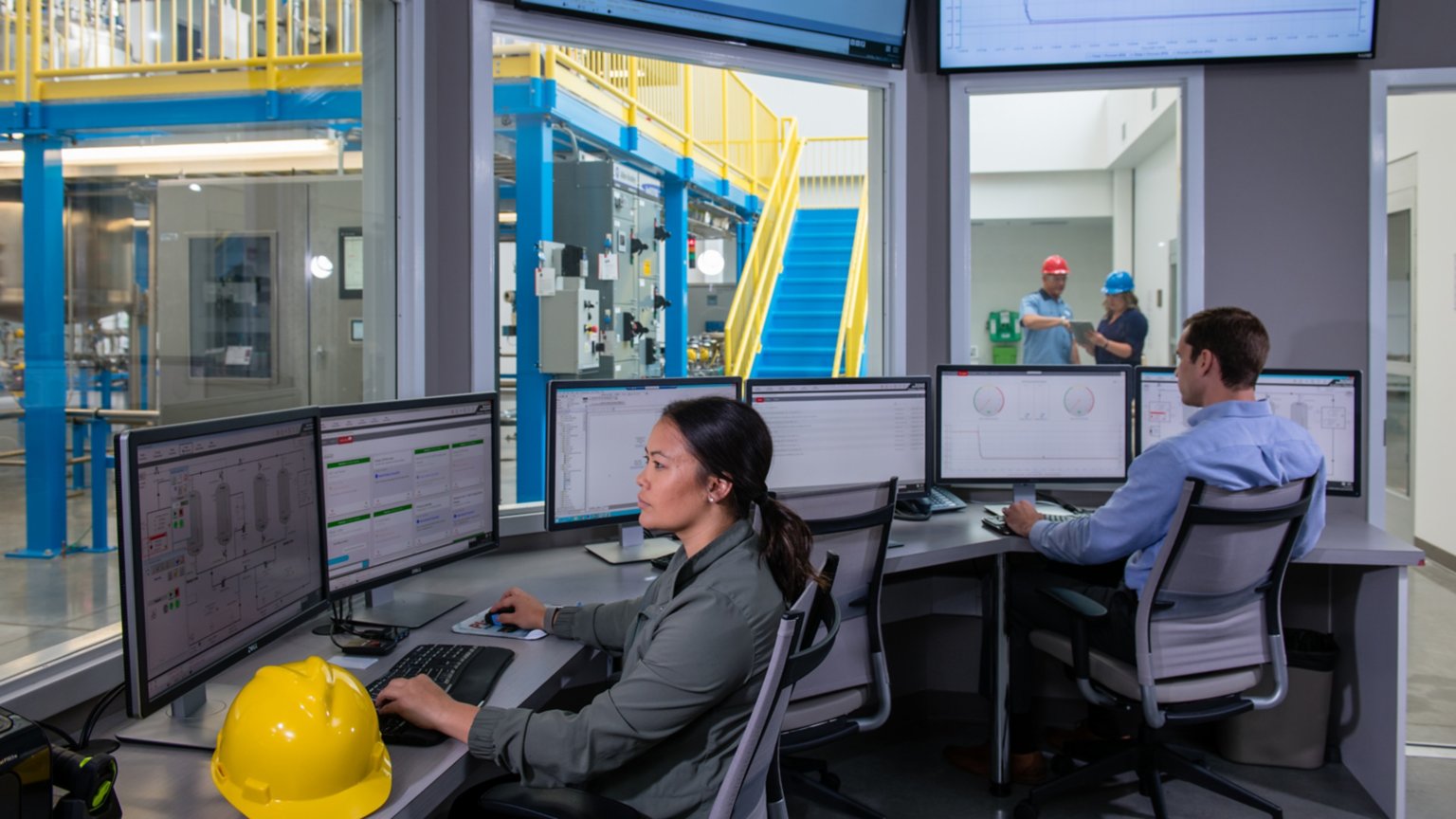
Batch Process Solutions
Man and woman sitting at computers using FactoryTalk Batch
Batch Process Solutions

Learn more about Rockwell Automation’s comprehensive Process Solutions and the benefits of automating your batch control solution.

Learn More

Empower your process control system with FactoryTalk Batch

FactoryTalk Batch proudly delivers on the Modern Batch experience from the controller level to enterprise deployments. This ISA-88 based management portfolio provides scalable and comprehensive batch control to meet industry demands. 

Gear icon with an arrow pointing right

Predictable and Repeatable Operations

Achieve consistent batches, resulting in cost savings, improved quality control, and enhanced efficiency during production.  

Digital engineering icon

Flexibility and Agility

Reuse process-tested building blocks to produce more products, adjust to changing market forces, and shorten new product introduction all with the same equipment.

Desktop monitor icon

Data-rich for Reporting and Analytics

Easily integrate FactoryTalk Batch data with other platforms to make system-wide, data-driven decisions for process optimization or business operations.

What’s Your Learning Appetite?

Large, small, or in between, check out a wealth of resources to help you maximize your success.

FactoryTalk Batch Publications
Literature LibraryLiterature Library
FactoryTalk Batch Publications

Check out Literature Library to find a wide selection of publications that support our different software offerings.

View Publications
FactoryTalk Batch Videos
PlayPlay
FactoryTalk Batch Videos

Watching a video is often the easiest way to process new information. Allow us to help. Check out these FactoryTalk Batch videos and take your learning experience to the next level. 

View Videos Now
Sofware Compatibility and Downloads
PCDCProduct Compatibility and Download Center
Sofware Compatibility and Downloads

Wondering how different software products interact? Or looking to compare features and capabilities? Find information and downloads including software, firmware, release notes, drivers and tools.  

Learn More

Male engineer standing in a factory viewing machines operating and typing information into is laptop
View All Software Version History

FactoryTalk Software Version History

What’s New with FactoryTalk Batch

New details on key features rolled out in the previous and current versions of FactoryTalk Batch? Look no further! Our FactoryTalk Software Version History includes incremental changes made to software releases or major features that have recently been added.

FactoryTalk Batch Software Versions, Features and Benefits

Version 18

Features Benefits
High Availability

Shared configuration across redundant batch servers

  • Eliminates configuration drift: Engineers no longer need to worry about mismatched recipes, equipment models, phase logic, or security settings between servers. 
  • Simplified system management: Changes are made once and automatically available to both servers, reducing engineering effort and maintenance overhead. 
  • Lower risk during failover: When the standby server takes over, operators see the exact same system behavior, minimizing surprises or process deviations. 
  • Easier validation and compliance: A single configuration baseline supports regulated industries by reducing validation scope and audit complexity.

Faster warm restart and initial hot restart capabilities

  • Minimal batch disruption: Batches can resume closer to their point of interruption instead of restarting or requiring manual recovery.
  • Lower impact of maintenance activities: Scheduled updates, patches, or reboots take less time and cause shorter production interruptions.
  • Improved uptime and throughput: Faster restarts reduce non-productive time, especially on high-volume or continuous batch schedules.
  • Less operator confusion: Operators don't need to reconstruct batch state or manually determine what steps were already completed.

Reduced recovery time and lower operator intervention after restarts

  • Consistent, repeatable recovery behavior: Automated recovery reduces human error during stressful or time-critical events.
  • Reduced training burden: Operators don't need deep knowledge of recovery procedures for complex batch scenarios.
  • Improved safety and quality: Less manual intervention means fewer chances to restart batches incorrectly or bypass required steps.
  • Faster return to steady-state production: Operators can focus on monitoring rather than troubleshooting.
Compliance & Traceability

Event journaling for recipe and parameter changes

  • End-to-end traceability:
    • Every modification to recipes or batch parameters is time-stamped, attributed, and preserved.
    • Creates a clear lineage of how each batch was produced, even over time and across revisions.
  • Stronger data integrity (ALCOA+):
    • Supports regulatory expectations for Attributable, Legible, Contemporaneous, Original, and Accurate records. 
    • Reduces reliance on manual logs or external tracking systems that are prone to error.
  • Faster investigations and root-cause analysis:
    • Engineers and quality teams can quickly identify when a change occurred and its impact on affected batches.
    • Shortens investigations during deviations, non-conformances, or corrective actions (CAPAs).
  • Reduced risk of unauthorized changes:
    • Visibility into all changes acts as a deterrent and ensures accountability.
    • Simplifies enforcement of change-management procedures and electronic signatures (where applicable).

Improved audit preparedness for regulated environments

  • Always-available audit evidence:
    • Audit data is collected continuously, not assembled retroactively.
    • Reduces the scramble to compile logs, screenshots, and spreadsheets before inspections.
  • Shorter, smoother audits:
    • Auditors can readily review who changed a recipe or parameter, what version was used for a given batch, how the system behaved during execution
    • Fewer follow-up questions and less disruption to operations.
  • Reduced compliance burden on teams:
    • Quality, IT, and operations spend less time preparing documentation.
    • Frees experts to focus on process improvement rather than administrative overhead.
  • Greater confidence during inspections:
    • Consistent, system-generated records demonstrate control and maturity of the batch environment.
    • Helps build trust with auditors and regulators.
Enterprise Integration

New and enhanced read-only API endpoints

  • Safe integration with enterprise systems:
    • MES, ERP, LIMS, historians, analytics platforms, and data lakes can consume batch data securely.
    • Eliminates the risk of external applications accidentally changing recipes, parameters, or batch state.
  • Faster and simpler integrations:
    • Standardized, documented endpoints reduce custom development and maintenance effort.
    • Integrators can pull the data they need without deep knowledge of internal batch logic.
  • Scalable digital transformation:
    • Supports modern use cases such as advanced analytics and AI/ML, digital twins, KPI dashboards and performance monitoring
    • Enables expansion of data consumers without increasing operational risk.
  • Clear separation of responsibilities:
    • Batch execution remains controlled and validated.
    • Enterprise and IT teams gain visibility without needing privileged access.

Improved visibility into batches, recipes, and equipment without added risk

  • Enterprise-wide operational transparency:
    • Stakeholders can view batch status and progress, recipe versions and usage, equipment utilization and availability
    • Reduces reliance on screenshots, manual reports, or ad-hoc data requests.
  • Better decision-making at all levels:
    • Operations managers gain insight into throughput and bottlenecks.
    • Quality teams can correlate outcomes with recipes and execution context.
    • Supply chain and planning teams get accurate production status.
  • Zero impact on validated environments:
    • Read-only access avoids re-validation triggers common with writable integrations.
    • Supports regulated industries where system changes must be tightly controlled.
  • Reduced operational risk:
    • No additional load on operators.
    • No chance of external systems interfering with live batch execution.
User Experience

Improved navigation with enumeration sorting

  • Faster task completion:
    • Engineers and operators can find the right value more quickly, reducing time spent scrolling or searching.
    • Common tasks like recipe editing, parameter selection, and configuration updates become more efficient.
  • Reduced user errors:
    • Logical, predictable ordering lowers the risk of selecting the wrong enumeration-especially in systems with many similar options.
    • Helps prevent subtle configuration mistakes that can lead to batch deviations or rework.
  • Lower cognitive load:
    • Users spend less mental effort interpreting lists and more time focusing on process intent.
    • Particularly valuable for infrequent users or operators who rotate across systems.
  • More consistent experience across the system:
    • A cleaner, more predictable Ul improves confidence and usability for both new and experienced users.

Faster troubleshooting using formulation duplication

  • Rapid root-cause analysis:
    • Engineers can isolate and test changes by working from a known, validated baseline.
    • Makes it easier to identify which parameter or step is driving an issue.
  • Reduced risk to production:
    • Original formulations remain untouched, protecting validated and approved recipes.
    • Troubleshooting can occur without jeopardizing live or released configurations.
  • Shorter downtime and quicker resolution:
    • Faster experimentation means issues are resolved sooner, minimizing production delays.
    • Supports parallel problem-solving without waiting on full change-control cycles.
  • More efficient continuous improvement:
    • Teams can easily explore optimizations or process improvements before formally promoting changes.
    • Encourages best practices without increasing administrative burden.

Version 17

Features Benefits
Support for FactoryTalk® Linx OPC UA Connector
  • Integration with OPC UA data servers via FactoryTalk Linx OPC UA Connector for seamless data integration and improved operational efficiency
  • Browing data server paths now includes FactoryTalk Linx OPC UA Connector
Scripted Area Model Import
  • Script the import of complete or partial Area Model XML (AXML) files into an Equipment Model configuration (CFG) file
  • Import via Command-line or scripts
  • Develop using your preferred tools and seamlessly integrate those area models within FactoryTalk® Batch
Scripted Recipe Import
  • Script the import of recipes to automate the import process, improve workflows and reduce manual efforts
  • Simplifies importing and exporting files from different systems, allowing more design modularity
  • Supported through the Batch XML format only
Archive Database Improvements
  • Updated archive database schema, resulting in performance to speed up transactions, queries, and reports
  • Introduces a new database migration utility, making it seamless to transition older databases to the new database schema for FactoryTalk Batch version 15 and later
Enterprise Integration API Improvements
  • Add batches to the batch list without specifying all parameters
  • Introduces three new API endpoints
  • Allows for ongoing support of streamlined batch management, improved integration capabilities, and repeatable and modular design

Version 16

Features Benefits

Enhanced Batch Journals

  • New batch journal file format makes parsing and sharing data easier.
  • Allows the addition of new data fields without breaking parsing tools and third-party applications.

UTC time stamps

  • Improves integration & correlation of data across data sources, by adding UTC time stamps into the new EVTJ journal format.
  • UTC time stamp from the EVTJ journals is used in the FactoryTalk Batch History Database so that they do no must be calculated, thus improving the accuracy and consistency UTC time stamps in the database.

Deferred Material Parameters

  • Reduce the number of recipes with material-based recipe and batch creation workflow improvements. Support for deferring material parameters, lots, and labels. Revamped batch creation workflows to support additional material-based workflows.

Enhance support for scripting in manual instructions

  • Improved support for custom scripting in eProcedure® Manual Instructions. Build custom scripts to accept barcode inputs and interact with objects in the instruction file.

Version 15

Features Benefits

Expanded Runtime Area Model Updates

  • Support for additional runtime area model edits and increased system limits combine to make your system more flexible while at the simultaneously improving the system uptime.
  • Delete and remove elements from an area model at runtime.

Phase/Sequence Program Selection

  • Enabled flexible modular factory design.
  • Promote reuse of controller code
  • Improve integration of OEM skids into a system

Improved Phase synchronization

  • Added support for the new Phase program name property
  • Fewer issues when synchronizing phases between FactoryTalk Batch and Logix Designer application project files.
  • Support for additional synchronization workflows

Increased Tag Count

  • Improve support for large complex systems and OEMs by increasing the overall limit on the number of tags that can be included in an Area Model.

Increased Memory Limits (LBA)

  • Support larger and more complex systems by taking advantage of the 4.0GB of memory available to 32-bit processes on 64-bit operating systems.
  • Improve system stability and uptime, with new guardrails that help prevent users from performing actions that will cause the server to run out of memory.
eProcedure® support for runtime area model updates.
  • eProcedure subscribes to Area Model data from the Batch Server allowing it to support runtime area models updates without restarting the eProcedure server.
Improved handling of missing instruction files
  • eProcedure® server will start even if there are missing or malformed instruction files, while still helping prevent execution of batches that have missing instruction files.

Version 14

Runtime area model updates
  • New runtime area model edits make your system more flexible while at the simultaneously improving the system uptime.

Recipe formulations

  • Use recipe formulations to reduce the complexity of recipe management and provide greater flexibility in product variations.
  • Easily adjust for seasonal, environmental, or other discrepancies.

FactoryTalk® Linx adoption

  • Take advantage of the improved connectivity and stability of FactoryTalk Linx Enterprise for communication with PhaseManager™ and SequenceManager™.

Modern intuitive interface

  • FactoryTalk® Batch View™ provides a modern and intuitive portal into a comprehensive batching solution for effective operations.
  • The product leverages its own web server using HTML5 technology to provide fundamental connectivity into a FactoryTalk Batch Server
  • Zero install simplifies device administration on the client

FactoryTalk® View SE integration

  • User credentials are automatically inherited from FactoryTalk® View SE Client, reducing the amount of scripting required for integrated security.
  • When the runtime language in the FactoryTalk View SE client is changed, the FactoryTalk Batch View HMI Controls automatically update as well.
Enterprise Integration API
  • FactoryTalk Batch v14.0 is the first release to include the new Enterprise Integration API. This API is built on top of the BatchView™ web server and provides a modern API that allows the web-based enterprise system to easily integrate with FactoryTalk Batch

Solving Batch Industry Challenges

Advanced Chemical Plant Automation
Our chemical production and chemical process control solutions allow chemical producers to keep profits healthy and operations secure in the competitive world of chemical
Learn More
Food & Beverage Automation
With the Connected Enterprise®, our Food and Beverage automation and control systems help you develop a more agile response to changing consumer tastes.
Learn More
Household & Personal Care
Shorten product lifecycles, improve time-to-market, and become a more agile, efficient producer with flexible formulations and multi-product process lines.
Learn More
Life Sciences
Life Sciences
Life Sciences
Meet the demands of life sciences manufacturing with life sciences automation. Build your facility of the future, with smart, secure, and connected devices.
Learn More

A Straightforward Software Buying Experience

Saving You Time, Money and Confusion with Software Subscriptions

The demand for subscription-based software in the commercial and industrial markets has accelerated; and the pace of this change is not expected to slow down. We're embracing the change and are here to help usher you into this new way of doing business.


Drive out the Value of Software Subscriptions
Male and female coworkers viewing laptop with Rockwell Automation logo on the top
Brochure
Drive out the Value of Software Subscriptions

Learn how leveraging software subscriptions can change the game.

Download Now
Flexible Options for Software and Support
Male employee wearing headset typing information into his computer
Brochure
Flexible Options for Software and Support

Quick look on what a modern software experience and options at Rockwell Automation.

Learn More

Ready to Order Your Software?

Ordering Options
Software SubscriptionsSoftware Subscriptions
Ordering Options

One stop shopping for software and subscription services.

Explore Our Ordering Options
Talk to a Consultant
DistributorDistributor
Talk to a Consultant

Work with your local Rockwell Automation sales consultant to discuss your software requirements.

Contact Us

Recommended For You

Five Ways HMI Software Can Help You Stay Secure
Main Image
Blog
Five Ways HMI Software Can Help You Stay Secure

Limit access to your production systems and intellectual property using the many security capabilities available in modern HMI software.

Read Now
Virtual Training: Learning Without Limitations
Main Image
Blog
Virtual Training: Learning Without Limitations

Learn how you can reduce risk and improve worker competency by providing operator training in a safe, virtual environment.

Read Now
Three OEM Business Benefits of a Digital Twin
Main Image
Blog
Three OEM Business Benefits of a Digital Twin

Learn how a digital twin can unleash better ways to work for both you and your customers.

Read Now
Avoid Costly Surprises With Virtual Commissioning
Main Image
Blog
Avoid Costly Surprises With Virtual Commissioning

With a digital twin of your machine, you can do controls testing before you physically build a machine to avoid last-minute changes.

Read Now

You may also be interested in

Loading
Loading
Loading
Loading
  1. Chevron LeftChevron Left Rockwell Automation Home
  2. Chevron LeftChevron Left Pro...
  3. Chevron LeftChevron Left Sof...
  4. Chevron LeftChevron Left FactoryTalk
  5. Chevron LeftChevron Left FactoryTalk OperationSuite
  6. Chevron LeftChevron Left FactoryTalk Batch Software
Please update your cookie preferences to continue.
This feature requires cookies to enhance your experience. Please update your preferences to allow for these cookies:
  • Social Media Cookies
  • Functional Cookies
  • Performance Cookies
  • Marketing Cookies
  • All Cookies
You can update your preferences at any time. For more information please see our {0} Privacy Policy
CloseClose