
Enable or disable scheduled assets
You can enable or disable assets in a schedule at any time, including while the schedule is running. When you do, the schedule will only execute for enabled assets. If you disable all the assets in a schedule, the schedule will not run, even if it is active.
Prerequisites
- To enable or disable assets in a schedule, you must haveEdit a schedulepermission.
To enable or disable scheduled assets
- SelectView > Schedules, or click theSchedulesbutton.
- Select the schedule for which you want to enable or disable assets.
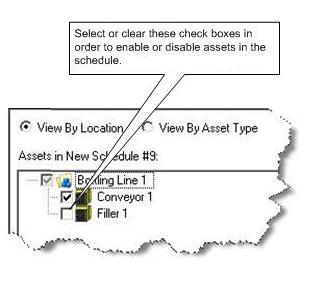
- In the lower left portion of theSchedulestab, enable or disable an asset by checking or clearing the check box next to the asset.
Provide Feedback