
About the Workspace Pane
The
Workspace
pane shows the information and controls for the FactoryTalk AssetCentre
tools: Archive, Schedules, Logs,
Searches, Agent Groups, and Address Book. After a tool is selected, it appears on a tab in
the Workspace
pane:Workspace pane
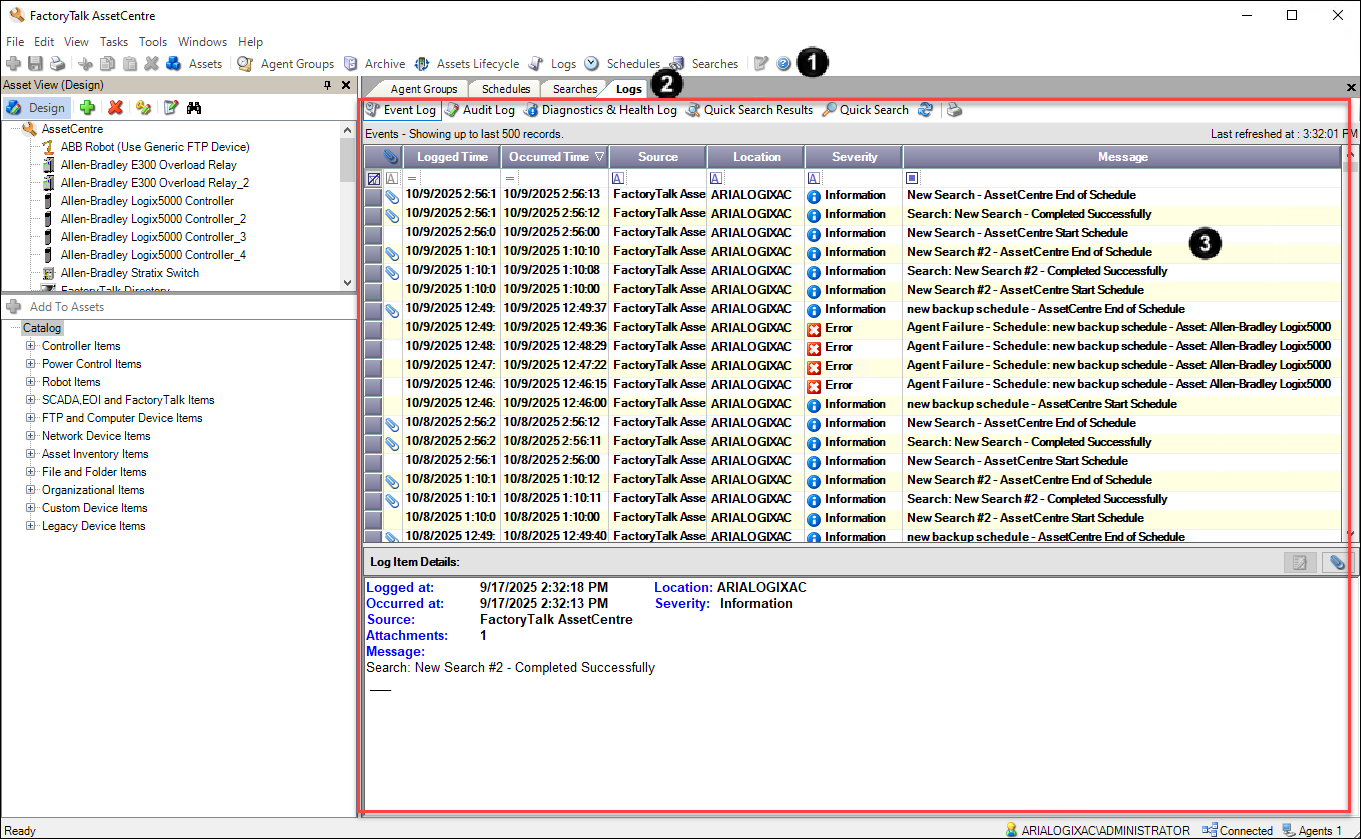
- Click a button to show a tool in theWorkspacepane.Alternatively, you can choose a tool on theViewmenu.
- Tabs appear on theWorkspacepane for each tool that is open.
- Users can get the severity of the logs and take the corresponding actions.
You can use the Workspace Pane to interact with the tools: manage files in Archive; set up, view, or run schedules; view logs; search for log entries; add and manage agent groups. Once a tool is selected from the toolbar, it is shown in a tab in the Workspace Pane. For help using the tools that appear in the Workspace Pane, press
F1
when the tab is active.Provide Feedback