
Asset Retrieval Options dialog box
How do I open the Asset Retrieval Options dialog box?
- SelectView>Archive, or click theArchivebutton.
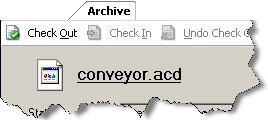
- In the asset tree, right-click the file and selectOpen, or select the file in the asset tree and then at the top of theArchivetab, click the file link:
 TIP:If you select an asset in the asset tree, you can double-click the file on theArchivetab, or you can right-click the file on theArchivetab and selectOpen.
Use the
Asset Retrieval Options
dialog box to:- (Only available when clicking Asset Inventory asset's backup data) Show Asset Inventory scanning result in grid view.
- Get a read-only copy of a file or binder.
- Check out a file or binder to your current working folder.
Provide Feedback