Loading
AHIC Color Logo
Recent ActivityRecent Activity

Controle Unificado de Robô Articulado

O controle unificado do robô combina a automação da máquina e o controle do robô, reduzindo a complexidade do sistema usando um controlador Logix, Kinetix® e Studio 5000® para controlar um ou vários robôs. - [Tempo de Implementação: 60 minutos]
Innovation Center Home Page
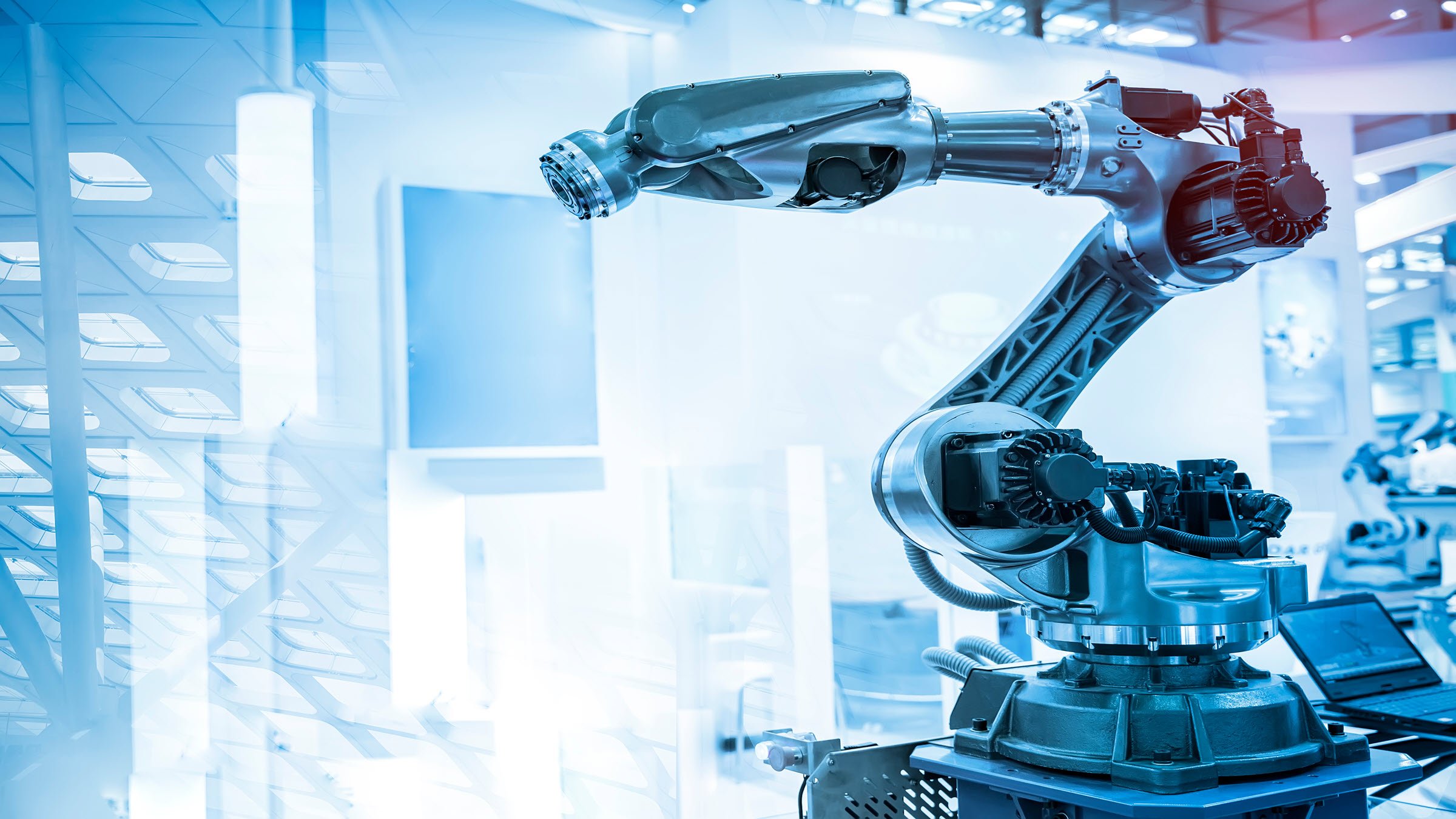
robotic arm catch for electronic assembly line. The robot for smart technology manufacturing process.
Innovation Center LOGO
  • Visão Geral
  • Guia de Implementação
  • Download
  • Contate-nos
  • Inscreva-se
Innovation Center Home Page
 

PRA QUE SERVE?

Como as soluções unificadas estão revolucionando o cenário?

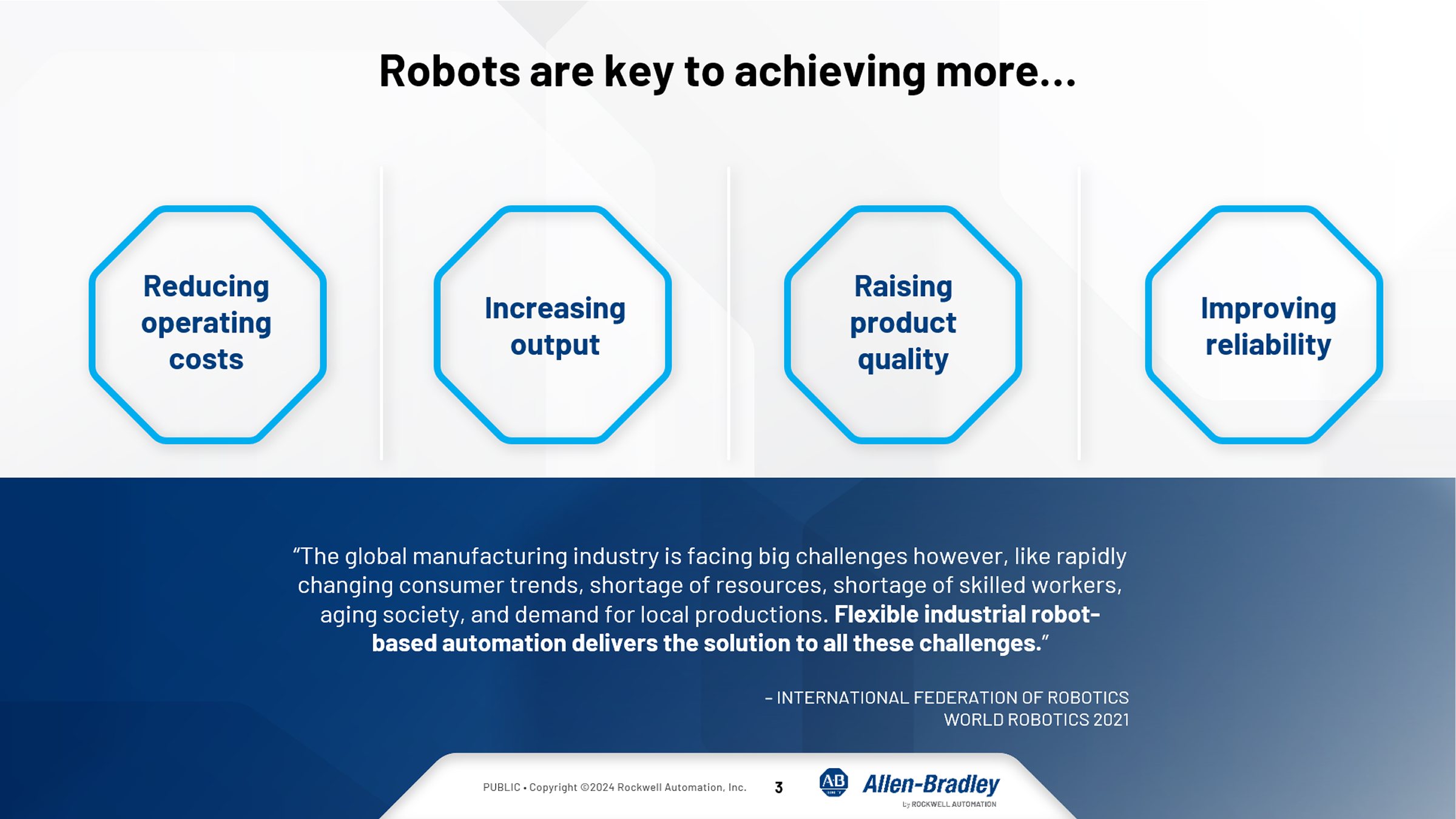
Os robôs industriais podem ser ativos poderosos para ajudar as empresas a atingir suas metas de produção mais importantes. No entanto, o valor que eles proporcionam pode ser prejudicado quando o projeto do sistema consistir em sistemas diferentes para o controle do robô e da máquina. Com o controle unificado de robôs, é possível eliminar essas barreiras de produtividade para:

  • Proporcionar um novo valor operacional
  • Simplificar o trabalho e permitir a colaboração
  • Gerar flexibilidade e acelerar a inovação
unified-robot-control_Image2.png
unified-robot-control_Image2.png

unified-robot-control_Image6.png

unified-robot-control_Image6.png

AHIC Download ICON VF.png

Download

Importante: Será necessário aceitar os Termos e Condições para cada download.

Arquivos para download ›
Legal Disclaimer Acceptance. ROCKWELL AUTOMATION WILL PROVIDE ACCESS TO ROCKWELL PRODUCTS (BEST PRACTICES, APPLICATIONS AND KNOWLEDGE) ON THE CONDITION THAT YOU ACCEPT AND COMPLY WITH THE FOLLOWING TERMS AND CONDITIONS. YOU ACCEPT AND AGREE TO BE BOUND BY THE TERMS OF THIS AGREEMENT BY DOWNLOADING, INSTALLING, COPYING, OR OTHERWISE USING PRODUCTS. IF YOU ARE ACCEPTING THESE TERMS ON BEHALF OF ANOTHER PERSON, COMPANY, OR OTHER LEGAL ENTITY, YOU REPRESENT AND WARRANT THAT YOU HAVE FULL AUTHORITY TO BIND THAT PERSON, COMPANY, OR LEGAL ENTITY TO THESE TERMS. IF YOU DO NOT AGREE TO THESE TERMS, DO NOT DOWNLOAD, INSTALL, COPY, ACCESS, OR USE THE PRODUCTS, SOFTWARE AND/OR CLOUD SERVICES. 1. Rockwell Automation retains full ownership and title to all Products and related documentation. No rights or licenses are granted other than those set forth in this Agreement. Company grants to Rockwell Automation a non-exclusive, worldwide, royalty-free, perpetual, non-revocable license to use any feedback Company provides regarding the Products, even if Company has designated the feedback as confidential. Rockwell Automation will be entitled to use the feedback without restriction or compensation to Company. 2. Company may not lease sub-lease, assign, license, sub-license or otherwise transfer any of the Products without the prior written consent of Rockwell Automation. Company may not assign or otherwise transfer access rights to the Products without the prior written consent of Rockwell Automation. Any reverse assembly, reverse engineering, decompilation, and creation of derivative works based on the Products by Company is prohibited. 3. Company acknowledges that Products provided under this Agreement are Rockwell Automation’s Confidential Information and are covered by effective or pending copyrights, patents, trademarks and/or trade secrets of Rockwell Automation, and Company agrees to maintain confidentiality by not disclosing Products or documentation to any third party without the prior written consent of Rockwell Automation and to protect the confidentiality of the Products as it would Company’s own confidential information. Company agrees that its obligation of confidentiality under this paragraph shall survive expiration or termination of this Agreement. 4. Company agrees that Products provided under this Agreement are prototypes and examples and its application and results may vary depending on each customer and project conditions. Rockwell Automation do not warranty the same results. This Agreement shall in no way be construed as a commitment by Rockwell Automation at any time to manufacture and/or offer Products for sale. There is no explicit or implicit service level agreement associated with using the Products. Rockwell Automation does not warrant that the functions contained in the Products will meet Company’s requirements. Company agrees to use all Products only in accordance with the instructions and only for the intended usages identified in the documentation. 5. EXCLUSION OF WARRANTIES AND LIMITATION OF LIABILITY. THE PRODUCTS ARE PROVIDED "AS IS". ROCKWELL AUTOMATION DISCLAIMS ANY AND ALL WARRANTIES, EXPRESS, IMPLIED OR STATUTORY, INCLUDING WITHOUT LIMITATION ANY WARRANTIES OF MERCHANTABILITY OR FITNESS FOR A PARTICULAR PURPOSE. ROCKWELL AUTOMATION EXPLICITLY DISCLAIMS ALL WARRANTIES OF NON- INFRINGEMENT AND EXPRESSLY DOES NOT WARRANT THAT THE PRODUCTS, IN WHOLE OR IN PART, WILL BE ERROR FREE OR FREE FROM SECURITY VULNERABILITIES. IN NO EVENT SHALL ROCKWELL AUTOMATION BE LIABLE FOR (i) LOST PROFITS, LOST SAVINGS, DOWNTIME, SPECIAL, INDIRECT OR CONSEQUENTIAL DAMAGES OF ANY KIND, OR (ii) ANY PERSONAL INJURY, PROPERTY DAMAGE OR ENVIRONMENTAL DAMAGE ARISING OUT OF OR IN CONNECTION WITH THIS AGREEMENT, WHETHER IN AN ACTION IN CONTRACT, STRICT LIABILITY OR IN TORT INCLUDING NEGLIGENCE. 6. COMPANY AGREES TO INDEMNIFY AND HOLD ROCKWELL AUTOMATION HARMLESS FROM ALL COSTS, AWARDS, DAMAGES, EXPENSES AND FEES (INCLUDING ATTORNEYS FEES) RESULTING FROM OR RELATED TO ANY THIRD-PARTY CLAIMS (INCLUDING EMPLOYEES AND AGENTS OF COMPANY) AGAINST ROCKWELL AUTOMATION, ITS DISTRIBUTORS, AGENTS, OFFICERS, DIRECTORS OR EMPLOYEES FOR PERSONAL INJURY (INCLUDING DEATH), PROPERTY DAMAGE OR ENVIRONMENTAL DAMAGE RELATED TO OR RESULTING FROM THE USE OF THE PRODUCTS. 7. In the event a Product is exported, Company agrees to comply with all applicable United States Export Control Law and Regulations, and the applicable export control laws of other countries. This Agreement shall be governed by the laws of the state of Wisconsin. This Agreement is the complete and exclusive Agreement between Rockwell Automation and the Company, and supersedes all prior agreements, whether written or oral, relating to the Products.
AHIC NEED HELP ICON VF.png

Precisa de ajuda?

Se você precisar de ajuda com uma inscrição ou tiver um feedback do centro de inovação, escreva para nós.

 
unified-robot-control_Image1.png

unified-robot-control_Image1.png


CARACTERISTICAS GERAIS

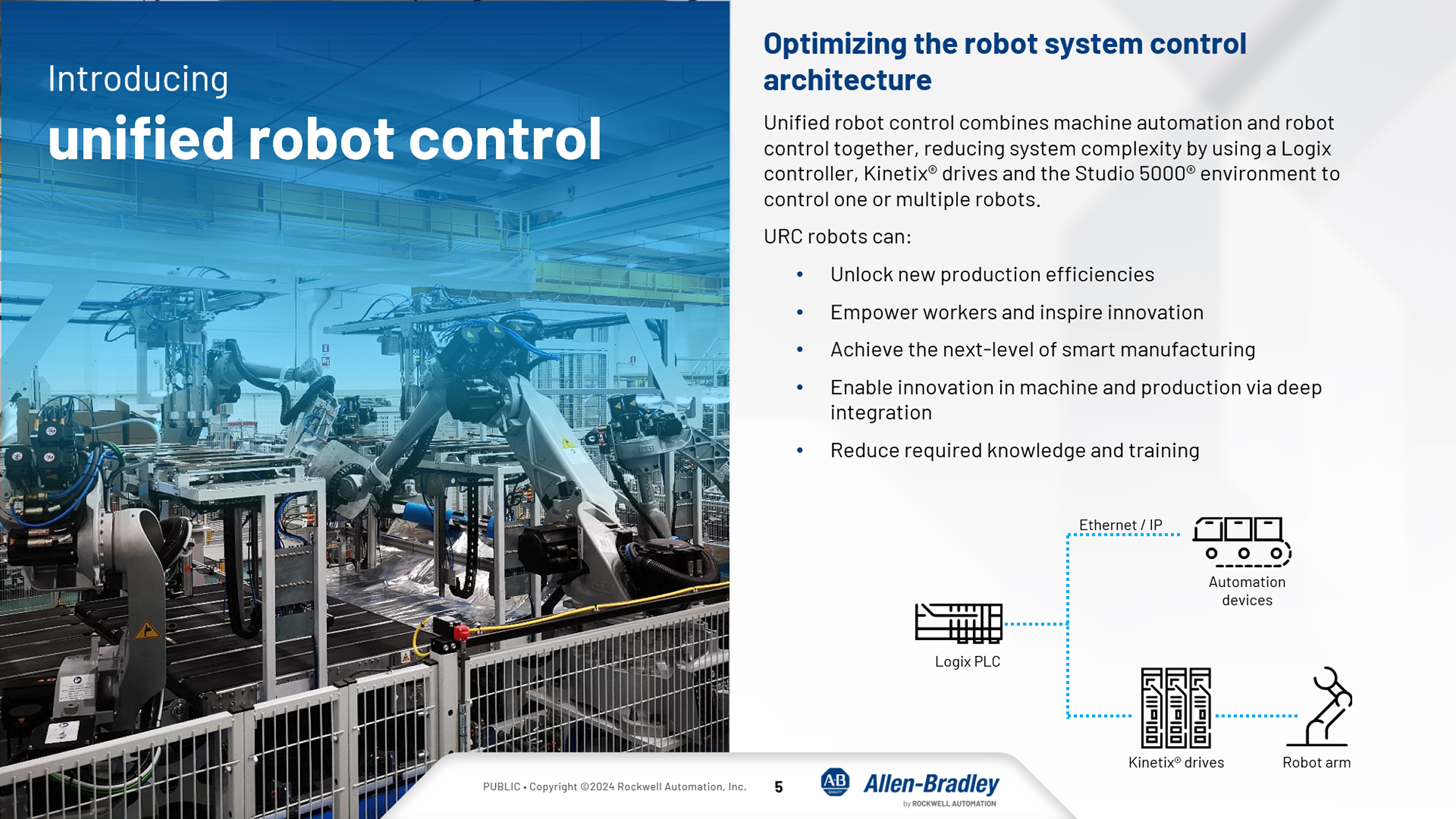
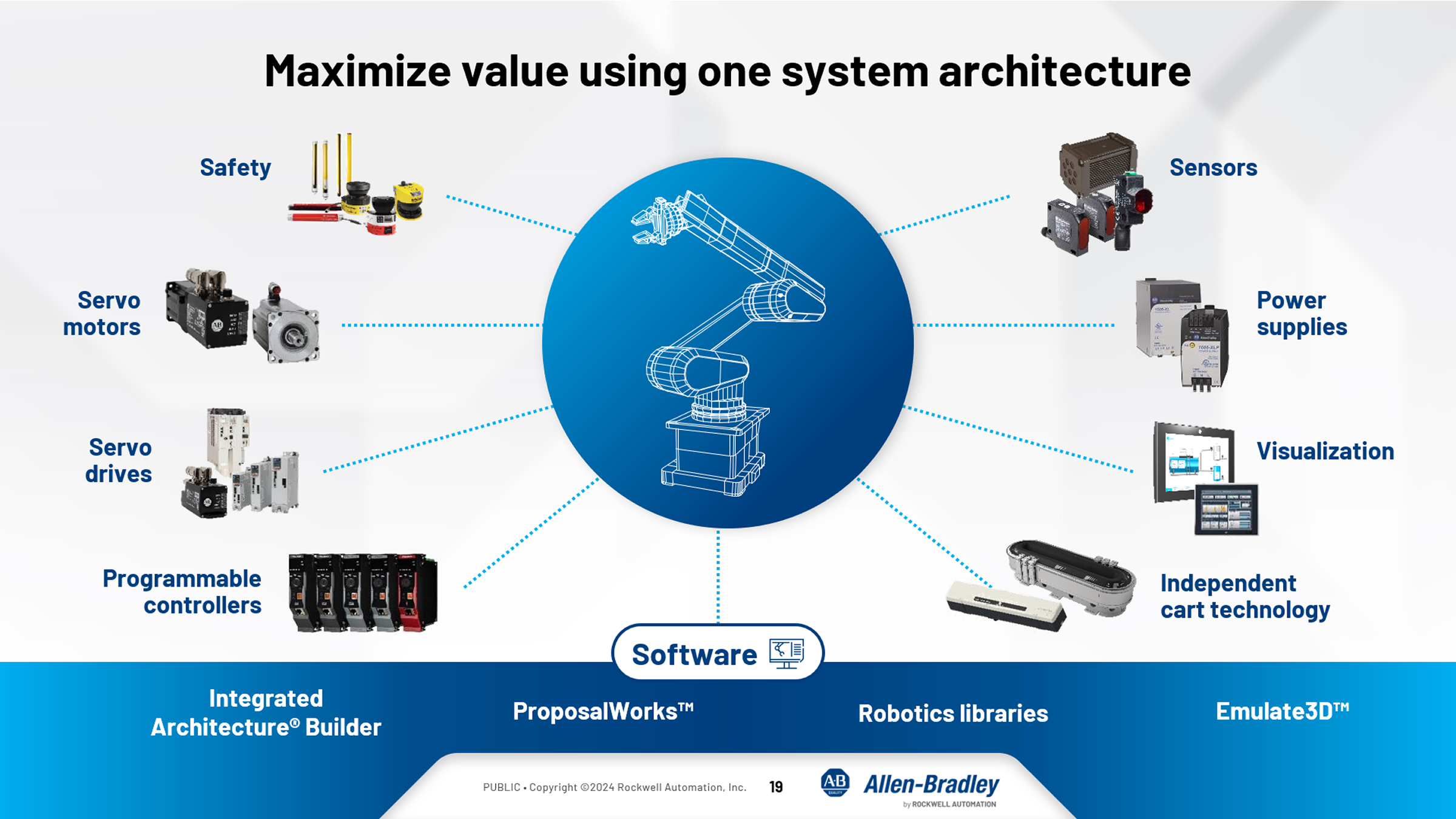
O controle unificado do robô combina a automação da máquina e o controle do robô, reduzindo a complexidade do sistema usando um controlador Logix, inversores Kinetix® e o ambiente Studio 5000® para controlar um ou vários robôs.

Os robôs URC podem:

  • Desbloquear novas eficiências de produção
  • Capacitar os trabalhadores e inspirar a inovação
  • Alcançar o próximo nível de fabricação inteligente
  • Permitir a inovação na máquina e na produção por meio de integração profunda
  • Reduzir o conhecimento e o treinamento necessários

O controlador Logix hospeda o Kinematics do robô e o programa completo é feito no Studio 5000® para direcionar todos os movimentos do robô sem o uso de um controlador de robô dedicado. Basta selecionar a mecânica do robô de um de nossos parceiros de controle de robô unificado e controlar o sistema de forma abrangente usando uma solução da Rockwell Automation.

unified-robot-control_Image4.png

unified-robot-control_Image4.png

unified-robot-control_Image3.png

unified-robot-control_Image3.png


VANTAGENS

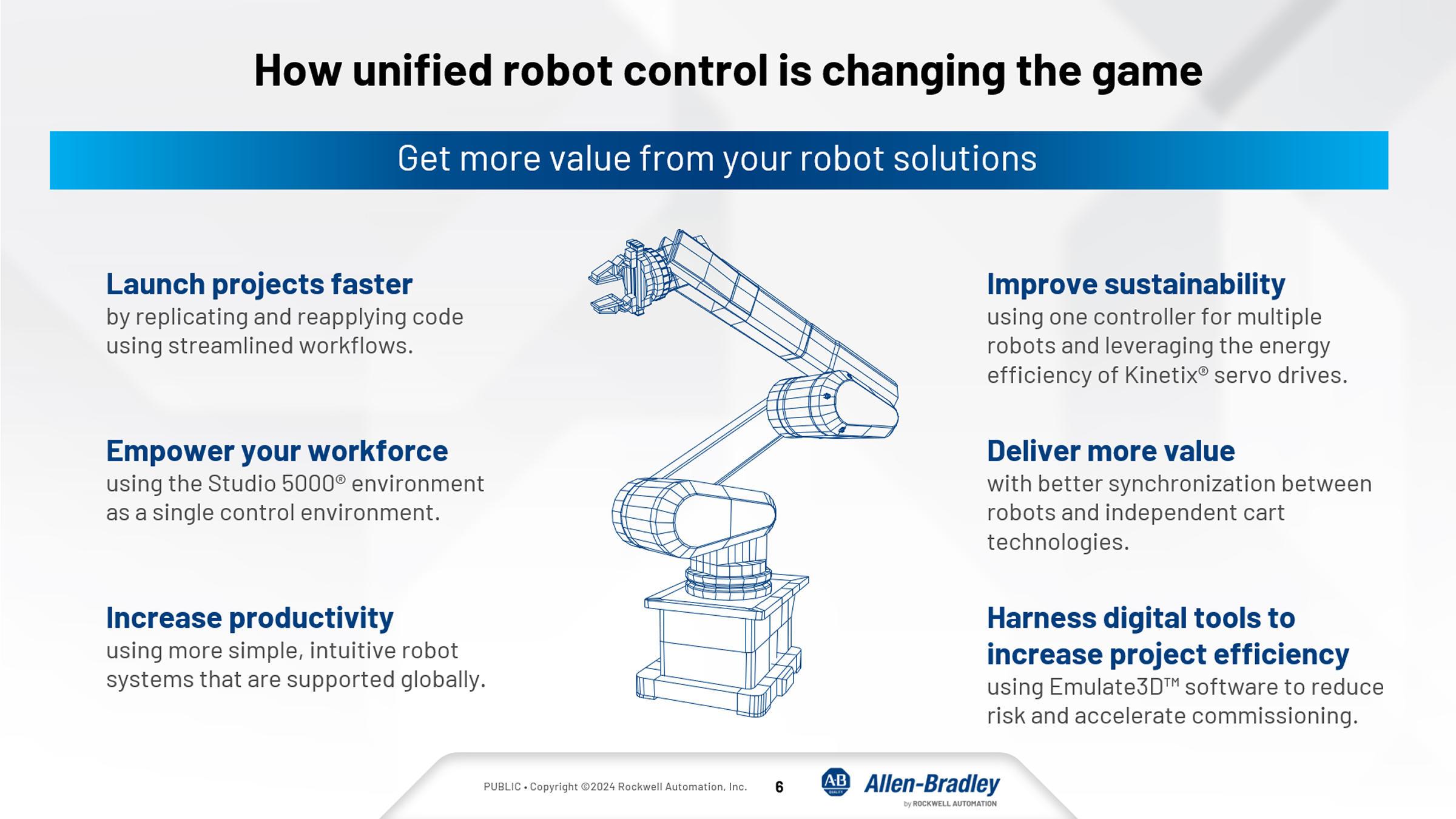
  • Inicie projetos mais rapidamente
    • Grave, teste e refine todo o código de controle no ambiente Studio 5000
    • Use nosso fluxo de trabalho de configuração para gerar projetos Logix e IHM
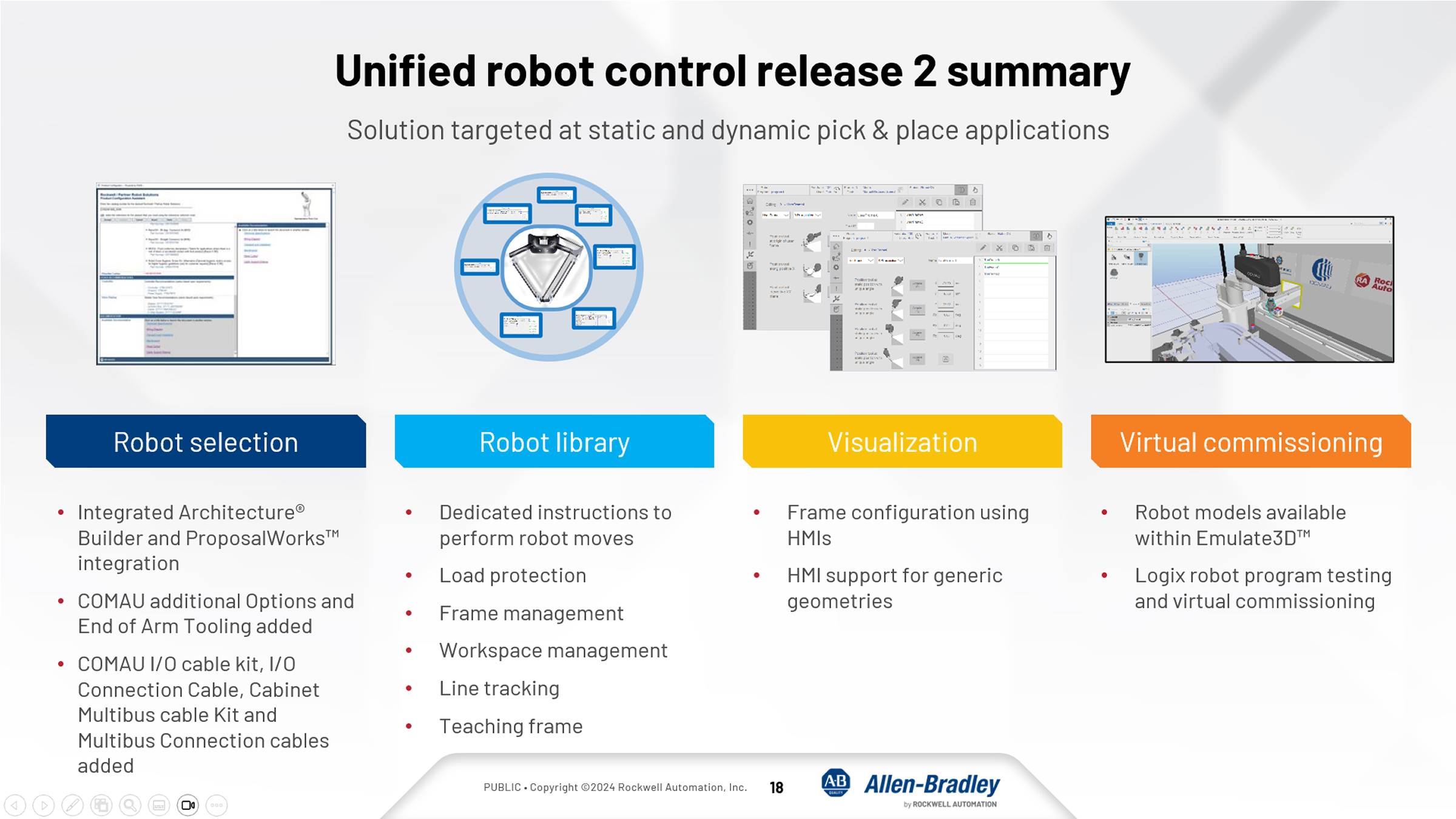
    • Comissione virtualmente os sistemas com a integração do software Emulate3D ™
  • Otimize o desempenho
    • Sincronize melhor robôs e dispositivos adjacentes, como a tecnologia de carro independente ICT (Independent Car Technology)
    • Troque facilmente dados importantes entre máquinas
    • Controle um ou vários robôs com um único controlador Logix
  • Capacite as equipes
    • Desenvolva especialistas em robótica com aqueles que já têm proficiência no ambiente Studio 5000
    • Use um ambiente de operação para controle completo do sistema
    • Elimine a necessidade de treinamento e aprendizado de programas de robôs de terceiros
  • Ofereça mais valor
    • Crie sistemas mais compactos removendo os controladores de robôs dedicados
    • Selecione entre várias geometrias de robôs de nossos parceiros de tecnologia e controle-as em uma única solução
    • Projete com componentes comuns compatíveis com seus sistemas de automação em toda a instalação


LIMITAÇÕES E DESVANTAGENS

  • Limitado a segurança baseada em eixos e interruptores físicos (Velocidade Limitada com Segurança)


ISSO É ÚTIL PARA MIM?

Aplicação base pronta apresentando como configurar, controlar, testar e colocar em funcionamento um Robô multiarticulado, incluindo um gêmeo digital com Emulate3D.

unified-robot-control_Image5.png

unified-robot-control_Image5.png


A parceria entre a Rockwell Automation e a COMAU aprimora a eficiência da automação por meio de soluções unificadas de controle de robôs.

Essa colaboração torna a manufatura mais eficiente, acessível e escalável por meio da integração da robótica. Uma parceria que visa simplificar a programação, o gerenciamento do ciclo de vida e acelerar o tempo de retorno do investimento para os clientes.

Saiba mais em COMAU Technology Partner - Company Overview


Como fazer funcionar?

Requisitos: produtos, ferramentas, conhecimento prévio.

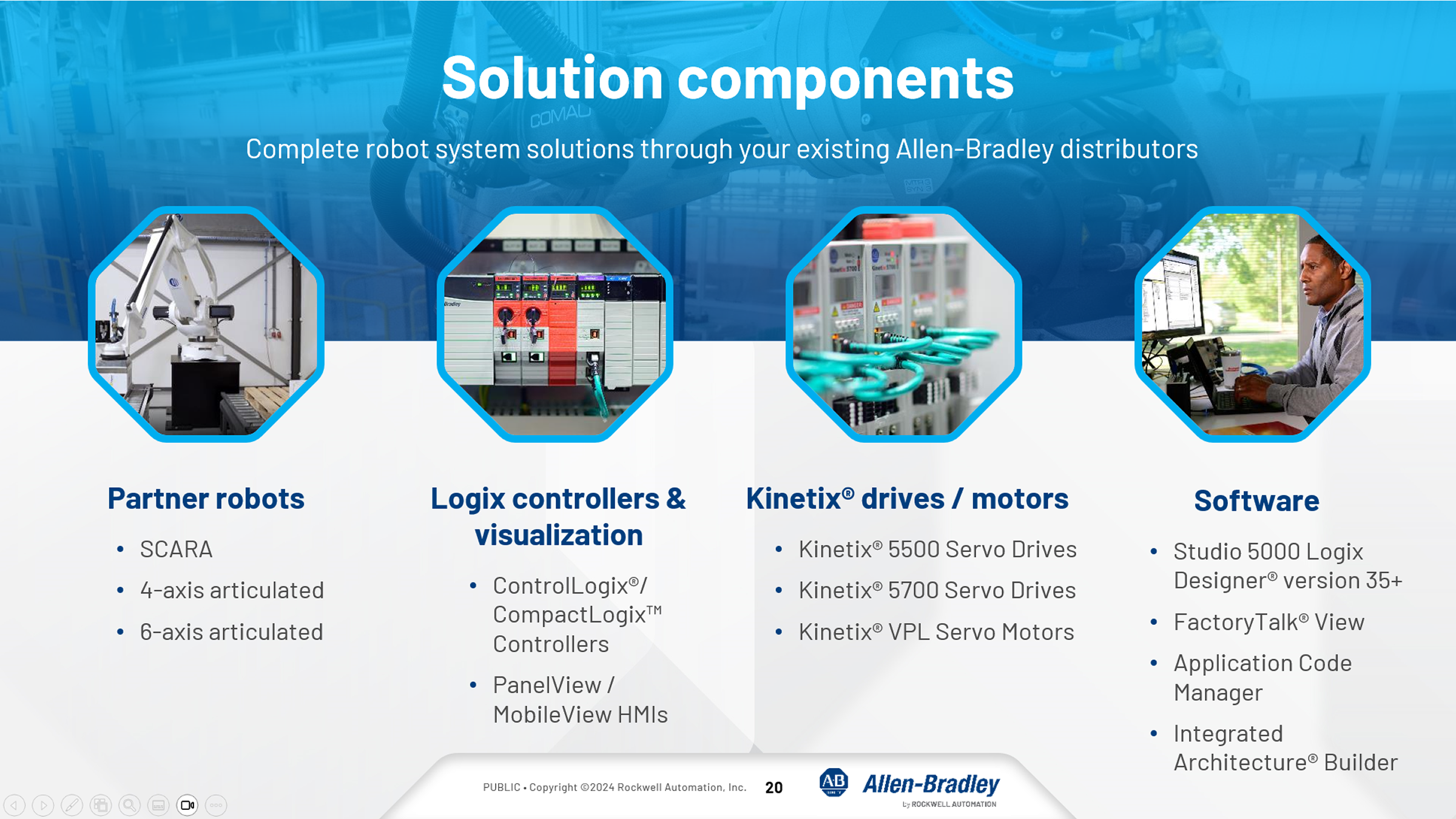
Hardware (de acordo com a seleção do robô)

  • Controlador ControlLogix CPU L8x ou superior
  • Controlador CompactLogix ou CompactGuardLogix
  • Drive Kinetix 5700

Nota1: O hardware é automaticamente configurado de acordo com a seleção do código/tipo do robô no software de configuração ACM (Aplication Code Manager).

Nota2: Para testes e emulações podem ser utilizados CPU virtual (FactoryTalk Echo) e eixos virtuais.

Software

  • Emulate3D 2024 v17.003
  • Studio 5000 v36
  • FactoryTalk View ME v14
  • ACM (Application Code Manager) V2.0
  • Robotics Libraries V3.0

Conhecimento

  • SO Windows
  • Emulate 3D - Básico
  • FactoryTalk View Studio ME


AHIC STEP ICON.png

Guia de Implementação

 
  1. Passo 1
  2. Passo 2
Open All Close All
Passo 1
 

Instale todos os softwares necessários, conforme as versões.


Faça download da aplicação em Downloads/GeneralFiles.zip.


Após o download, você encontrará os seguintes arquivos:

  • ENA_10Pol.Final.apa
  • ENA_10Pol.Final.apa
  • ENA_R2.ACD
  • Robo.demo3d
Passo 2


Siga o vídeo para configuração, testes, controle e simulação de movimento utilizando um gêmeo digital com o Emulate3D.


unified-robot-control_Robotic_R3.mp4


Controle Unificado de Robô Articulado
Versão 1.3 - Julho de 2026


AHIC White Logo
Inscreva-se!

Fique por dentro dos lançamentos de aplicações e das novidades do Innovation Center.

Inscreva-se e receba por e-mail.

Inscreva-se
 
  1. Chevron LeftChevron Left Página inicial da Rockwell Automation
  2. Chevron LeftChevron Left Sup...
  3. Chevron LeftChevron Left Sup...
  4. Chevron LeftChevron Left Downloads
  5. Chevron LeftChevron Left Innovation Center
  6. Chevron LeftChevron Left Controle Unificado de Robô Articulado

O conteúdo deste site foi traduzido usando inteligência artificial (IA) sem revisão nem edição humana. O conteúdo pode conter erros ou imprecisões e é fornecido “da forma como está” sem nenhum tipo de garantia. O texto oficial é a versão em inglês.
Atualize suas preferências de cookies para continuar.
Este recurso requer cookies para melhorar sua experiência. Atualize suas preferências para permitir esses cookies:
  • Cookies de Redes Sociais
  • Cookies Funcionais
  • Cookies de Desempenho
  • Cookies de Marketing
  • Todos os Cookies
Você pode atualizar suas preferências a qualquer momento. Para mais informações, consulte nosso {0} Política de Privacidade
CloseClose