
Interpret the Backup and Compare Report for Asset Inventory assets
The Backup and Compare report indicates differences in Asset Inventory scanning result data. By comparing two versions of the Asset Inventory scanning results, the report shows assets that are added, deleted, or changed. The compare partner is the Backup Data file as you set up the schedule. The report type is Backup-to-Backup Data.
The report lists the compare results of the compared files.
Example
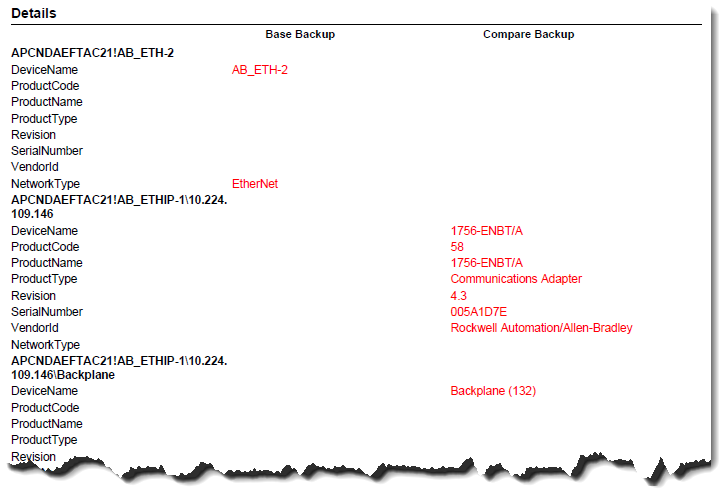
This is a portion of an Backup-to-Backup Data report.
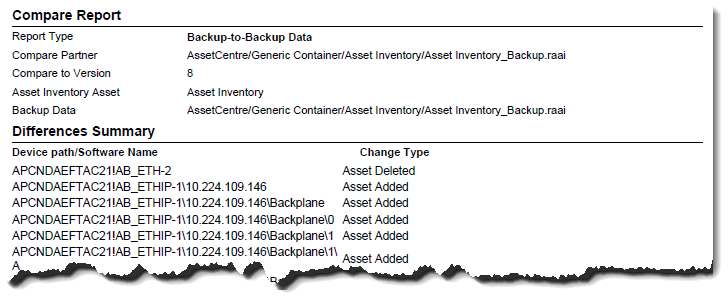
The Backup and Compare report uses red color to indicate where differences have been detected.
Provide Feedback