
Interpret the export file of security configuration
The XML file contains the security configuration information of all the assets in the asset tree. An asset inherits the security settings of the container in which it is placed (and a container inherits the security settings of the container in which it is placed), so you need to locate the root or container to find the security settings.
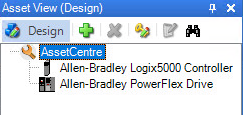
In the FactoryTalk AssetCentre desktop client, the security settings of AssetCentre and Allen-Bradley Logix 5000 Controller are changed as follows:
Asset names | Security policies | Security settings |
|---|---|---|
AssetCentre | Check Out - Check In | Deny |
Allen-Bradley Logix 5000 Controller | Undo CheckOut | Deny |
Pin | Deny |
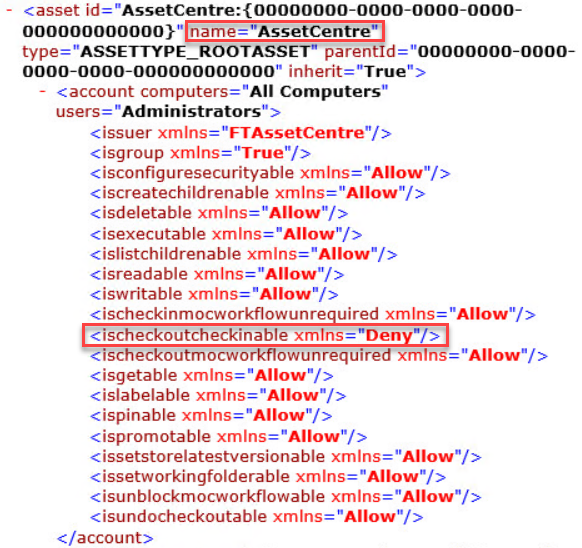
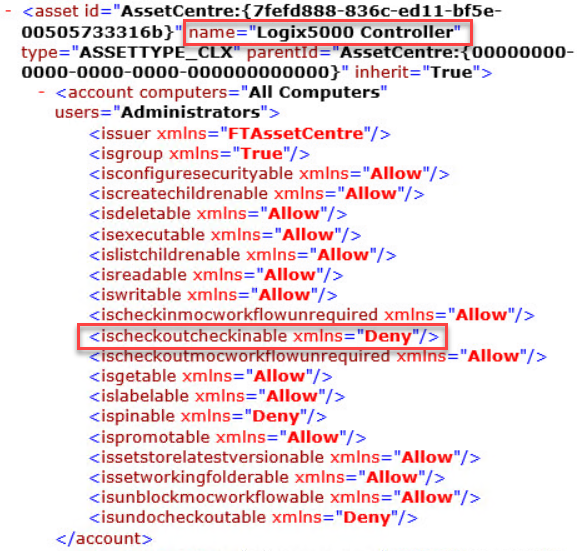
After the security configuration is exported, you can find the following information in the XML file:
- The security settings information of AssetCentre
- The security settings information of Allen-Bradley Logix 5000 Controller
Provide Feedback