
Examples for each filter result on the Assets Lifecycle tab
The following examples shows the filter results with each condition.
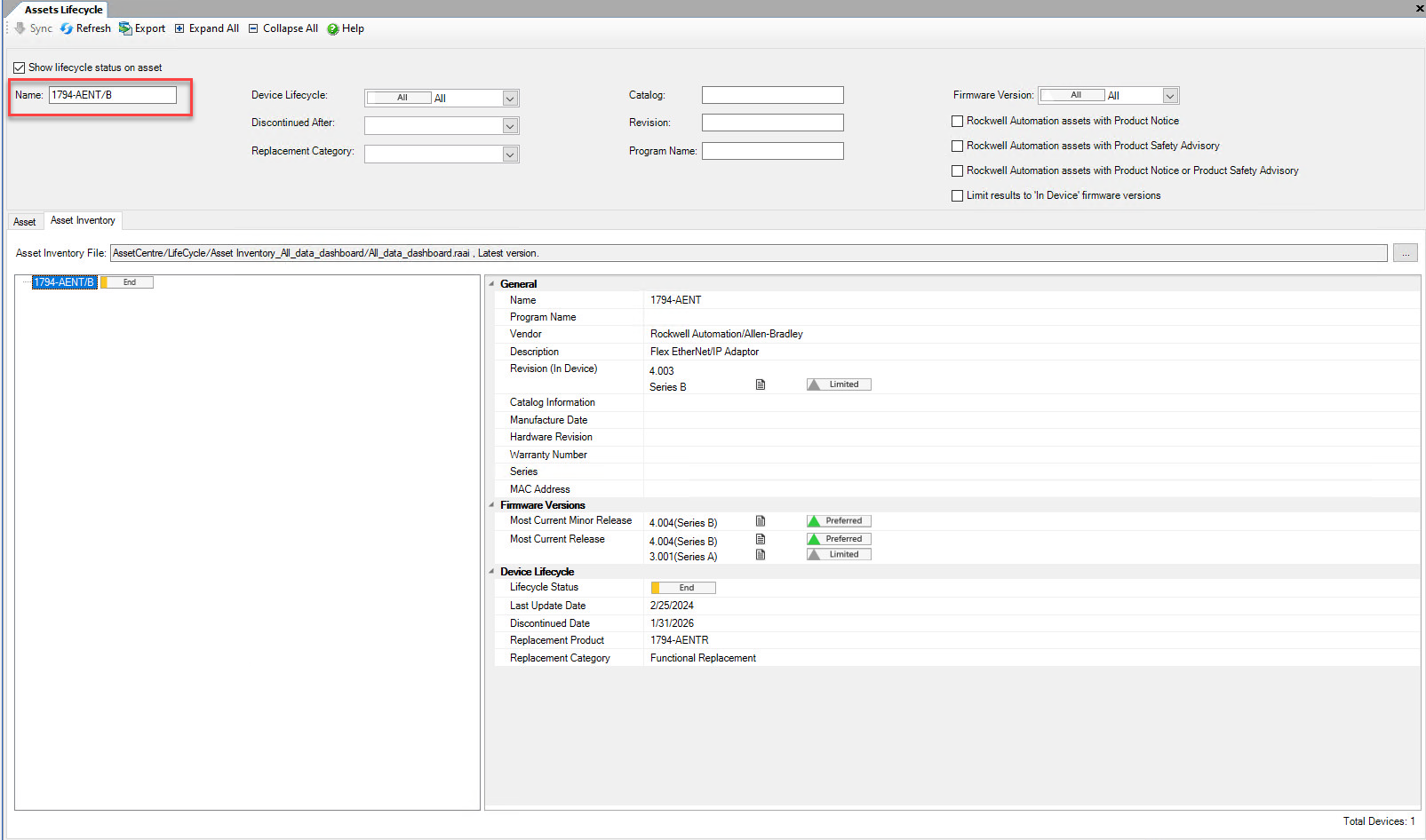
- Filter withName
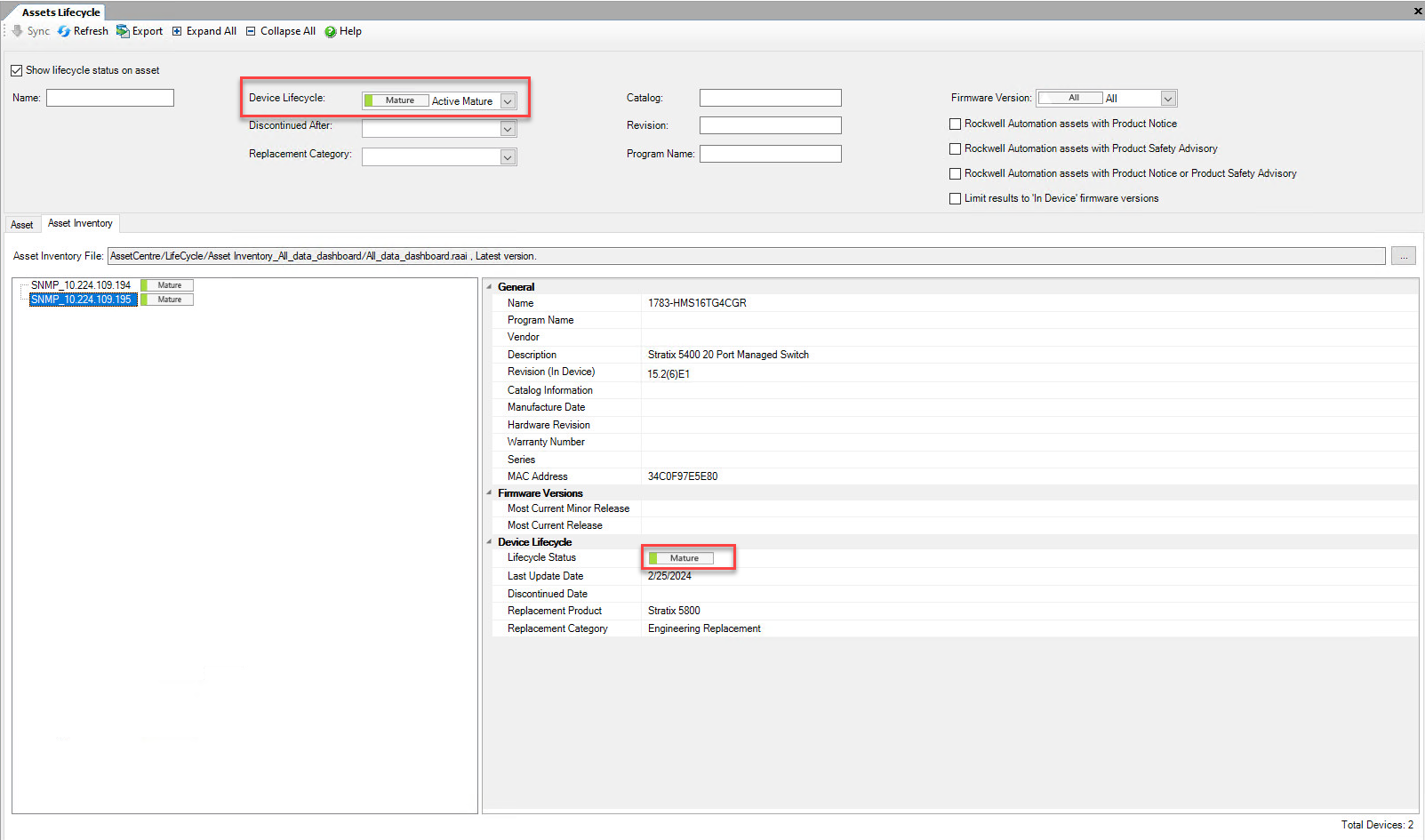
- Filter withDevice Lifecycle
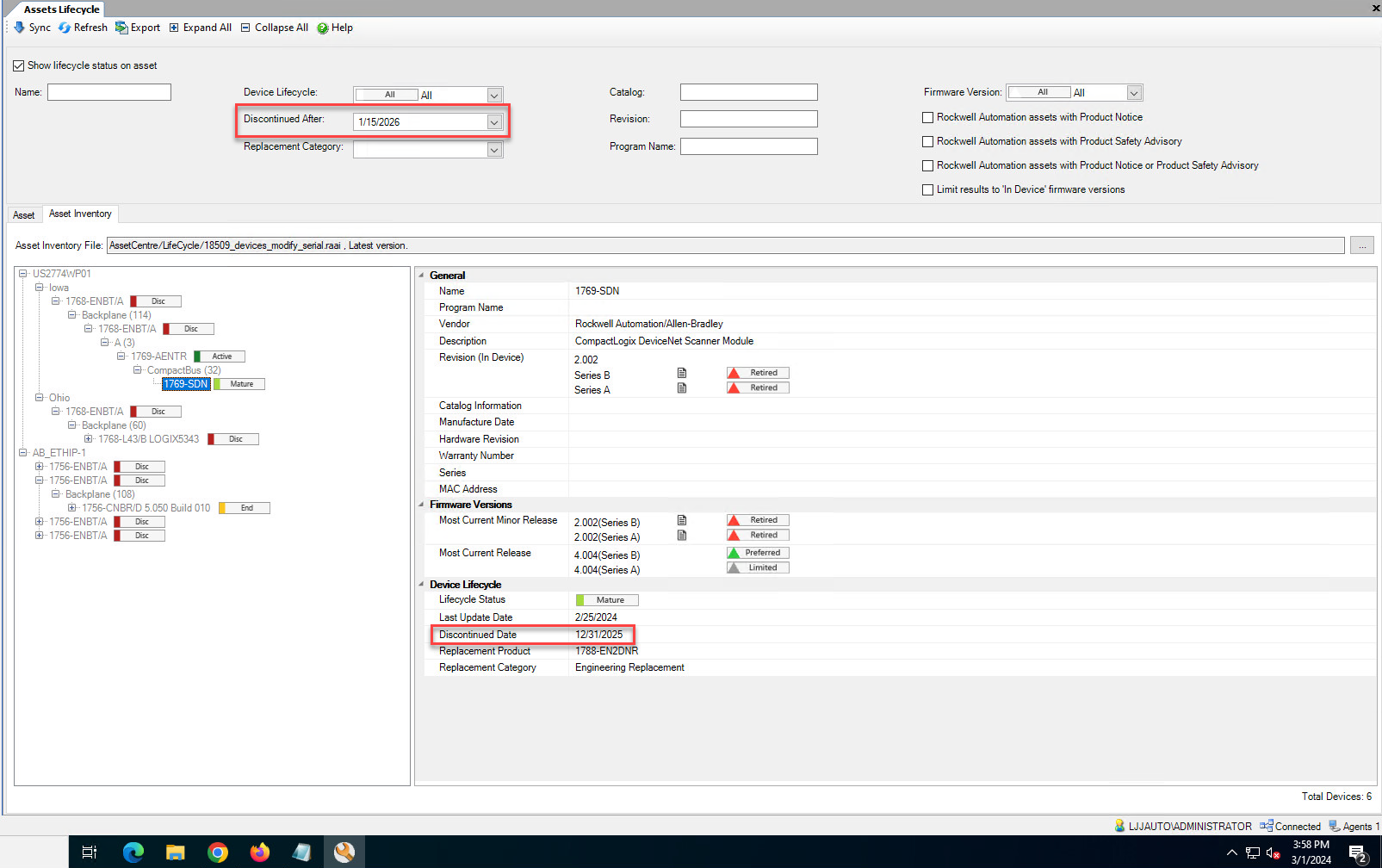
- Filter withDiscontinued Afterand a future dateWhenDiscontinued Afteris set as a future date, the search results will contain the products no longer manufactured or procured between today (a relative date when the filter schedule is executed) and the future date.
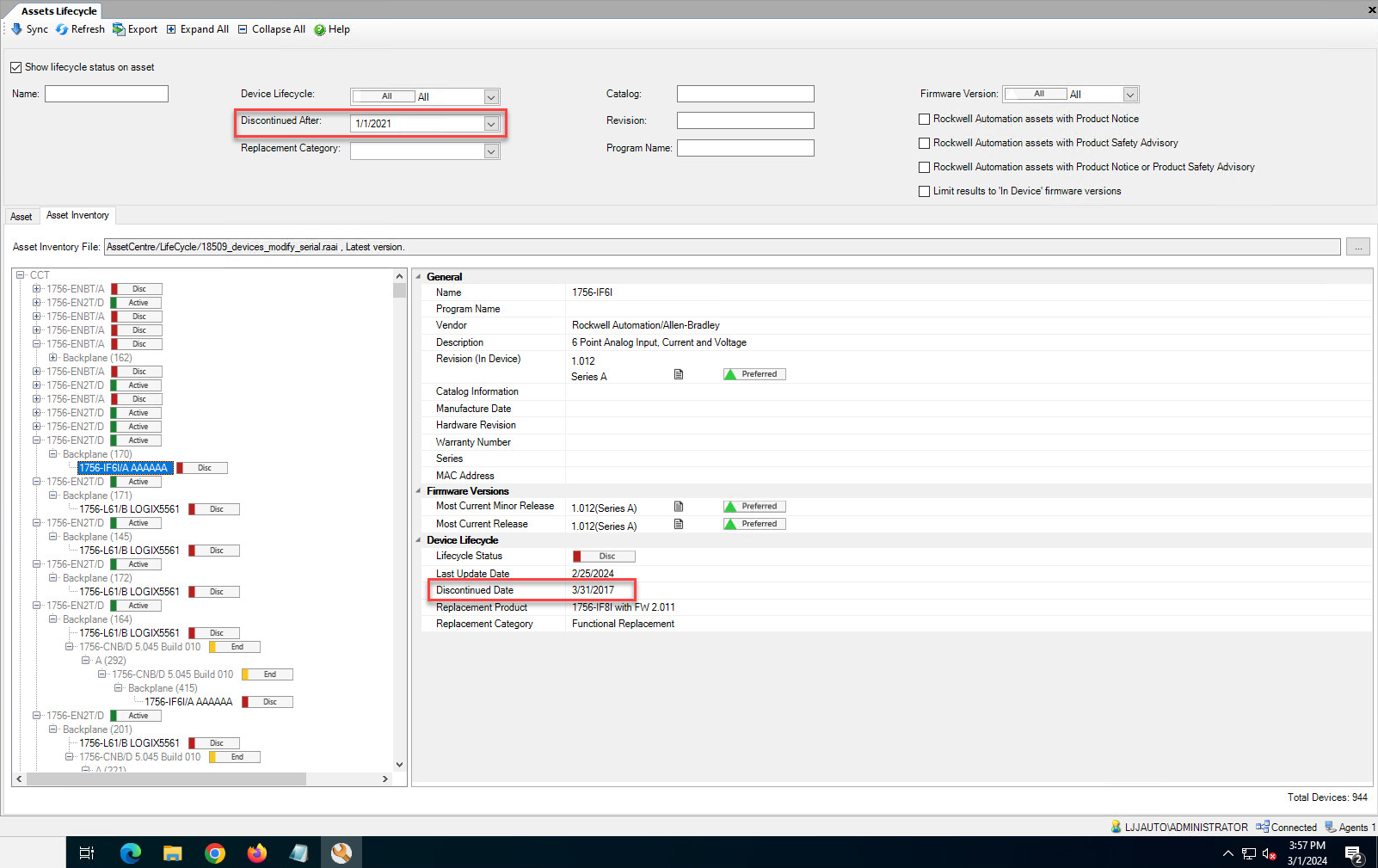
- Filter withDiscontinued Afterand today or a past dateWhenDiscontinued Afteris set as today or a past date, the search results will contain the products no longer manufactured or procured prior to the date.
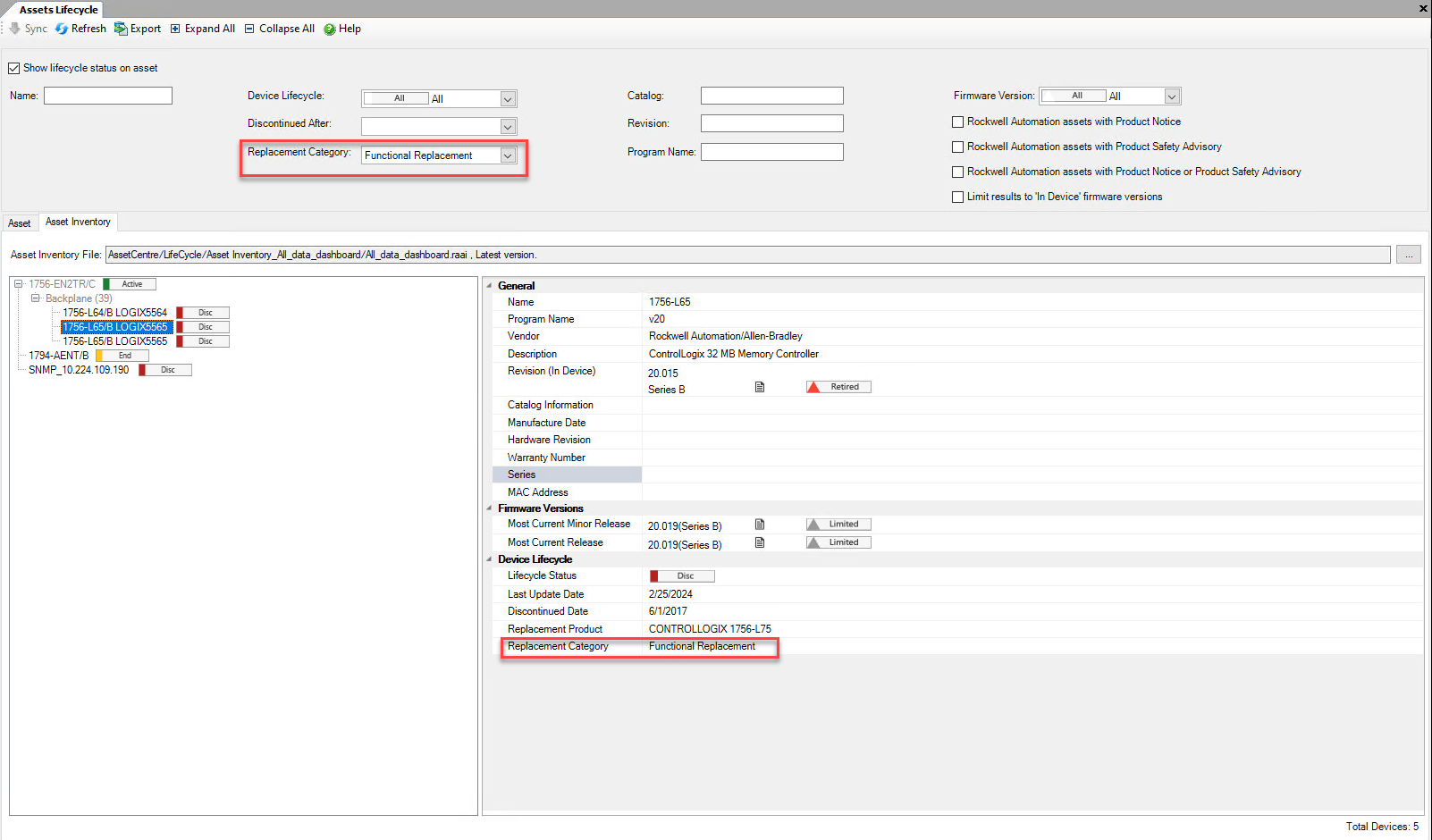
- Filter withReplacement Category
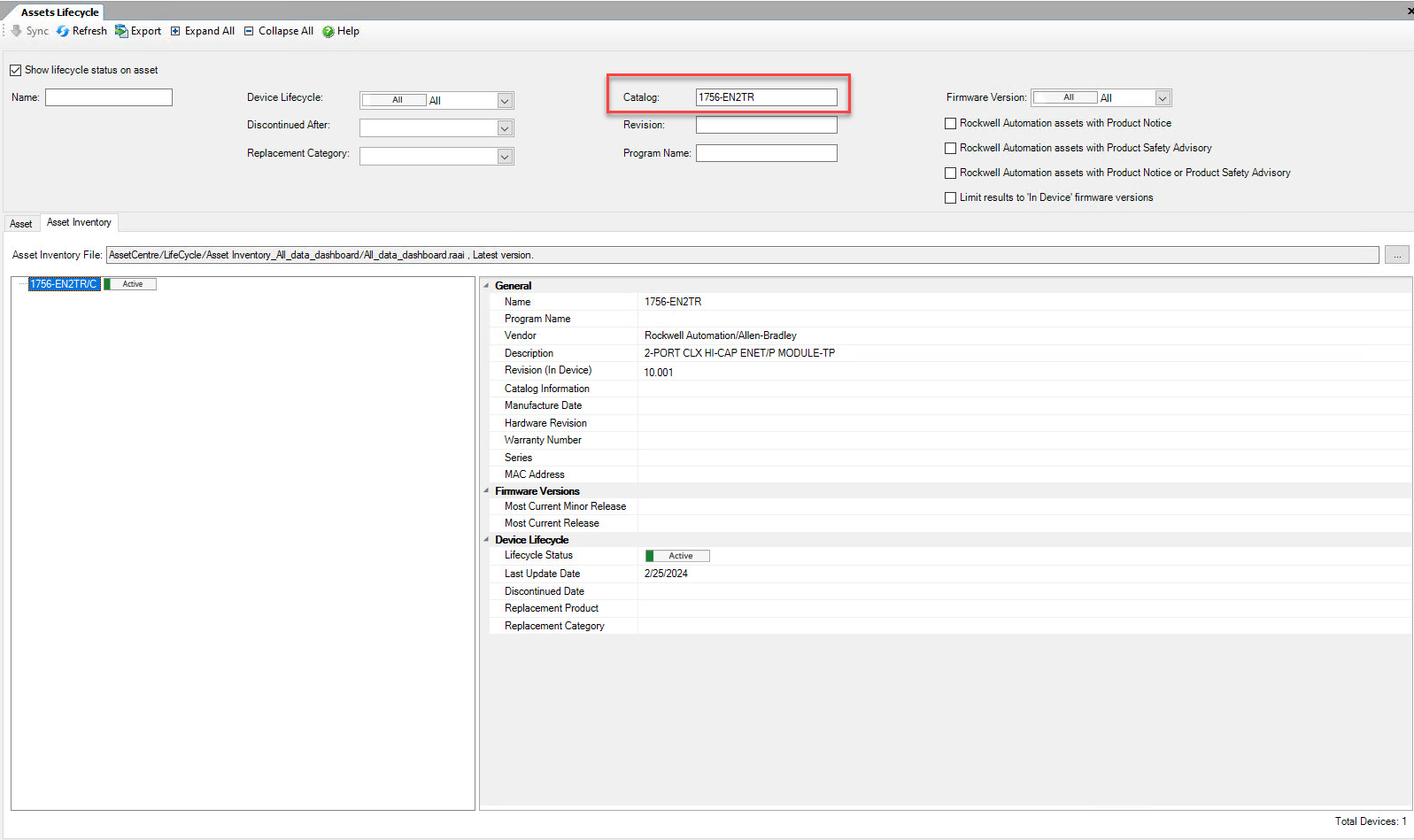
- Filter withCatalog
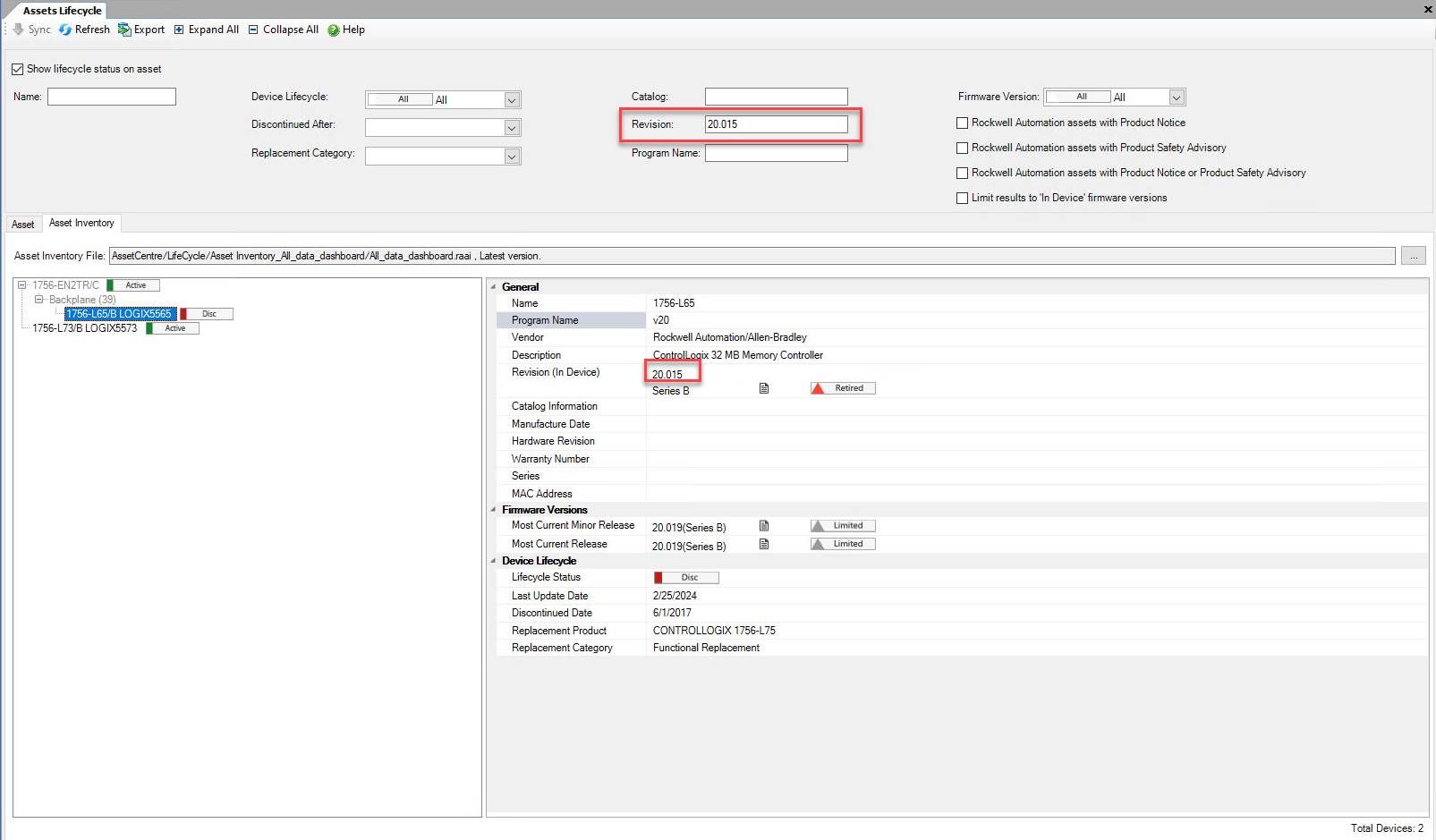
- Filter withRevision
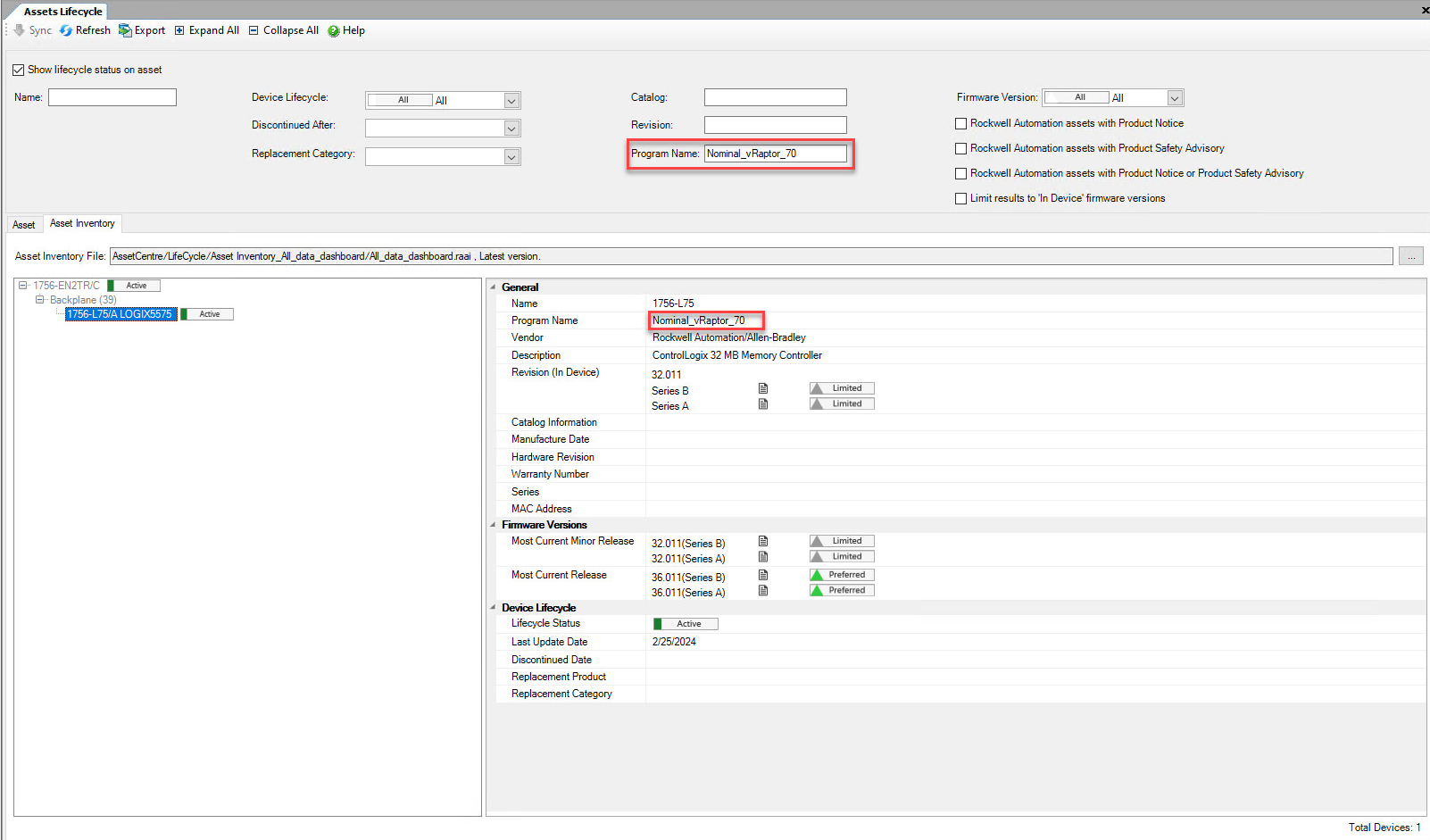
- Filter withProgram Name
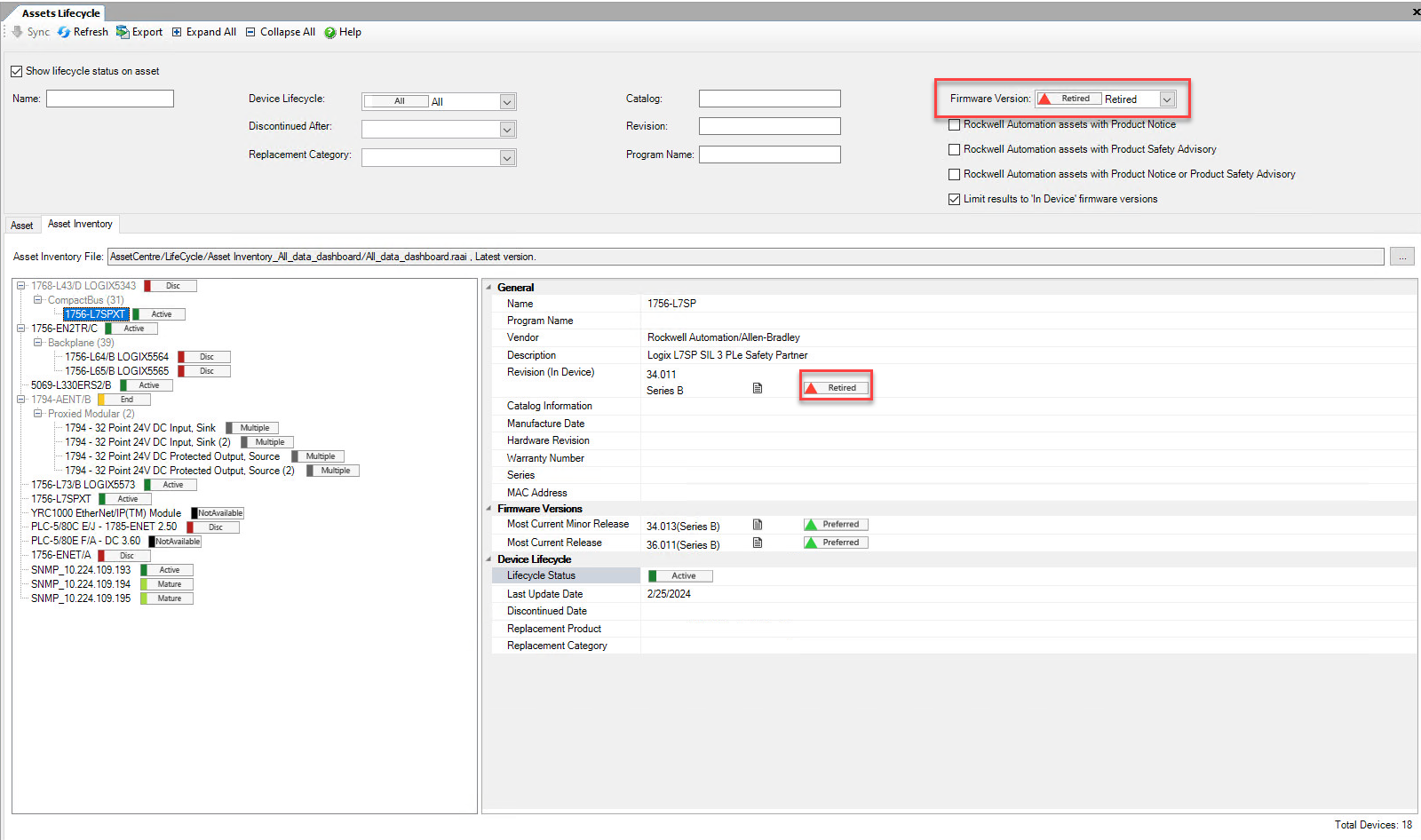
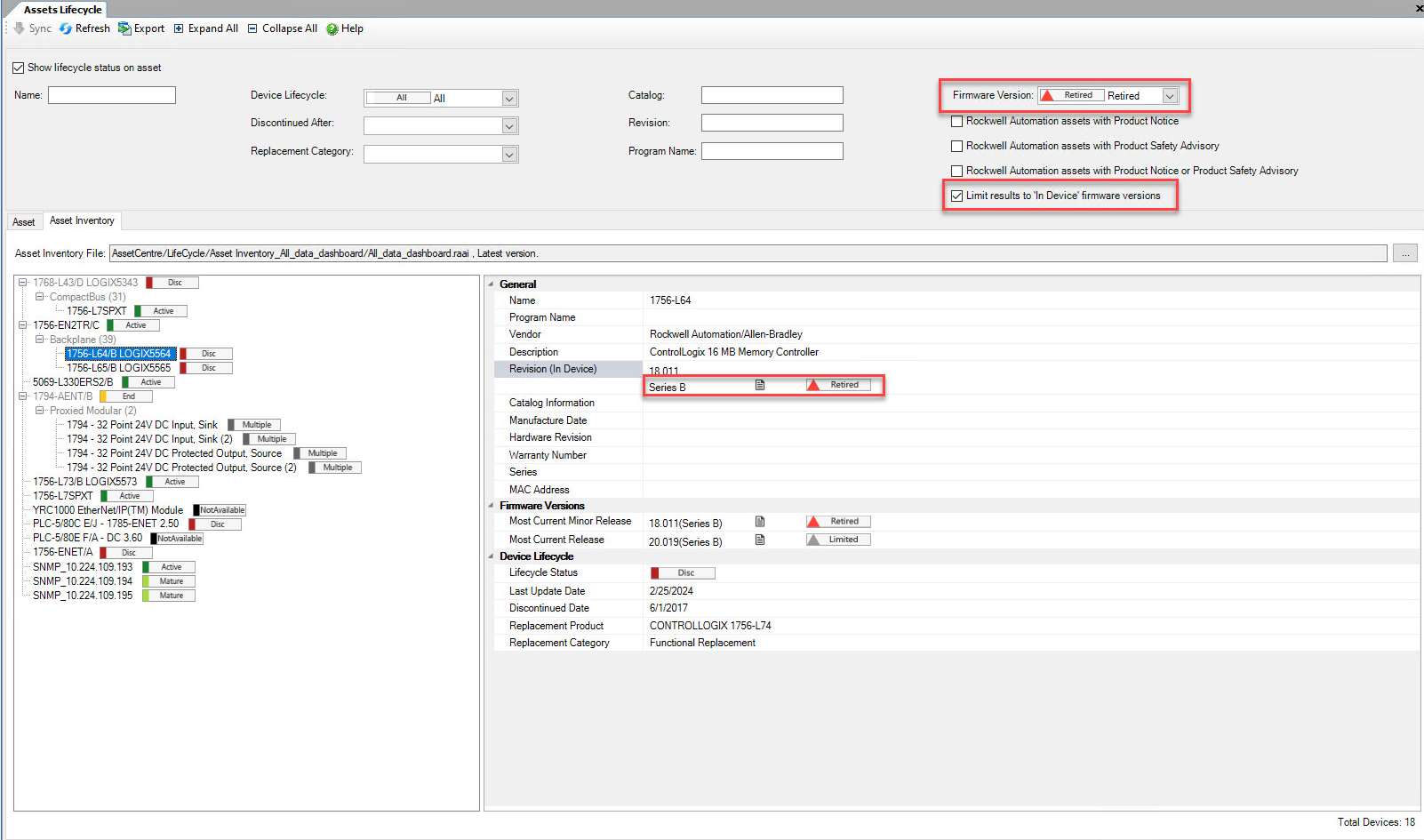
- Filter withFirmware Version
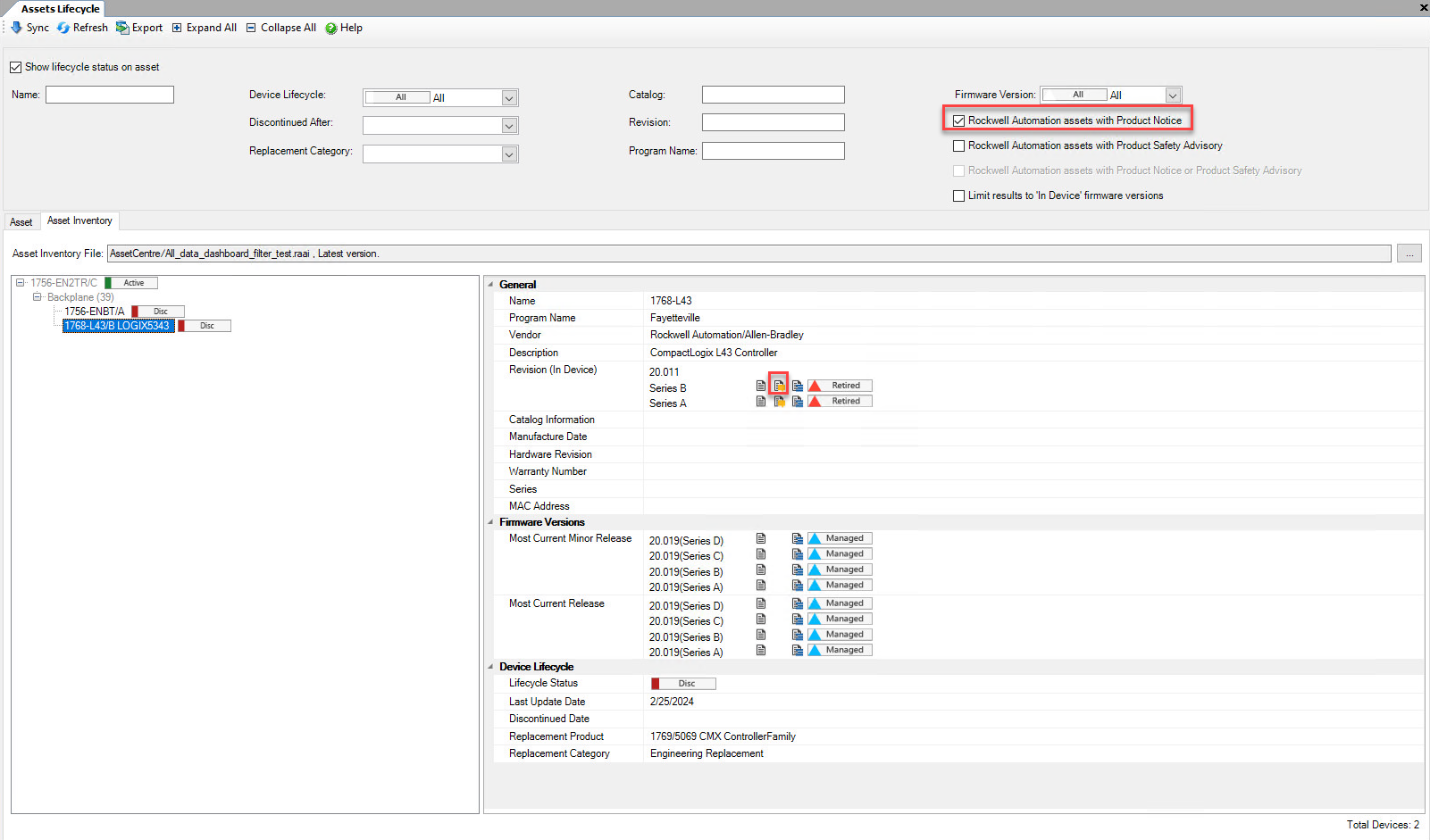
- Filter withRockwell Automation assets with Product Notice
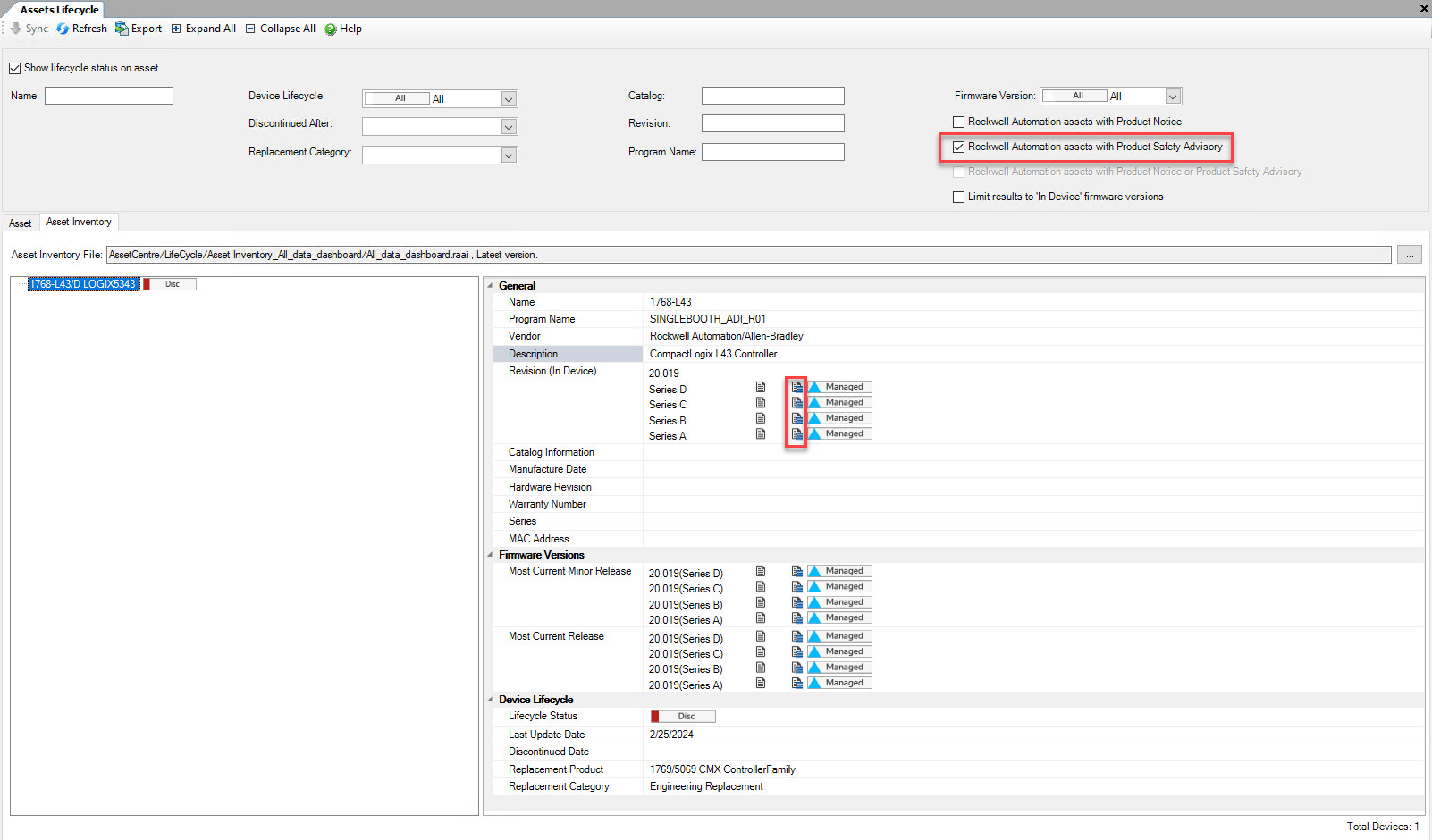
- Filter withRockwell Automation assets with Product Safety Advisory
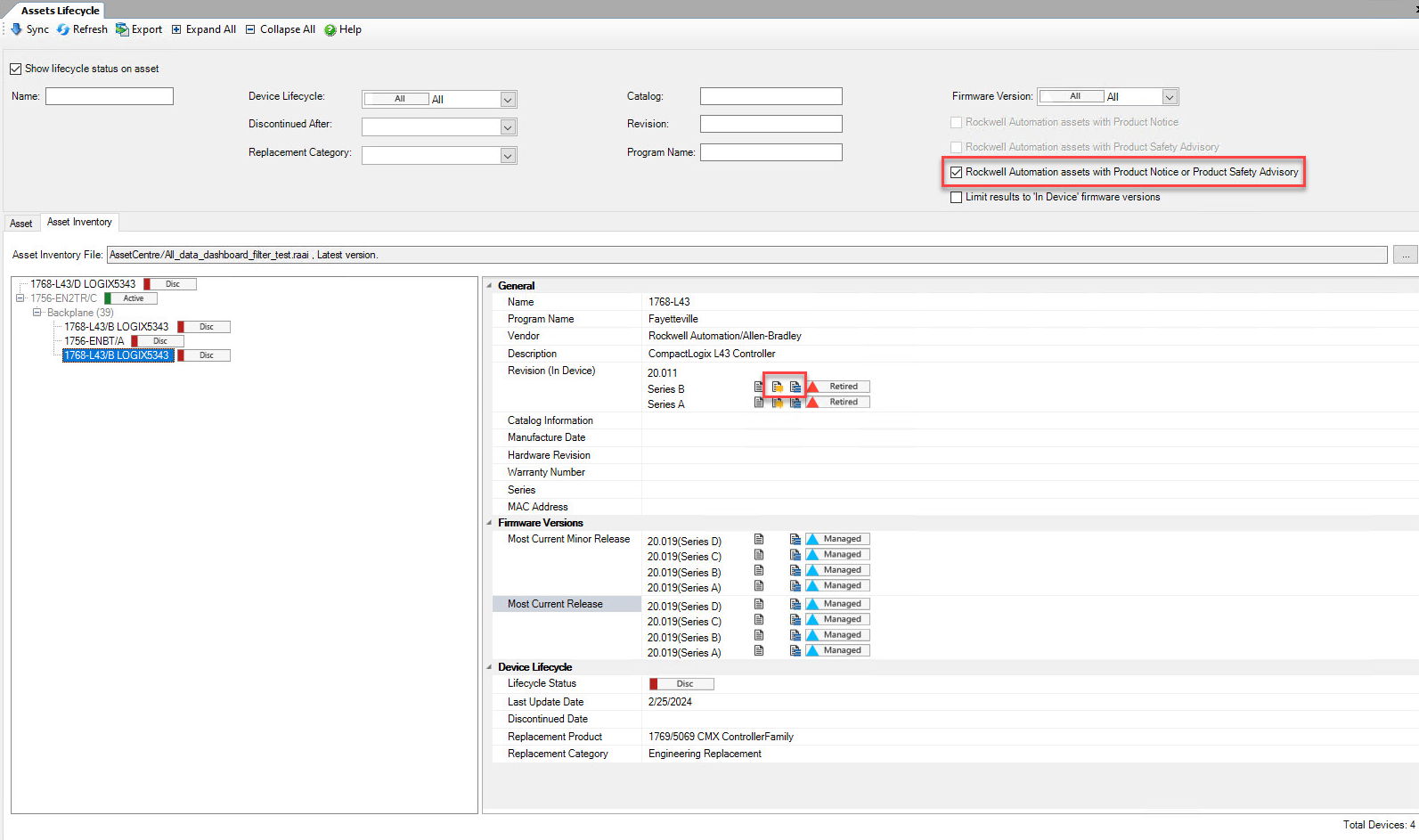
- Filter withRockwell Automation assets with Product Notice or Product Safety Advisory
- Filter withLimit Results to “In Device” firmware versionsThis condition must be used withFirmware Version,Rockwell Automation assets with Product Notice,Rockwell Automation assets with Product Safety Advisory, orRockwell Automation assets with Product Notice or Product Safety Advisory.
Provide Feedback