
Configure a site binding
Before you begin
To configure a site binding
- Open the Internet Information Services (IIS) Manager on theFactoryTalk AssetCentreserver computer.
- On the taskbar, select
 .
. - In the search box, typeinetmgr, and then pressEnter.
- Select the best match result.
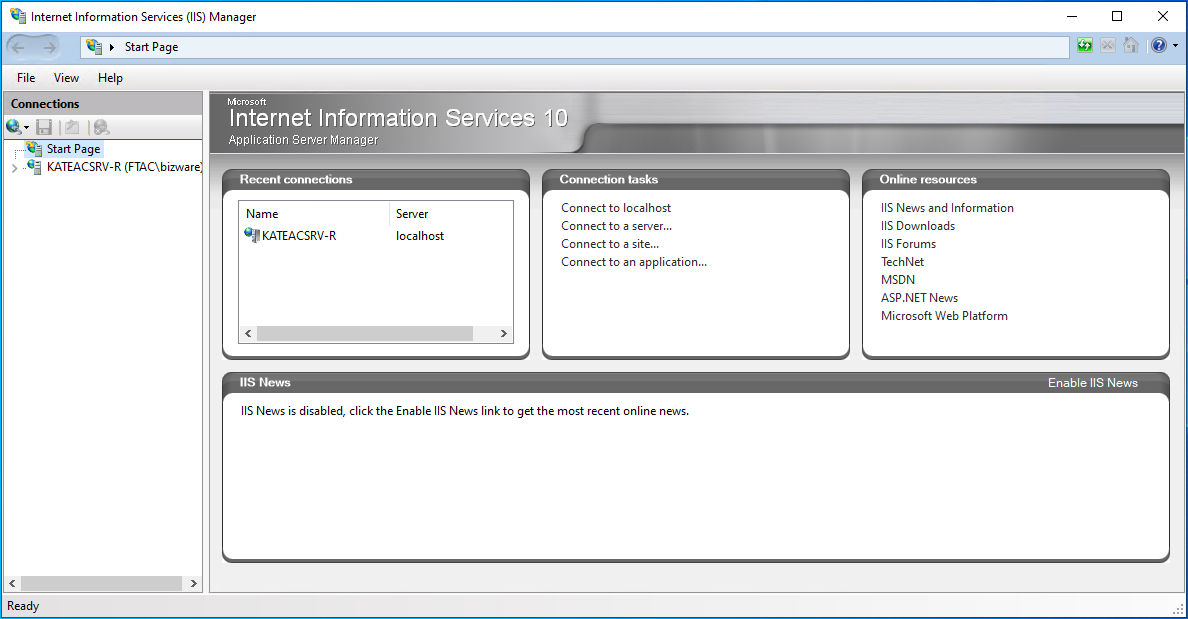
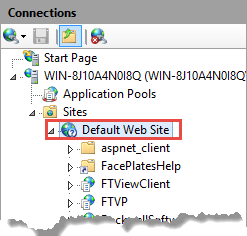
- Navigate tolocalhost>Sites>Default Web Site.
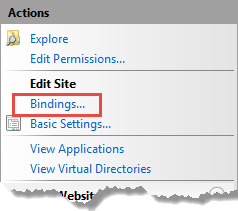
- UnderActions, selectBindings.
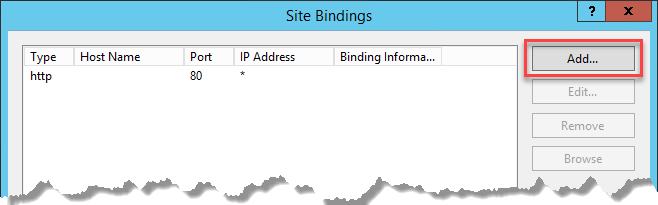
- In theSite Bindingsdialog, selectAdd.
- In theAdd Site Bindingdialog, configure the following settings.
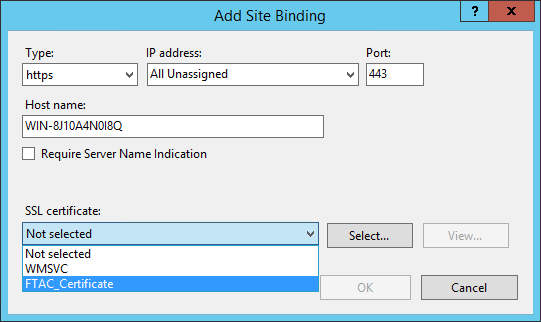 For this option...Do this...TypeSelecthttps.IP addressSelectAll Unassigned.PortKeep the default port number 443 or if you needed, you may change it to a self-defined port.If you use a self-defined port, you must configure a firewall rule and web services URL.Host nameType the fully qualified domain name (FQDN) of theFactoryTalk AssetCentreserver.SSL certificateSelect your certificate.
 - SelectOK.
- In theSite Bindingsdialog, the created site binding is listed. SelectClose.
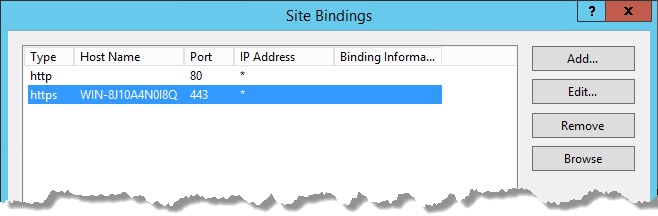 TIP:You can remove the default HTTP site binding and only keep the created HTTPS site binding.
Provide Feedback