
Configure the Gateway
Follow these steps to configure the gateway.
NOTE:
The gateway must be configured first before configuring any additional devices.
- In an existing controller project, select theEtherNet/IP™interface, then add the gateway in the Select Module Type window that follows.Add an 1834-AENTR Gateway
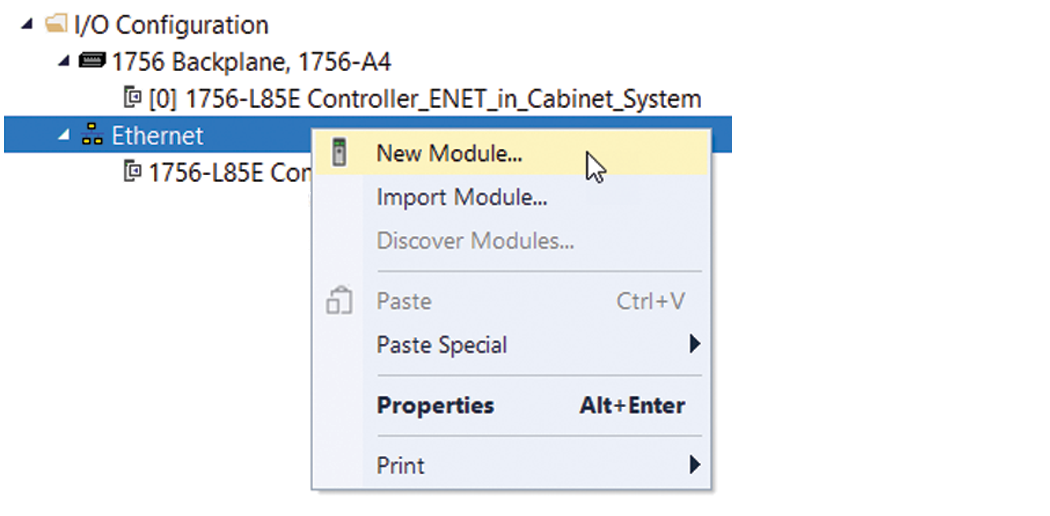 Example: Select a Module
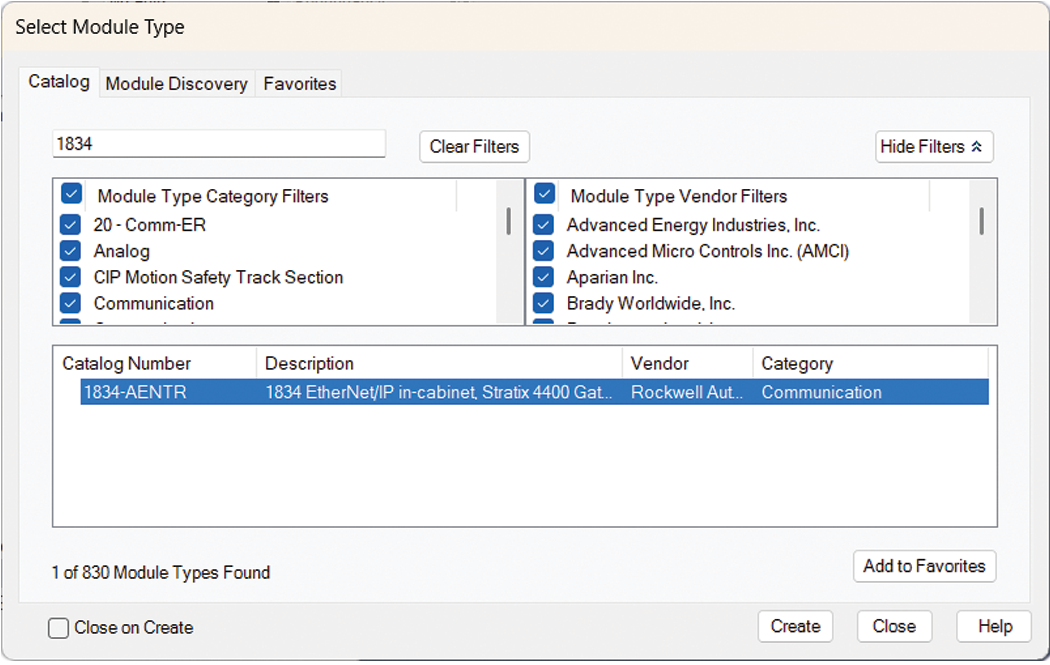 The New Module dialog box contains Information views and Configuration views. The Overview view is where you enter the device definition parameters.
 - For a new device, enter the Device Definition parameters.Gateway Device Definition
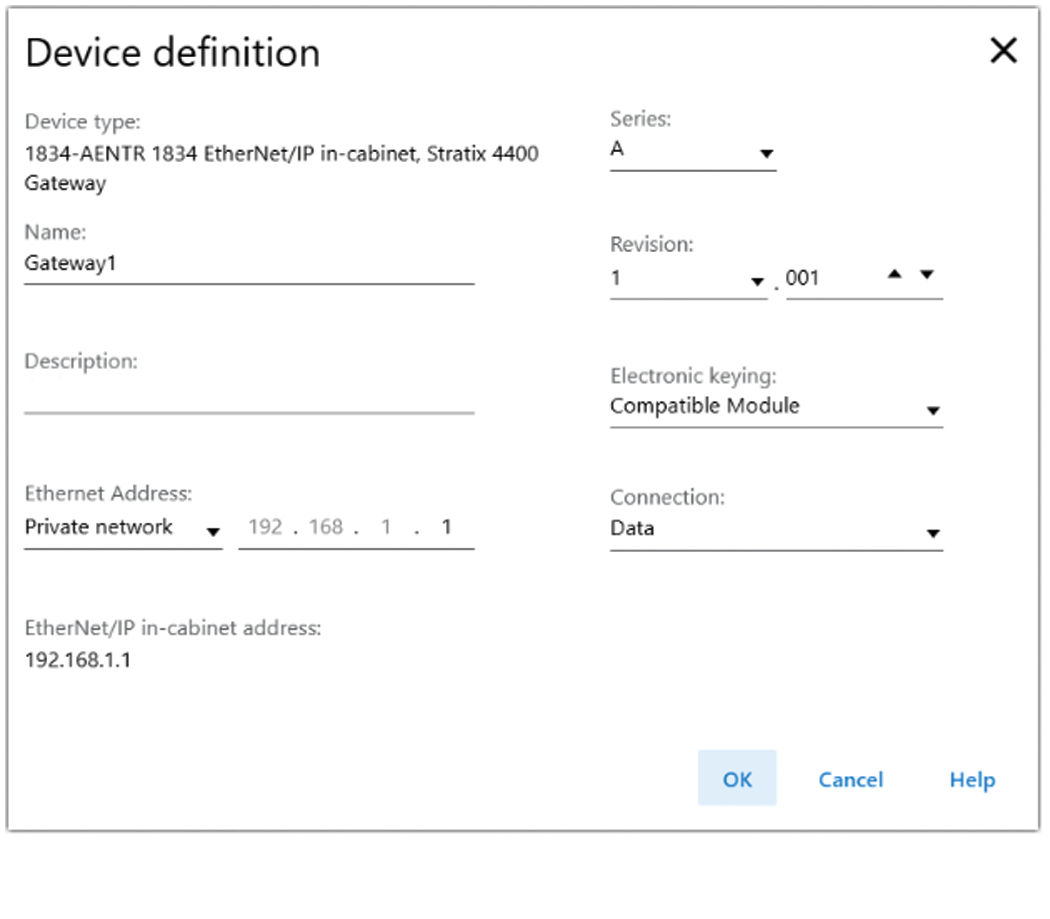 FieldDescriptionDevice typeStatic field that displays the connected device type.NameEnter a name for the gateway.DescriptionEnter a description for the gateway.Ethernet AddressEnter the IP address for the gateway.EtherNet/IP™In-cabinet addressA fixed value of 192.168.1.1SeriesSelect the device series.RevisionSelect the firmware major and minor revisions.Electronic keyingSelect the electronic keying type from the dropdown list. Values are:
- Exact Match
- Compatible Module
- Disable Keying
ConnectionThe connection type for the device is set as Data.
Provide Feedback