
Discover Local I/O Modules
While your
Studio 5000 Logix Designer®
application project is online, you can discover I/O modules to add them to the project.
To use the Discover Modules option, complete the following steps.
- Go online with the controller, if you are not online already.
- In the I/O Configuration, click the backplane and choose Discover Modules.
 The Logix Designer application automatically detects available modules that are installed in the system.
 - On the Select Module Type dialog box, click Create next to the discovered module to add to your project.
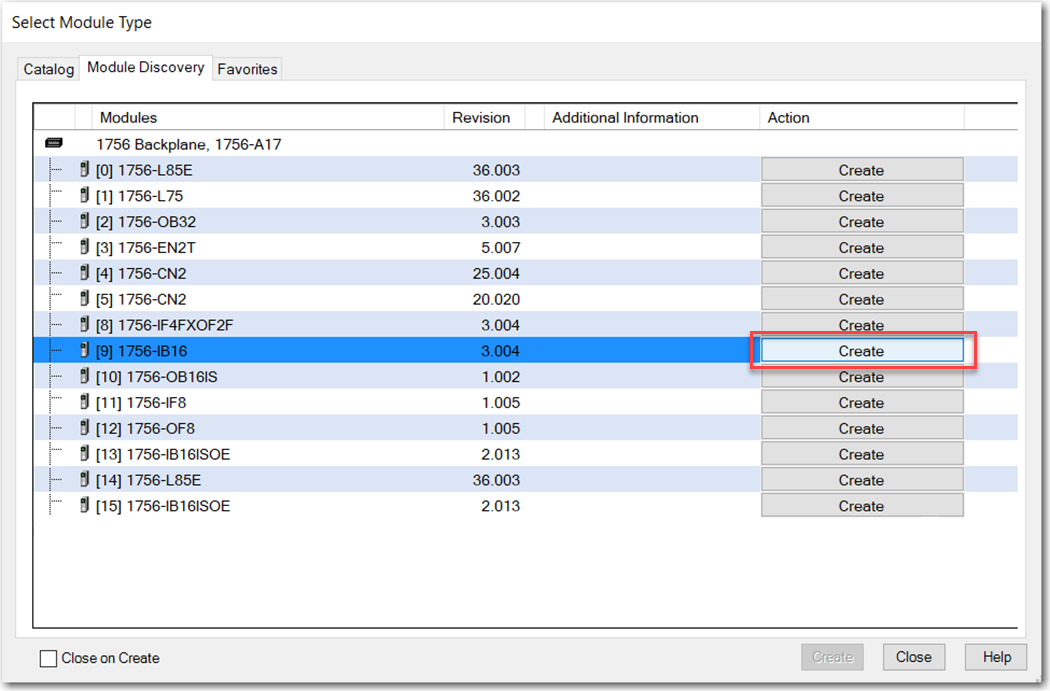
- Configure the properties for the new module, and click OK.

- At the warning dialog box, click Yes and then close the Select Module Type dialog box.IMPORTANT:If you inhibit the module connection, you must remember to uninhibit the connection later.

Provide Feedback