
Add Remote I/O to a Local Communication Module
If you are using local communication modules that are connected to the controller, add the I/O modules to the backplane of the communication module.
To add remote I/O to the I/O Configuration in the Logix Designer application, complete these steps.
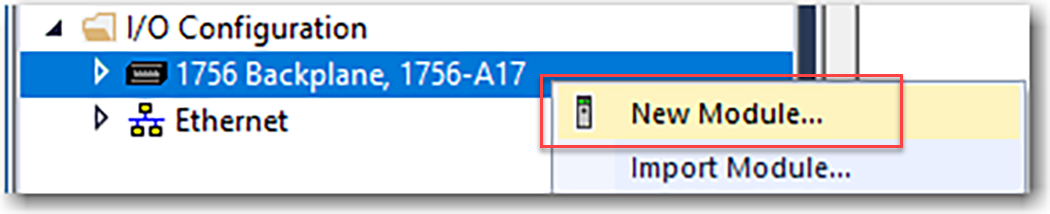
- Right-click the backplane of the local chassis and select New Module.
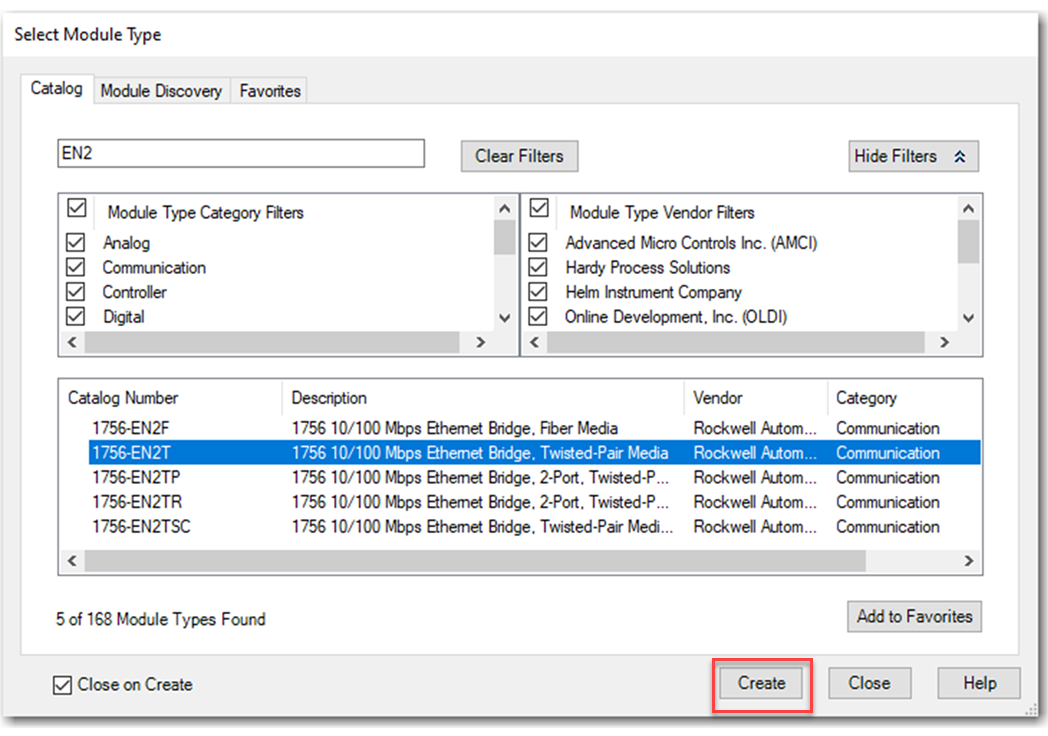
- On the Select Module Type dialog box, select a communication module and click Create.
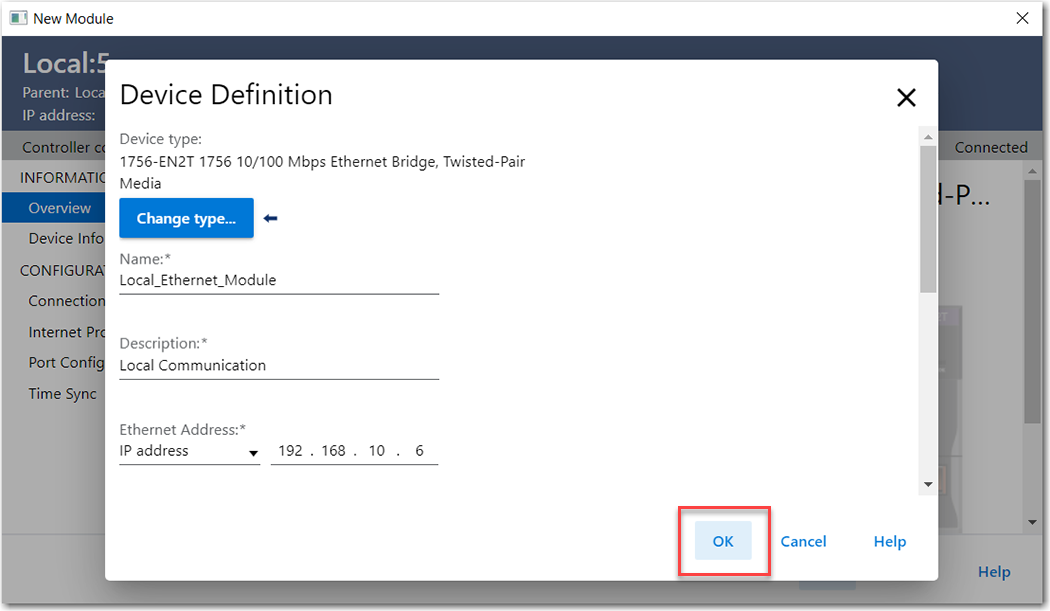
- Specify the communication module properties according to your network configuration and click OK.
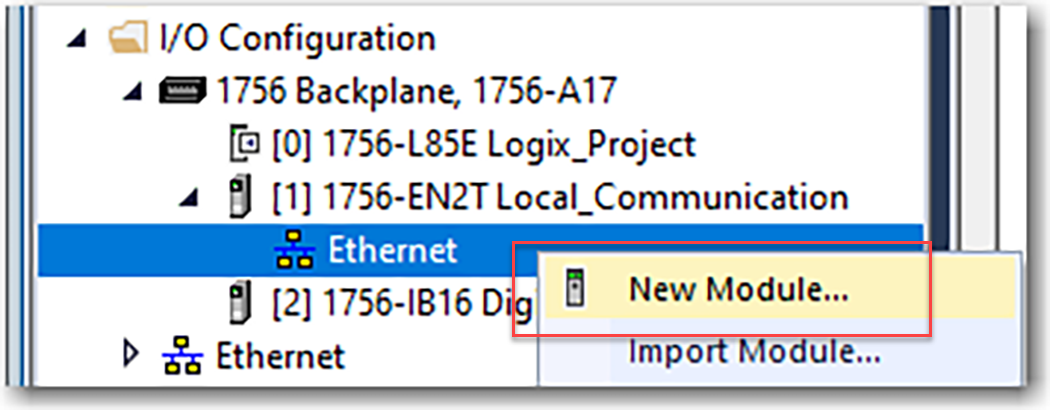
- Right-click the communication network under the communication module and select New Module.
- Select the communication adapter for the I/O platform that you are using and click Create.

- Specify the module and connection properties according to your network configuration and click OK.
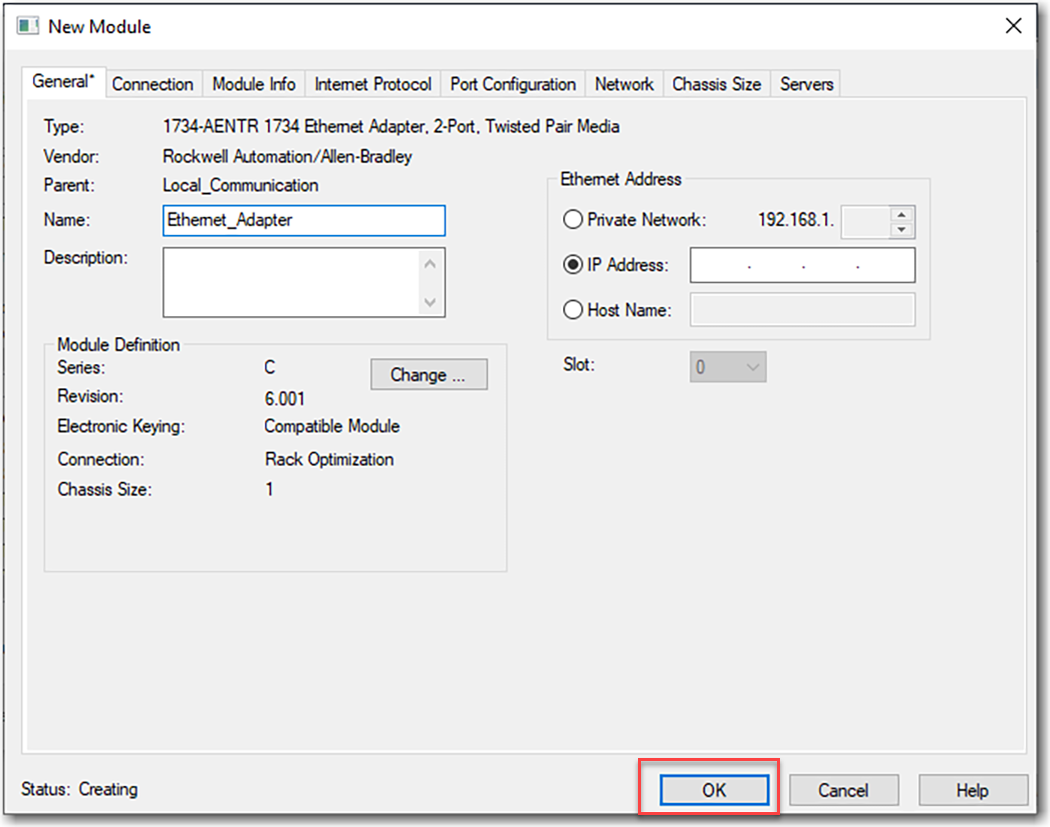
- Right-click the backplane of the newly added communication adapter and select New Module.
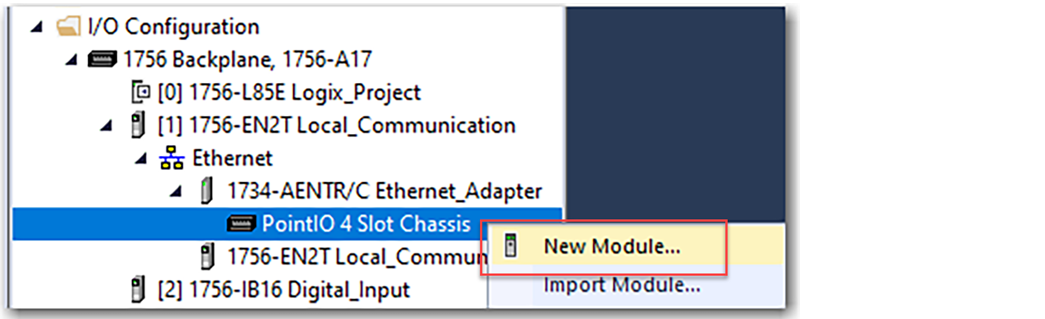
- On the Select Module Type dialog box, select the I/O module to add and click Create.TIP:Use the filters to reduce the list of modules to choose from.

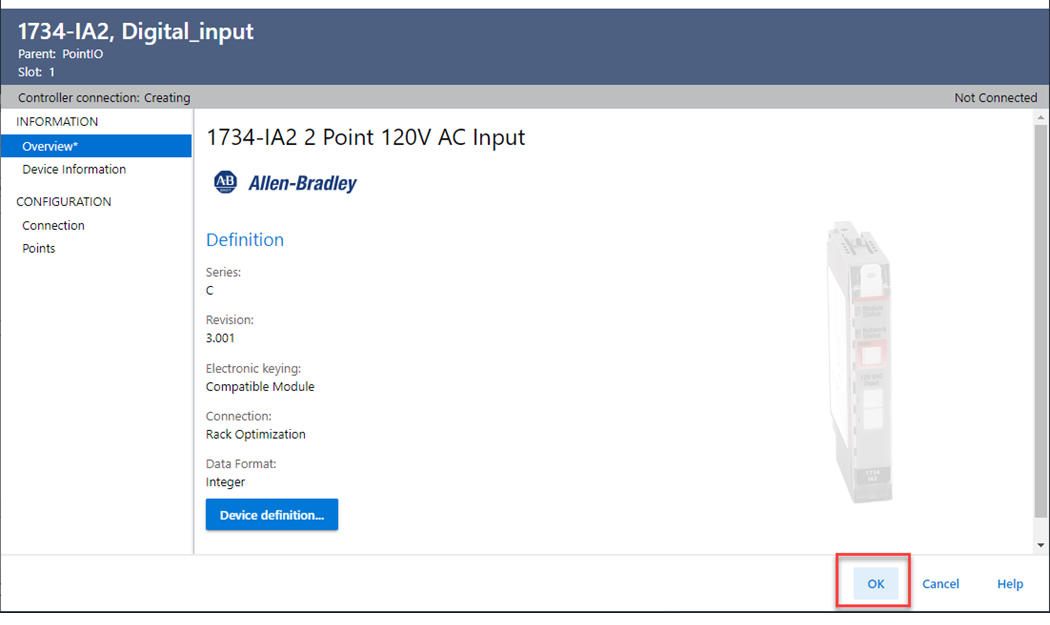
- Specify the module properties according to your module and application and click OK.
Provide Feedback