
Add Local I/O Modules
While your controller project is offline, use the New Module option to add I/O modules to add them to the project. To add modules while the project is offline, complete the following steps.
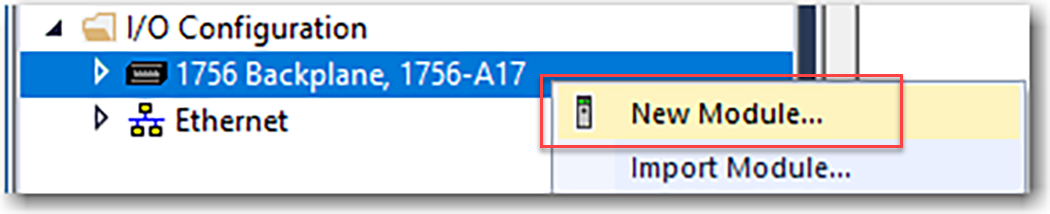
- In the I/O configuration, right-click the backplane and select New Module.
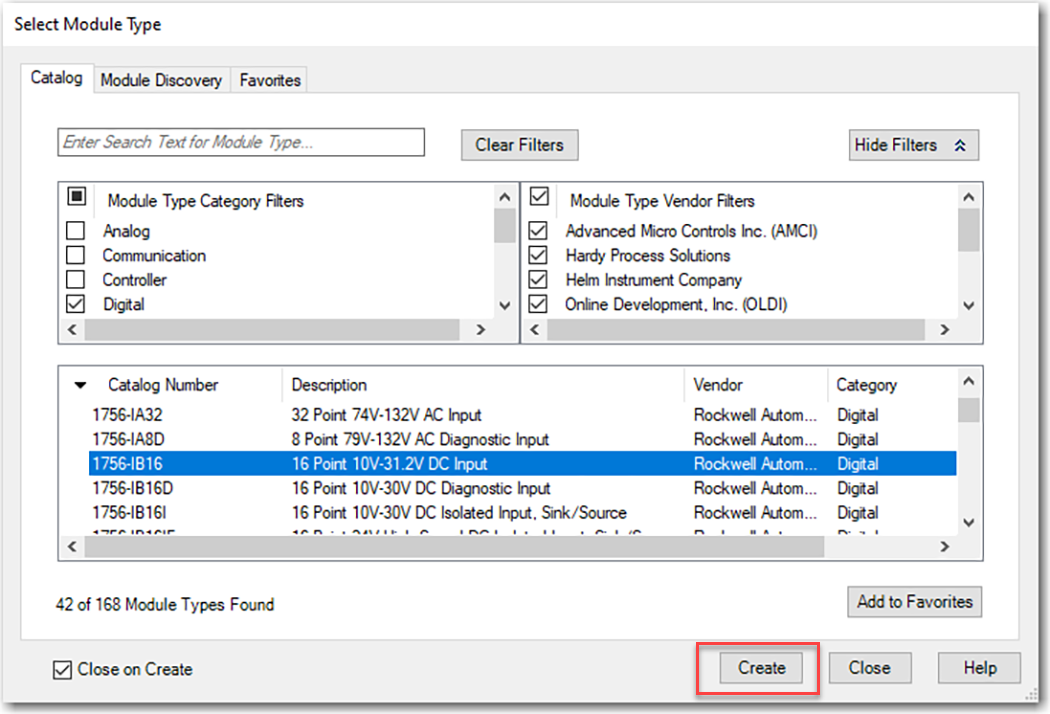
- On the Select Module Type dialog box, select the I/O module and click Create.TIP:Use the filters to reduce the list of modules to choose from.
- On the New Module dialog box, configure the module and click OK.
 TIP:If the series or revision values in the module properties do not match those of the module for which this configuration is intended, your project can experience module faults.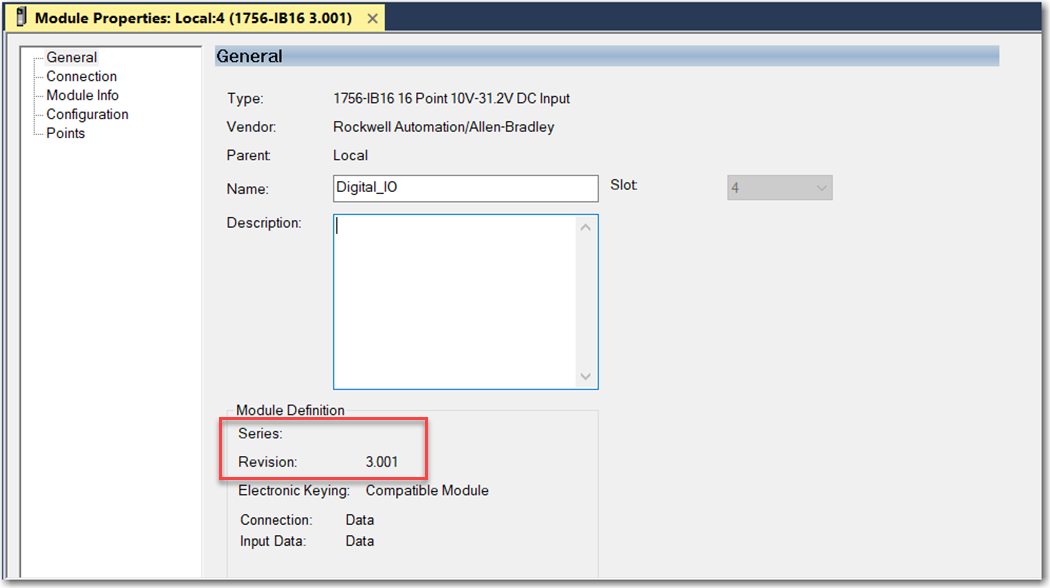
Provide Feedback