
Use a CIP Generic MSG to Enable the Controller Webpages
- Add an MSG instruction to your program.IMPORTANT:You cannot add an MSG instruction to your program if the controller keyswitch is in RUN mode, or if theFactoryTalk® Securitysettings deny this editing option.
- Configure the Configuration table on the Message Configuration dialog box as described in the table below.
 Enable the WebpagesFieldDescriptionMessage TypeCIP GenericService TypeCustomService Code4cInstance1Classf5Attribute0Source ElementController tag of SINT[5] data type.In this example, the controller tag is named WP_Enable and must match the following graphic.
 IMPORTANT: The Source Element tag in your Logix Designer application project must match the values that are shown in the graphic. If you use values that are different than the ones shown, the controller webpages are not enabled.Source Length5
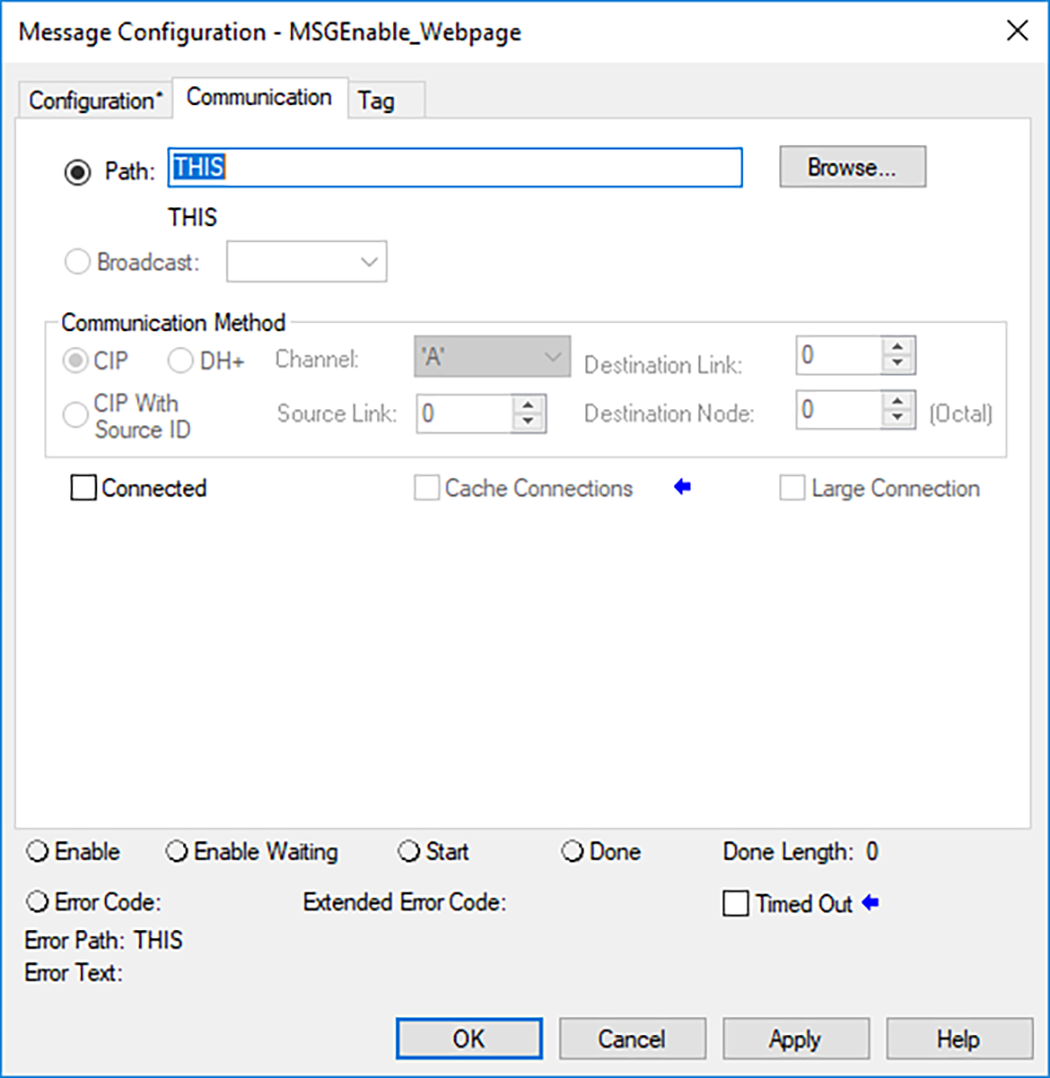
 - Configure the Communication tab to use a Path of THIS.IMPORTANT:Messages to THIS must be unconnected messages.
Provide Feedback