
Use Who Active or the Network Browser to Download to the Controller
Who Active or
the Network Browser to Download to the ControllerWhen you download a project to the controller, it copies the project from the programming software to the controller.
You can use the features of the
Who Active or
Network Browser dialog box to download to your controller after you have set the communication path. Complete these steps to download to the controller.
IMPORTANT:
Studio 5000 Logix Designer® application version 38.00.00 and later, RSWho/Who Active has changed to Network Browser.
- After you set the communication path, click Download.
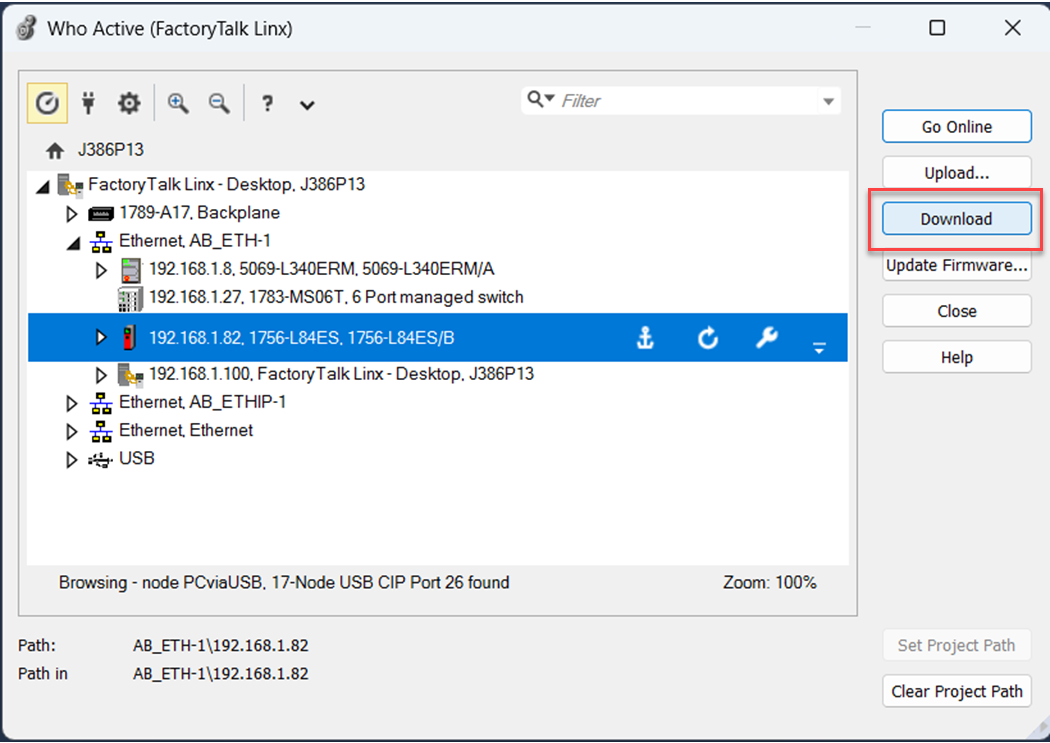
- After reading the warning in the Download dialog box, click Download.
Provide Feedback