
C - D
- C -
Capabilities
Some features in FactoryTalk AssetCentre come with the base product (such as Archive and Address Book) while other capabilities must be specifically purchased and activated.
The Disaster Recovery capability can be used to ensure quick and accurate file recovery by backing up files and by verifying your devices' program and configuration files against protected master files.
Card style
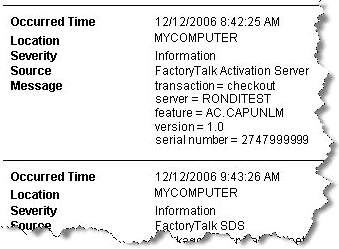
Check in
Return a file or binder from your working folder to the Archive database. This backs up your changes and makes the file or binder available to anyone with
Check out/Check in
permission for the asset containing the file or binder.Check out
Retrieve a file or binder into the current working folder on your computer to reserve exclusive use of the file or binder. Only one user at a time can check out, and therefore edit, a file or binder.
Command line arguments
In general, command line arguments are used to specify a particular behavior when a program is run from the Windows Command Prompt. For example, the command line argument
/q
launches Microsoft Word 2007 without showing the splash screen: C:\Program Files\Microsoft Office\Office12\Winword.exe /q
Container
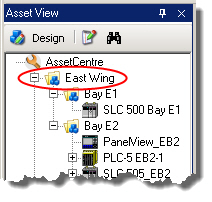
Containers are used in the asset tree to represent a functional area of your plant and to contain the devices associated with that area or function. Any type of asset can be placed in a generic container.
- D -
Design mode
The mode in which one authorized user at a time can:
- Set up or change the asset tree in the Asset View.While in Design mode, add devices to the asset tree from the Asset Catalog or edit devices in the tree. The Asset Catalog is only shown in Design mode.
- Set up or change the agent group tree in the Agent Groups plug-in.If you are not in Design mode, and you haveReadpermission, you can only view the status and properties, but cannot do any of the following operations: add, delete, rename, edit or move.
To enter Design mode, click  in the Asset View. You can also, on the
in the Asset View. You can also, on the Menu bar
, select Edit > Design Mode
or press F3
.You must have the
Switch to Design mode
privilege to enter Design mode.Only one user in the system at a time may be in Design mode.
Device Monitor
Device Monitor - Change Detect is a type of schedule available only for Logix 5000 Controller assets that support and are configured for change detection. When the Device Monitor schedule is active, the device is monitored. When a change is detected, change entries from the controller log are collected into a report.
You must have activation for the Disaster Recovery capability to create Device Monitor schedules.
Diagnostics and Health Log
The Diagnostics and Health Log provides information about the condition of automation devices. For example, a monitoring software product, such as RSNetWorxMD, detects a problem with a device on the automation network. It reports the problem and logs the information in the Diagnostics and Health Log. The Diagnostics and Health Log shows this information, including an indication of the situation's severity. You provide status information on the action taken. If the device condition was normal, you might set the status to
Ignore
. If the device condition was critical, once you had fixed it, you would then set the status to Closed
.Initially, only previously existing data appears in the Diagnostics and Health Log if that data was imported from the RSMACC Network Health Solution. This data is not updated by FactoryTalk AssetCentre. New data is logged in the Diagnostics and Health Log only if RSNetWorx MD is installed on your system.
- Disaster RecoveryThe Disaster Recovery capability ensures quick and accurate file recovery by verifying your devices' program and configuration files against protected master files.The Disaster Recovery capability provides two types of scheduled operations:
- Backup.Stores a backup copy of files associated with a device asset.
- Backup and Compare.Retrieves a copy of the files associated with a device asset. If differences are found and you choose to store the uploaded device files, the retrieved copy of files associated with the device asset are promoted as the new master file stored in the Archive.
Provide Feedback