
FactoryTalk AssetCentre Archive Cleanup Wizard
The Archive Cleanup Wizard is used to remove unnecessary versions of archived files from the database, thereby clearing space. Removed versions are deleted from the database, but the version number and associated notes can be retained in the archive for the purposes of record keeping. The Archive Cleanup Wizard can be run manually from the FactoryTalk AssetCentre desktop client, or the archive cleanup can be scripted to run via command.
Manually running the Archive Cleanup Wizard
- Open the FactoryTalk AssetCentre desktop client.TIP:It is recommended to backup the FactoryTalk AssetCentre SQL Database prior to performing the Archive Cleanup. To ensure that all archive files are trimmed, files should be checked back into the FactoryTalk AssetCentre system.
- From the menu, selectTools > Archive Cleanup Wizard.
- Once the information on the initial screen has been reviewed, clickNext.
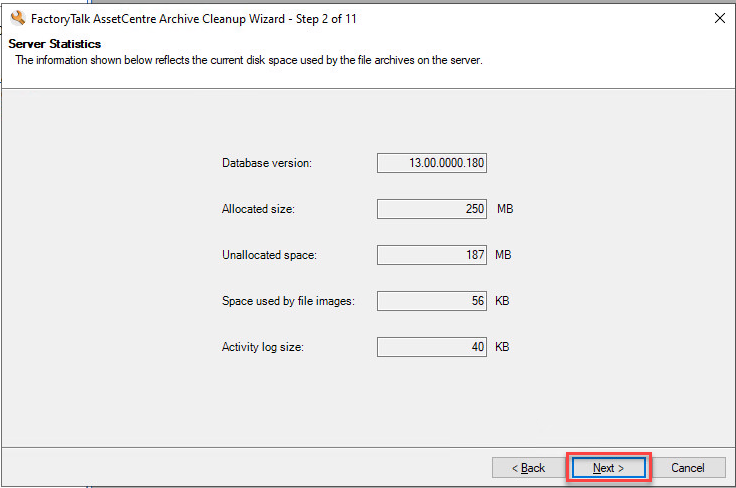
- The wizard will provide general information on the archive. ClickNext.
- The wizard will next prompt for the files that will be cleaned up as part of this operation. From the Current Assets list, select the item(s) or container(s) with file versions you want to delete and clickAdd to list.
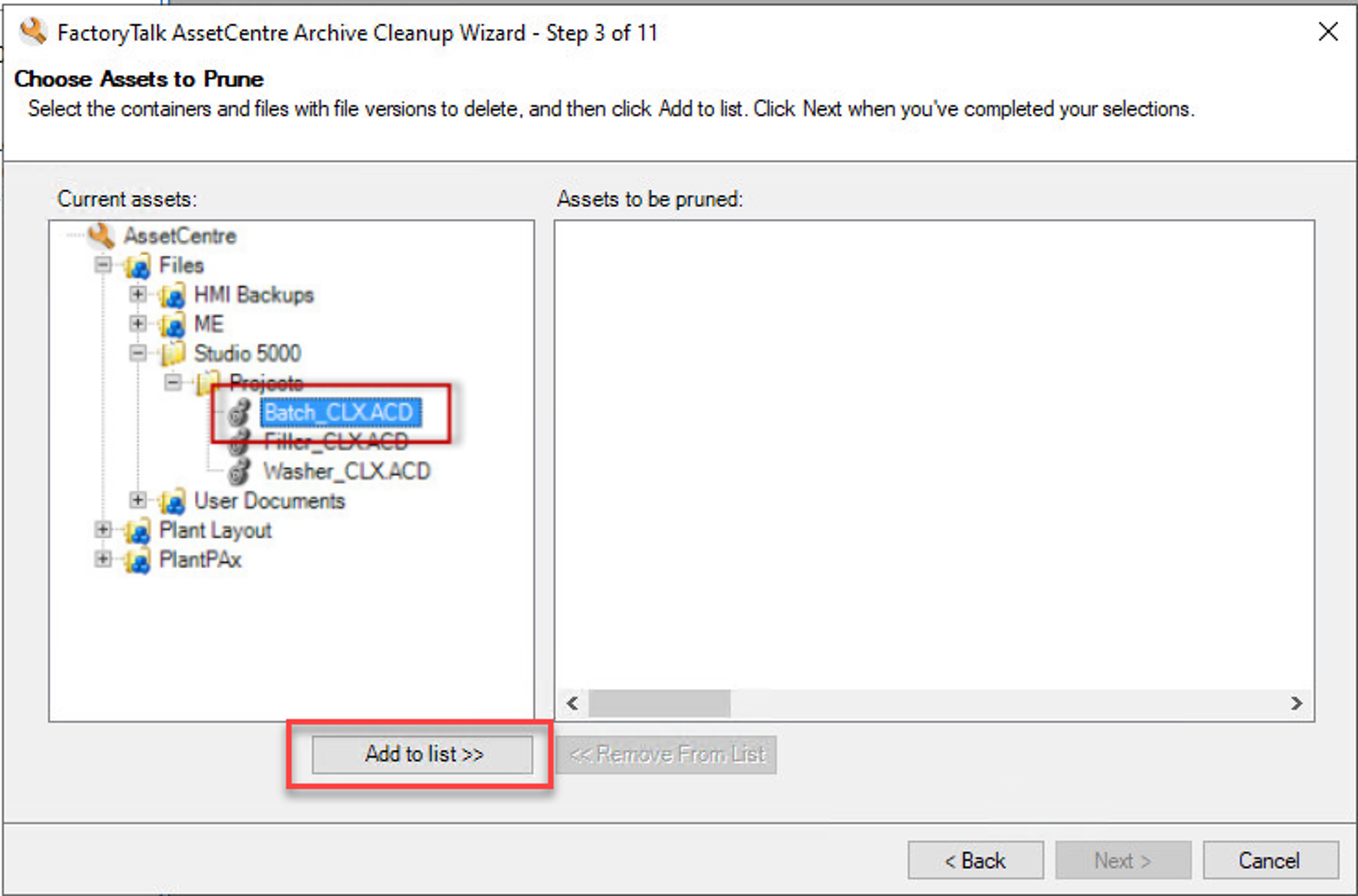
- Once all of the items have been added to the Assets to be pruned list, clickNext.
- The wizard will next prompt for deletion criteria. You can choose simple so that all selected items have the same deletion criteria, or Advanced so that each item can have different deletion criteria.
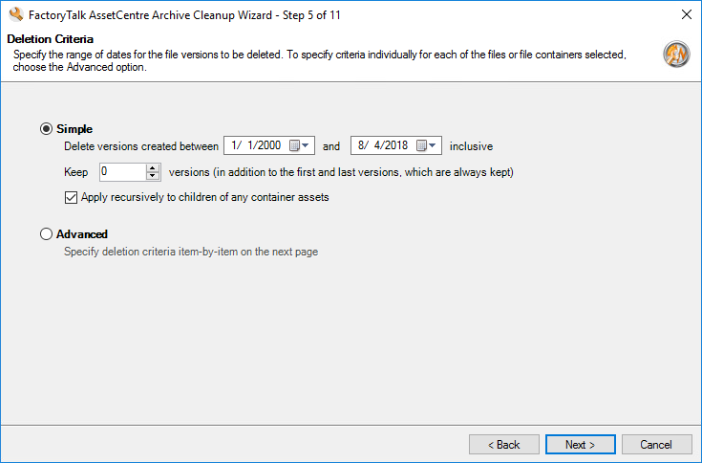
- Once the deletion critera has been configured, clickNext.
- The wizard then prompts you to determine what action to take with action and user comments. There are three options:
- Do not delete the comments contents - All comments will remain in the SQL Server table.
- Delete the comments contents and export them to an MDF (SQL Server database) file - All comments will be saved in a specified location but will be removed from the SQL Server table.
- Delete the comments contents - All comments will be removed from the SQL Server table.
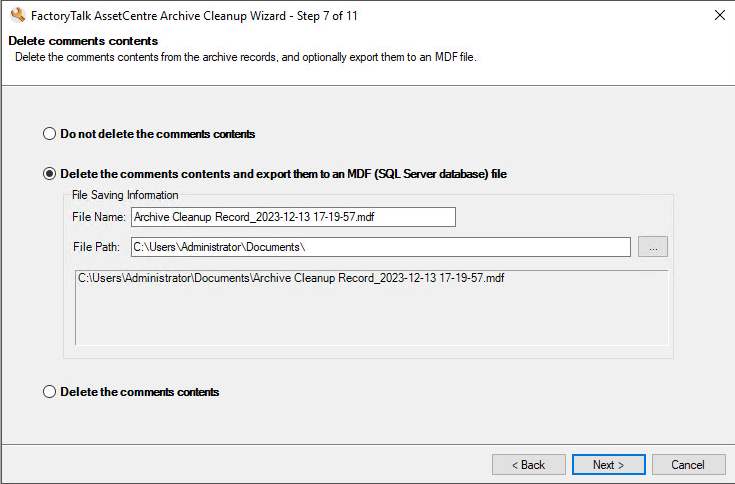
- Once the comment contents deletion selection has been made, clickNext.
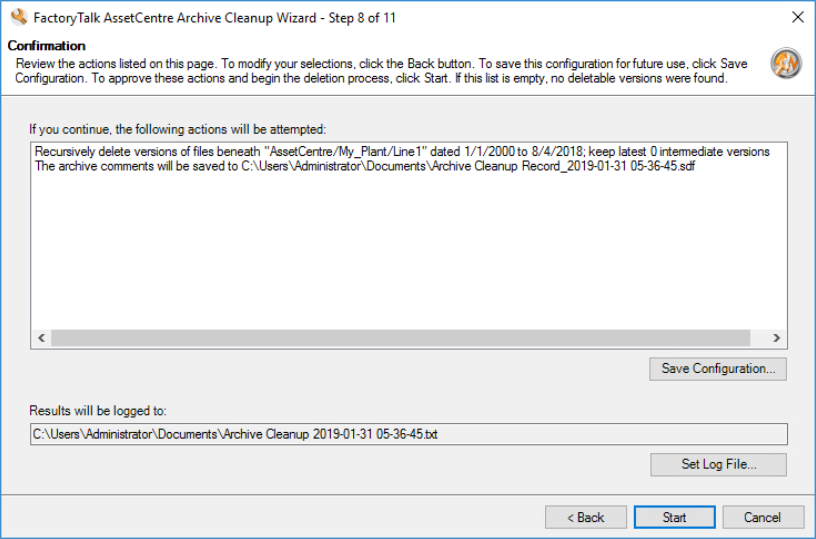
- The selections previously made can be reviewed and the log file and path can be modified. Once all selections have been confirmed, clickStart.
- Once the cleanup completes, the results will be shown. ClickNext.
- The new server statistics will be shown. Once reviewed, clickFinish.
Using the Archive Cleanup from a command prompt
To use the Archive Cleanup Utility from a command prompt, see Knowledgebase Document ID: QA36382 - FactoryTalk AssetCentre Archive Cleanup Tool from the Command Prompt
Provide Feedback