
About the Agent Group Creation and Agent Assignment pane
Use this pane to manage agent group and agent computer assignments.
 Add Agent GroupClick to add an agent group.
 Add Agent ComputerClick to add an agent computer.
 DeleteClick to delete an agent group or agent computer.
 PropertiesClick to modify properties of an agent group or agent computer.
- Tree ViewView the current agent groups and agent computer assignment. By default, there is one System Default agent group, which cannot be renamed or deleted.
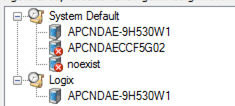
- Agent computer status
 The agent computer is online and in idle state.
 The agent computer is online and has task running on it.
 The agent computer is offline.
Provide Feedback