
Set columns to view the scanning result in the Asset Inventory window
You can choose the columns to show in the
Asset Inventory
window. Click a column heading to toggle a column's sort order between ascending and descending order.To set columns to show
- In theAsset Inventorywindow, click
 . The Select Asset Inventory Columnsdialog box opens.
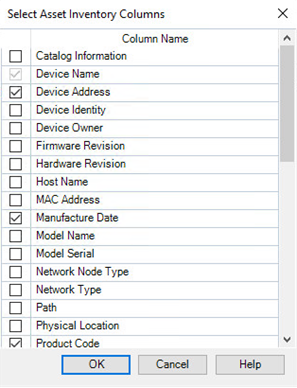
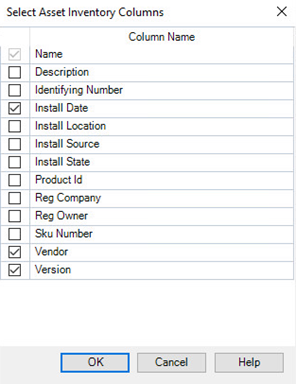
 - In theSelect Asset Inventory Columnsdialog box, select the column names you want to show in theAsset Inventorywidow. The columns to select are different depending on the current tab you are on.
- On theDevicestab:
- On theSoftwaretab:
- ClickOK.
Provide Feedback