
Select columns to view the scanning result
You can choose the columns to show in the
FactoryTalk AssetCentre Inventory Viewer
window. Select a column heading to toggle a column's sort order between ascending and descending order.To set columns to show
- OnFactoryTalk AssetCentre Inventory Viewer, select
 . The Select Asset Inventory Columnsdialog opens.
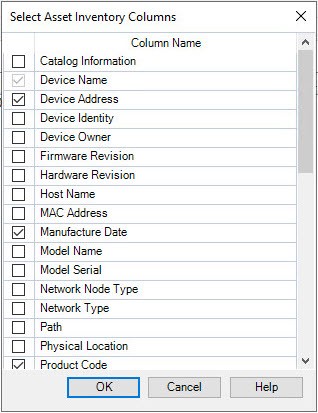
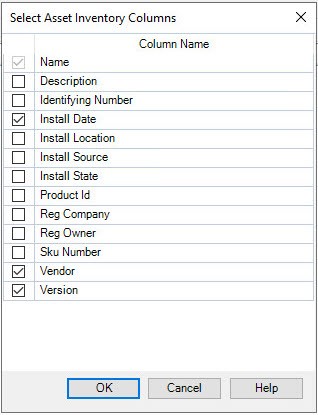
 - In theSelect Asset Inventory Columnsdialog, select the column names that you want to show in theFactoryTalk AssetCentre Viewerwindow. The columns to select are different depending on the current tab you are on.
- On theDevicestab:
- On theSoftwaretab:
- SelectOK.
Provide Feedback