
Export the created certificate for FactoryTalk AssetCentre server, desktop client, web client, and agent computers
After creating a certificate on the FactoryTalk AssetCentre server computer, export the certificate that will be imported on the FactoryTalk AssetCentre server, desktop client, web client, and agent computers.
To export the created certificate
- Open the Internet Information Services (IIS) manager, and then double-click thelocalhostnode.
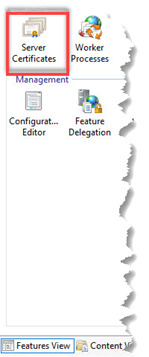
- InFeatures View, double-clickServer Certificates.
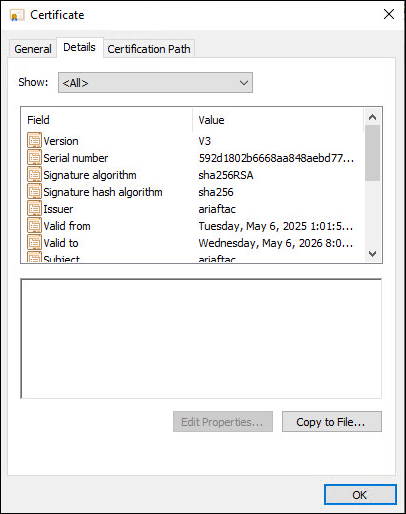
- Double-click the certificate that you have created.
- Select theDetails tab, and then selectCopy to File.
- OnCertificate Export Wizard, selectNext.
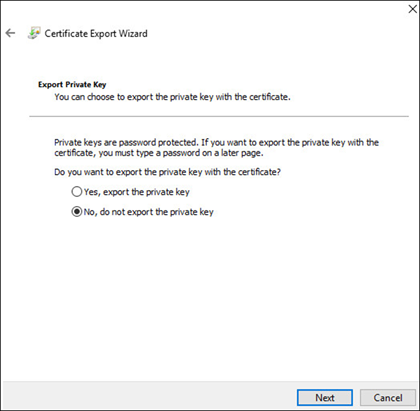
- SelectNo, do not export the private key, and then selectNext.
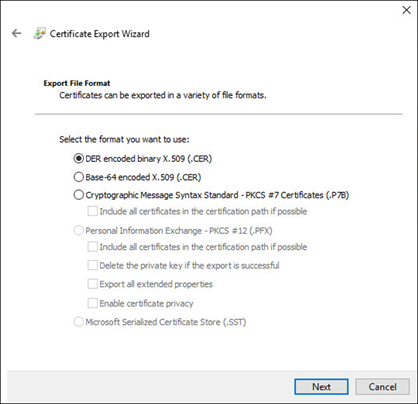
- SelectDER encoded binary X.509 (.CER), and then selectNext.
- SelectBrowseto specify a folder for the certificate, and then selectNext.
- SelectFinish.
Provide Feedback