
Configure the MoC checklist
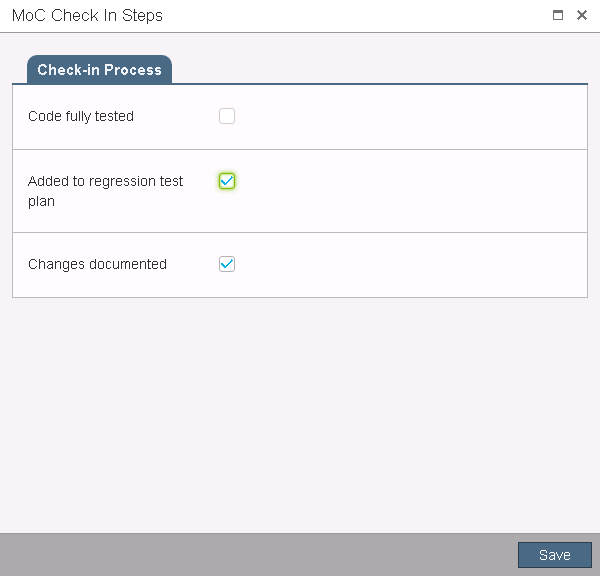
The steps of Management of Change checklist will be set as comments when a user submits the check-in or check-out request form.
To configure the Management of Change checklist
- On theChange Request Rulespage, selectCheck OutorCheck In.
- SelectConfigure Checklist, and then enter the name of the step group.
- SelectAdd Step.
- In theNew Stepdialog, specify the following:
- Step DescriptionEnter the description for the step.
- Data TypeSelect the display form for the step. You must configure the sub-items based on the data type you selected.
- Add a FileUpload the attached file.
- RequiredSet the step as required.
- SelectOK.To create more than one step group, selectAdd Group. When you initiate MoC workflow, the steps of checklist will show as below:
Provide Feedback