
Configure Firefox settings
Mozilla®
Firefox®
is limited for using Archive Management of Change. When opening Archive Management of Change website through Firefox
, you must configure Firefox
settings.To configure Firefox settings for Archive Management of Change
- Open Firefox.
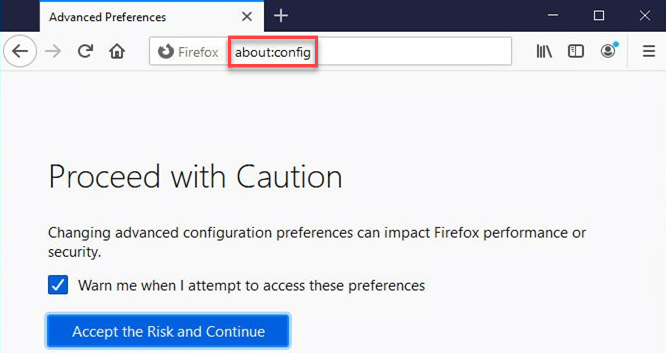
- In the web address box, enterabout:configand then pressEnter.
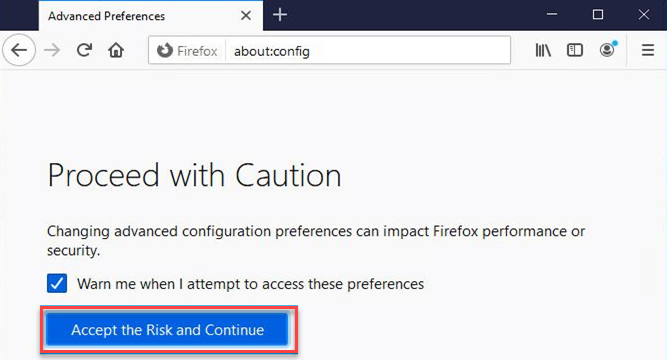
- SelectAccept the Risk and Continue.
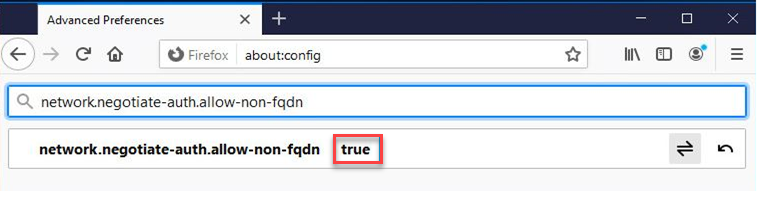
- In the search box, enternetwork.negotiate-auth.allow-non-fqdn.
- Configurenetwork.negotiate-auth.allow-non-fqdnastrue.
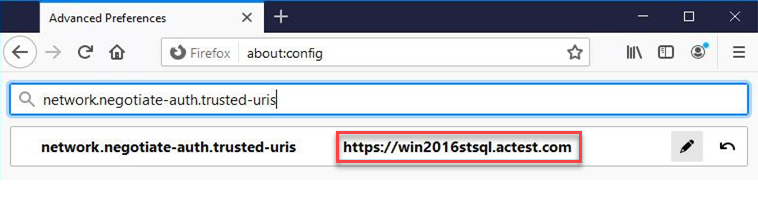
- In the search box, enternetwork.negotiate-auth.trusted-uris.
- Configurenetwork.negotiate-auth.trusted-urisas the server address. For example,https://win2016stsql.actest.com.If HTTPS is turned on, the format ishttps://win2016stsql.actest.com.If HTTPS is turned off, the format ishttp://win2016stsql.actest.com. You must clear the sign-in information cookies before reopening Firefox.
- Reopen Firefox.
Provide Feedback