
FactoryTalk AssetCentre Web Client Interface
Assets shows by default when FactoryTalk AssetCentre web client opens.
IMPORTANT:
Before using FactoryTalk AssetCentre web client, configure security settings for assets
in the FactoryTalk AssetCentre desktop client to ensure that users' access and rights are
limited according to the customer's application needs.
For more information, see Change security settings for an asset in the
FactoryTalk
AssetCentre Desktop Client Help
.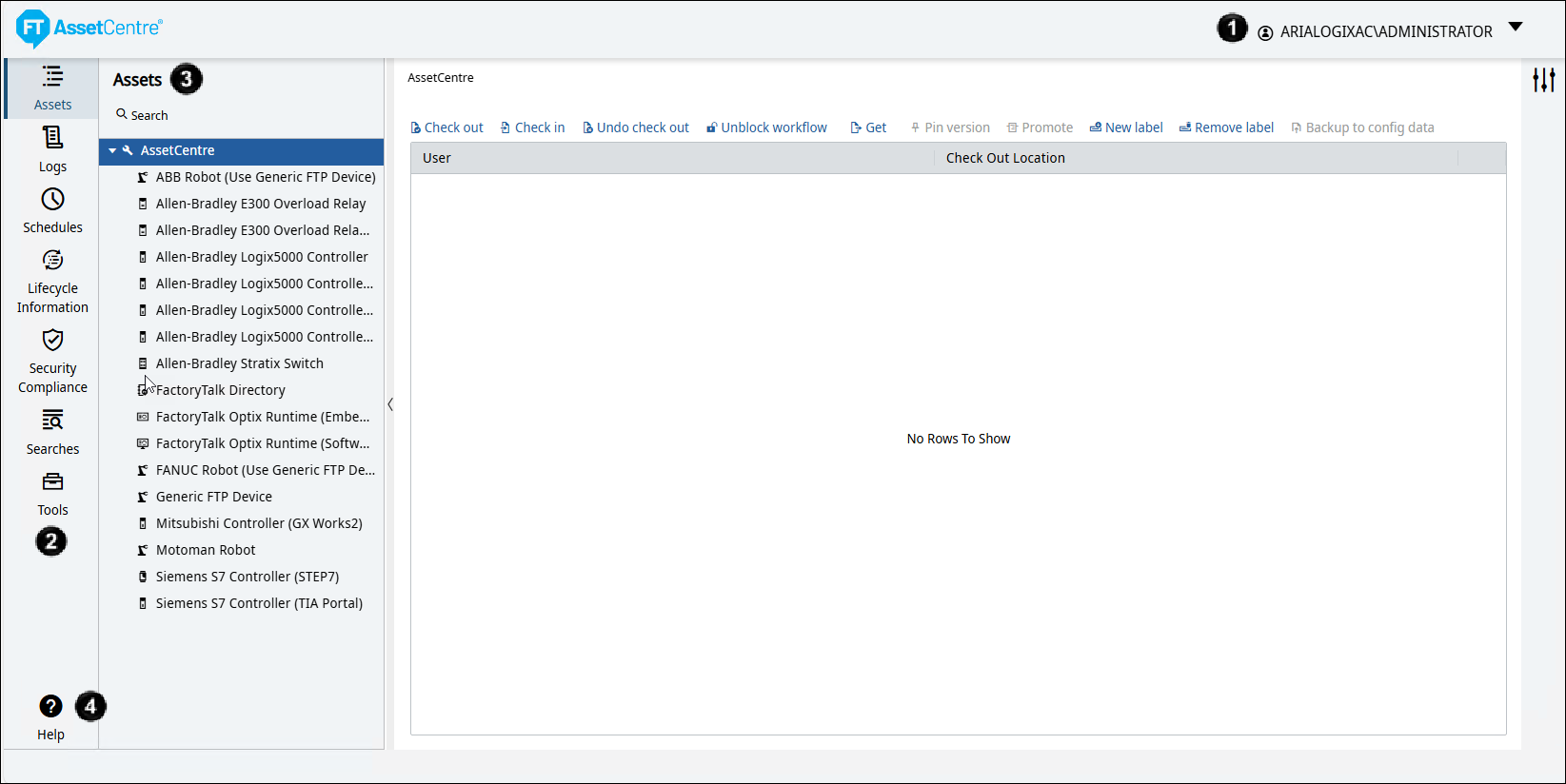
Interface Element | Description | |
|---|---|---|
 | Signed-in User | Shows the user account that signs in to FactoryTalk AssetCentre web client. |
 | Toolbar | The toolbar includes:
|
 | Asset | Contains the asset tree and the archive workspace. The assets tree represents the
assets deployment structure in your plant, and the archive workspace is the same
as the Archive tab in the FactoryTalk AssetCentre desktop client. |
 | Help | Opens the Help. |
Provide Feedback