
Monitor safety status
On a safety controller, use the
Properties > Safety
tab to monitor
safety status when you are online. The Safety tab indicates:- Safety partner is missing or unavailable (SIL 3).A Partnership fault displays in the Safety tab. The pre-deployment check fails if you try to deploy in this condition.
- Safety partner hardware is incompatible with the primary controller.A Partnership fault displays in the Safety tab. The pre-deployment check fails if you try to deploy in this condition.
- Safety partner firmware is incompatible with the primary controller.A Partnership fault displays in the Safety tab. The pre-deployment check fails if you try to deploy in this condition.
- Safety task inoperable.This status is a major safety fault that appears in the Safety tab. Existing fault indications in the Execution Explorer are also applied.
- Safety task OK.No fault or error is reported.
TIP:
If the safety project contains a safety partner,
select
Safety Partner Information
to view status for the
safety partner.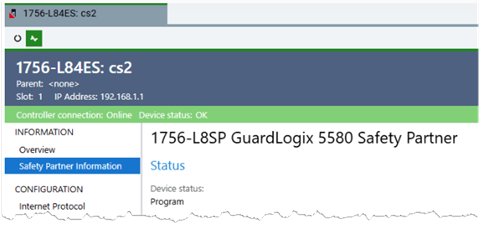
Provide Feedback