
System utilization
To open the
System Utilization
page, click System Utilization
on the Home
tab.The page displays the following information:
This item | Displays |
|---|---|
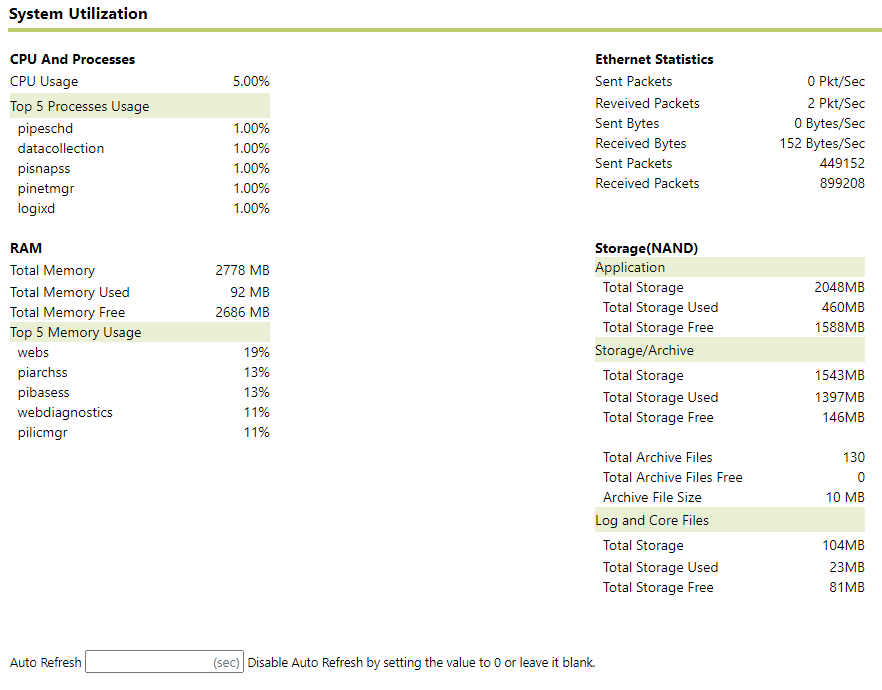
CPU and Processes | The current percent of the CPU in use and the processes currently running. Note: The CPU usage percent listed in the System status section (see System status) may display a different percent than the percentage listed in the CPU and Processes section in the main window. This is because the CPU usage listed in the System Status section is updated periodically while the CPU Usage information displayed in the main window is static. It does not change once the page is loaded. |
RAM | The memory usage of the module. |
Ethernet Statistics | The total amount of data sent and received by the module through the network. |
Storage (NAND) | The total storage space used and available on the installed flash drive. This section also displays the total number of archive files and how many of them are free, as well as the archive file size. |
Provide Feedback