Downloads

Mechanical Press Virtual Commissioning
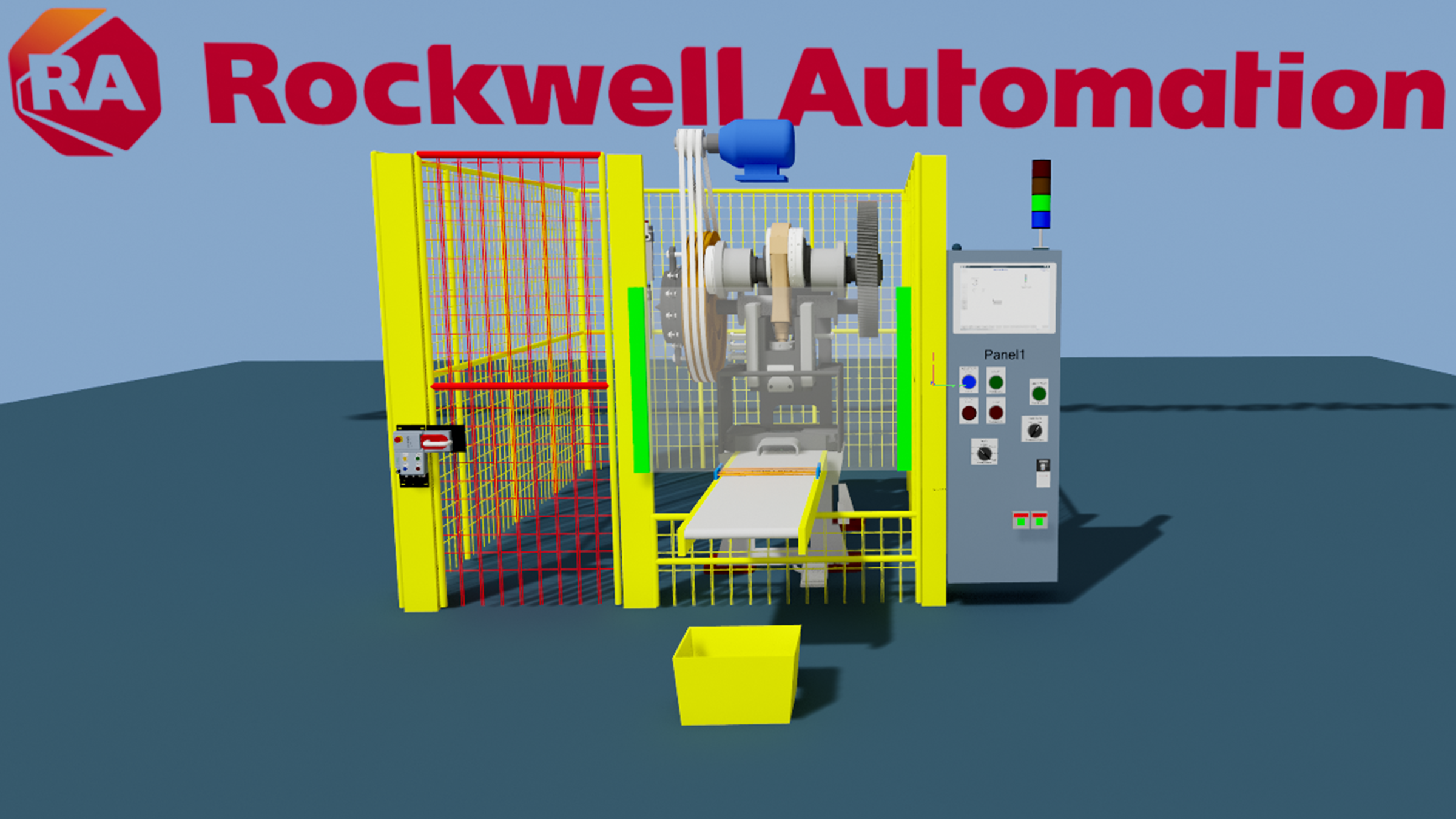

What does this application do?
The Metal Press application is a virtual commissioning reference for a mechanical stamping press. It combines an Emulate3D digital model with a Logix controller project, the Rockwell Automation Metal Forming safety instruction set, a PowerFlex 755 drive interface, safety I/O, machine and device libraries, and FactoryTalk View SE/ViewPoint visualization. The application reproduces the press cycle and its control interfaces so engineers can verify sequencing, controller logic, HMI behavior, drive communications, safety-related signals, and fault responses before connecting to physical machinery.
- Purpose: Provide a reusable, demonstrable reference showing how a mechanical press can be modeled and connected to a Rockwell Automation control architecture for controls testing and virtual commissioning.
- Context: Intended for metal forming and stamping OEMs, system integrators, application engineers, and end users working with flywheel-driven mechanical presses, clutch/brake control, press auxiliary devices, safety I/O, drives, and operator visualization.
- Objective: Reduce commissioning risk by validating press operating modes, crankshaft/slide position logic, control interlocks, drive behavior, HMI commands, diagnostics, and abnormal operating conditions in a controlled digital environment.
- Use Mode: The application is used as an integrated proof of concept and engineering reference. Emulate3D runs the mechanical model, FactoryTalk Logix Echo emulates the controller, and the HMI connects to the same controller tags used by the application. The supplied content can also support demonstrations, training, and development of customer-specific press projects.
- Limitations: This reference does not replace machine-specific risk assessment, safety validation, functional safety calculations, guarding design, stop-time measurement, or compliance testing. Mechanical dimensions, inertia, timing, I/O mapping, controller revision, drive parameters, network addresses, and HMI configuration must be adapted to the target machine. Real-time behavior is limited by the host computer, simulation step, controller update rate, and selected communication method.
- Problems Addressed: Late discovery of logic and integration defects; limited access to physical equipment during development; difficulty testing press modes and faults safely; duplicated engineering between PLC, drive, HMI, and mechanical teams; and the need for a repeatable demonstration of the Metal Forming instruction suite.

Please note: You will need to agree to the Terms & Conditions for each download.

Need Help?
If you need help with an application or have feedback from the Innovation Center, please contact us.
Is this application relevant to me?
This application provides a practical starting point for press controls development and validation. It is most valuable when the user wants to exercise the complete control workflow before hardware is available, while retaining responsibility for final machine design and safety validation.
- Benefits
- Advantages
- Limitations
- Disadvantages and considerations
Benefits
- Test PLC sequences, press modes, permissives, interlocks, alarms, and HMI commands without operating a physical press.
- Demonstrate the interaction of the Metal Forming instructions, safety I/O, PowerFlex drive, machine/device libraries, and visualization.
- Introduce repeatable faults and abnormal conditions in a controlled environment.
- Support earlier collaboration among mechanical, controls, safety, and commissioning teams.
- Reuse the reference architecture as a starting point for customer-specific projects.
Advantages
- Uses an integrated Rockwell Automation workflow based on Logix, EtherNet/IP, PowerFlex, FactoryTalk visualization, and Emulate3D.
- Reuses standard application instructions and library objects rather than creating all press functions from scratch.
- Provides visual confirmation of the machine response to controller commands and safety-related states.
- Enables testing before the physical machine is complete, reducing reliance on scarce commissioning time.
Limitations
- Best suited to mechanical clutch/brake press concepts represented by the included model.
- Not a drop-in production program and not a certified safety solution for a specific machine.
- High-speed timing and physical force results must not be treated as validated measurements unless the model and execution environment have been independently correlated.
- Customer-specific devices and third-party interfaces may require additional emulation or custom bindings.
Disadvantages and considerations
- Initial setup requires familiarity with several engineering products and their licensing.
- The digital model and controller project must be maintained together as the machine design changes.
- A high-fidelity model requires additional engineering effort and suitable workstation performance.
- Network, revision, and electronic keying mismatches can prevent the emulated I/O connections from opening.
How can I make it work?
Requirements: products, tools, prior knowledge.
The deployment requires a Windows engineering workstation, the supplied application files, compatible Rockwell Automation engineering software, and valid software activations. Before starting, verify the controller revision, communication path, module definitions, IP addresses, and update rates used by the supplied project.
Hardware
- Engineering workstation capable of running Emulate3D, FactoryTalk Logix Echo, Studio 5000 Logix Designer, and FactoryTalk View SE concurrently.
NOTE: No physical controller is required for the standard emulated deployment.
Optional physical equipment for later hardware-in-the-loop testing may include a compatible GuardLogix/ControlLogix controller, EtherNet/IP adapter or safety I/O, and a PowerFlex 755 drive. Any physical implementation must be engineered and validated separately.
Software
- Emulate3D with controls-testing capability and access to the supplied Metal Press model.
- FactoryTalk Logix Echo v4.0.
- Studio 5000 Logix Designer compatible with the supplied v38 controller project.
- FactoryTalk View SE and ViewPoint for the supplied visualization.
- Required Add-On Profiles, device definitions, libraries, and activations for the project.
- GuardLogix Safety Application Instruction Set documentation for the Metal Forming instructions.
Prior Knowledge
- Basic mechanical press operation, including flywheel, clutch/brake, crankshaft position, slide zones, and operating modes.
- Studio 5000 project navigation, Logix tags, tasks, I/O tree, and produced/consumed or EtherNet/IP communications.
- GuardLogix safety concepts and the difference between simulation testing and validated machine safety.
- Basic Emulate3D model operation, tag binding, reset/start behavior, and controls testing.
- FactoryTalk View SE communications and display operation.
Links of Interest (internal or external)
- GuardLogix Safety Application Instruction Set Reference Manual: https://literature.rockwellautomation.com/idc/groups/literature/documents/rm/1756-rm095_-en-p.pdf
- Metal Forming and Stamping White Paper: https://literature.rockwellautomation.com/idc/groups/literature/documents/wp/oem-wp012_-en-p.pdf
- Multibelt Transport System application reference: https://www.rockwellautomation.com/en-pr/support/product/product-downloads/innovation-center/multibelt-transport-system.html

Implementation Guide
- Step 1
- Step 2
- Step 3
- Step 4
- Step 5
- Step 6
- Step 7
- Application Overview
- Logix Download
- FTView and View Point
- Emulate3D settings
Step 1
Prepare the workstation and files
- Install and activate Emulate3D, FactoryTalk Logix Echo v4.0, Studio 5000 Logix Designer v38, FactoryTalk Linx, and FactoryTalk View SE/ViewPoint.
- Install any Add-On Profiles and libraries required by the controller project.
- Copy the complete Metal Press package to a local working folder. Avoid opening the project directly from a compressed archive or read-only location.
- Record the expected controller revision, controller address, PowerFlex address, and requested packet interval before making changes.
Step 2
Deploy and verify the emulated controller
- Create or open the FactoryTalk Logix Echo chassis and add a controller compatible with the supplied v38 project.
- Open the controller project in Studio 5000, review the controller type and revision, and download it to the Echo controller.
- Confirm that the controller enters Run mode and remains online.
- Review the I/O tree and electronic keying. For the reference deployment, use the project settings supplied with the package. If a module connection repeatedly opens and closes, verify the device emulator revision, connection size, requested packet interval, and keying before changing application logic.
- Confirm that the controller path used by FactoryTalk Linx and Emulate3D resolves to the Echo controller.
Step 3
Configure Emulate3D and device emulation
- Open the Metal Press model and verify that all required packages and scripts load without errors.
- Configure the controller connection to the Echo controller.
- Configure the emulated PowerFlex 755 device to match the module in the Logix I/O tree. In the supplied reference setup, the controller uses 192.168.26.234 and the PowerFlex device uses 192.168.26.5. Adapt these addresses if your local environment uses a different subnet.
- Verify that Class 1 I/O establishes and remains connected. The reference project uses a 20 ms update rate.
- Check all tag bindings for press position, cams, run commands, clutch/brake outputs, drive status, safety inputs, modes, alarms, and HMI data.
- Reset the model and confirm that the Emulate3D timer advances normally before starting the press sequence.
Step 4
Deploy the visualization
- Open the FactoryTalk View SE application and confirm its FactoryTalk Linx shortcut points to the Echo controller.
- Start the client and verify that live values, commands, alarms, and press status are updating.
- If ViewPoint is included, publish or start the supplied ViewPoint content and validate the same core functions.
Step 5
Execute functional tests
- Start with all safety and machine permissives in their expected safe state.
- Test setup/inch operation, single-stroke operation, continuous operation, stop-at-top behavior, mode selection, and reset sequences supported by the project.
- Verify crankshaft/slide zones, Brake CAM, Takeover CAM, camshaft motion monitoring, main valve feedback, auxiliary valve feedback, and drive status.
- Introduce one fault at a time and confirm the expected controller, HMI, and model response.
- Record the test result, model revision, controller revision, and any modified parameters.
Step 6
Troubleshooting checks
- Connection opens and closes: verify addresses, network adapter/subnet, module definition, electronic keying, connection size, update rate, and that only one emulator instance owns the device connection.
- Demo3D.IO.ClosedException: confirm the controller remains online, the Class 1 connection remains established, and no model script closes or recreates the connection when Start is pressed.
- Model freezes when Start is pressed: check the Emulate3D event list and scripts for blocking loops, review model/physics timing, disable optional scripts or visualization links one at a time, and confirm the controller scan and I/O connection remain healthy.
- HMI values do not update: verify the FactoryTalk Linx shortcut, controller mode, tag references, and security/communication status.
Step 7
Production adaptation
Use the reference as an engineering starting point only. Before deploying to physical equipment, replace the emulated I/O with the actual machine architecture, complete the machine risk assessment, validate all safety functions, verify stop time and guarding, tune drive and motion parameters, and execute the organization’s formal commissioning and acceptance tests.
Application Overview
mechanical-press-virtual-commissioning_00 - Application Overview.mp4
Logix Download
mechanical-press-virtual-commissioning_01 - Logix Download.mp4
FTView and View Point
mechanical-press-virtual-commissioning_02 - FTView and View Point.mp4
Emulate3D settings
mechanical-press-virtual-commissioning_03 - Emulate3D settings.mp4
Mechanical Press Virtual Commissioning
Version 1.0 - September 2026
