
Discover Modules
To use the Discover Modules method with IO-Link devices, complete these steps.
- Go online with your project.
- In the I/O Configuration tree, right-click the IO-Link bus and select Discover Modules.
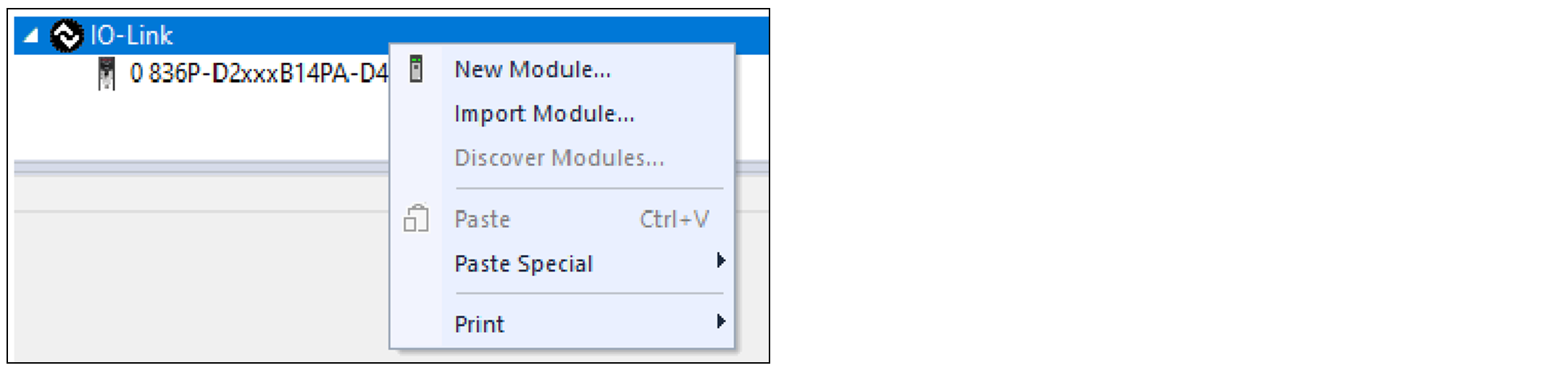 The Select Module Type dialog appears. The Module Discovery tab shows the available devices that are connected to the IO-Link bus.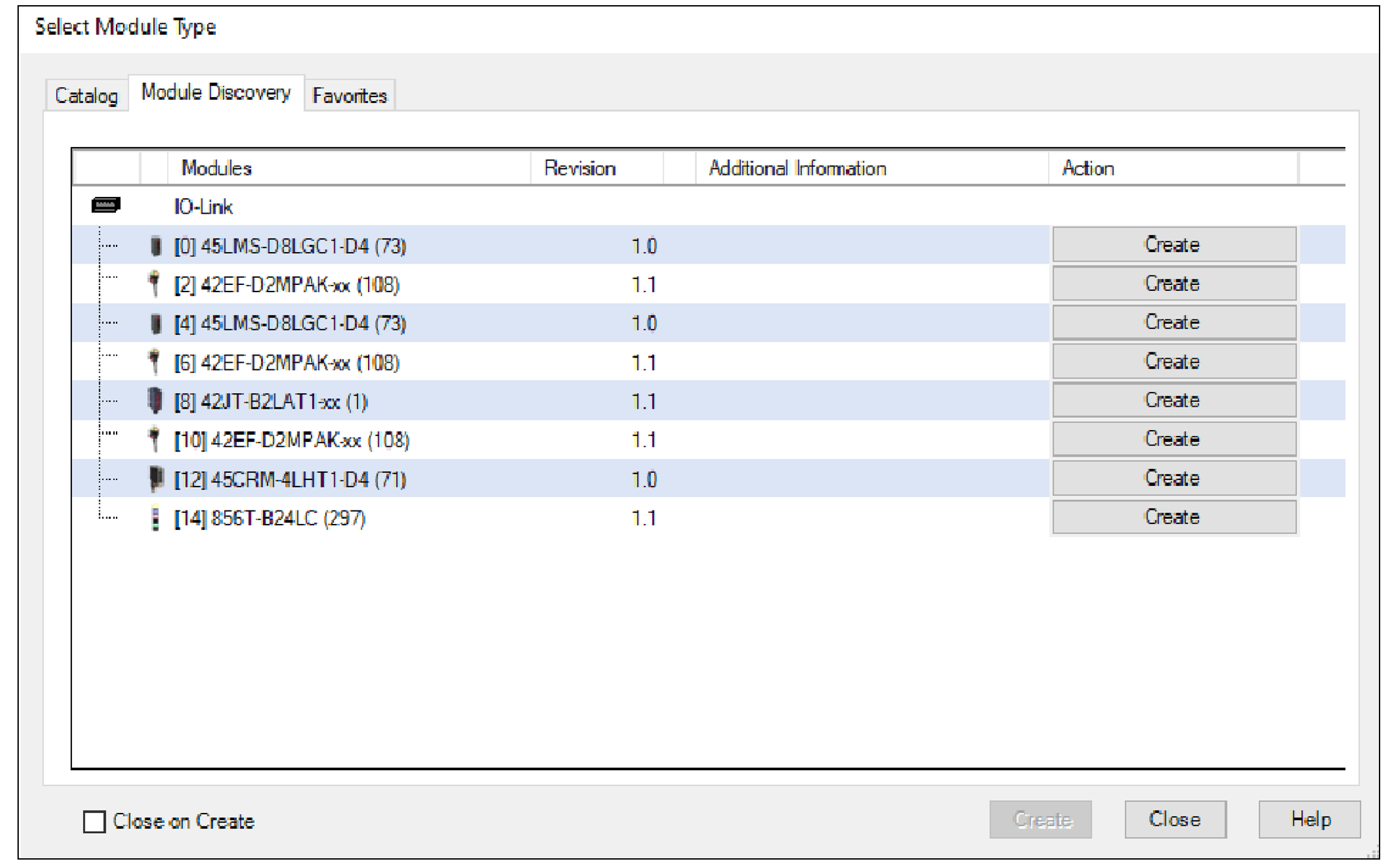
- Select Create for the device that you want to add to your project.If a device shows Register, it means that there is no IODD registered for the device. Select Register to go through the registration process as described in Register IO-Link Device IODD.The New Module dialog appears and shows the General view. A list of different views is shown on the left side.
- Enter a Name for the device, which is also used in the name of the Tag elements that are created for the device.If you want to configure the other settings during this step, see IO-Link Device Configuration for more information.
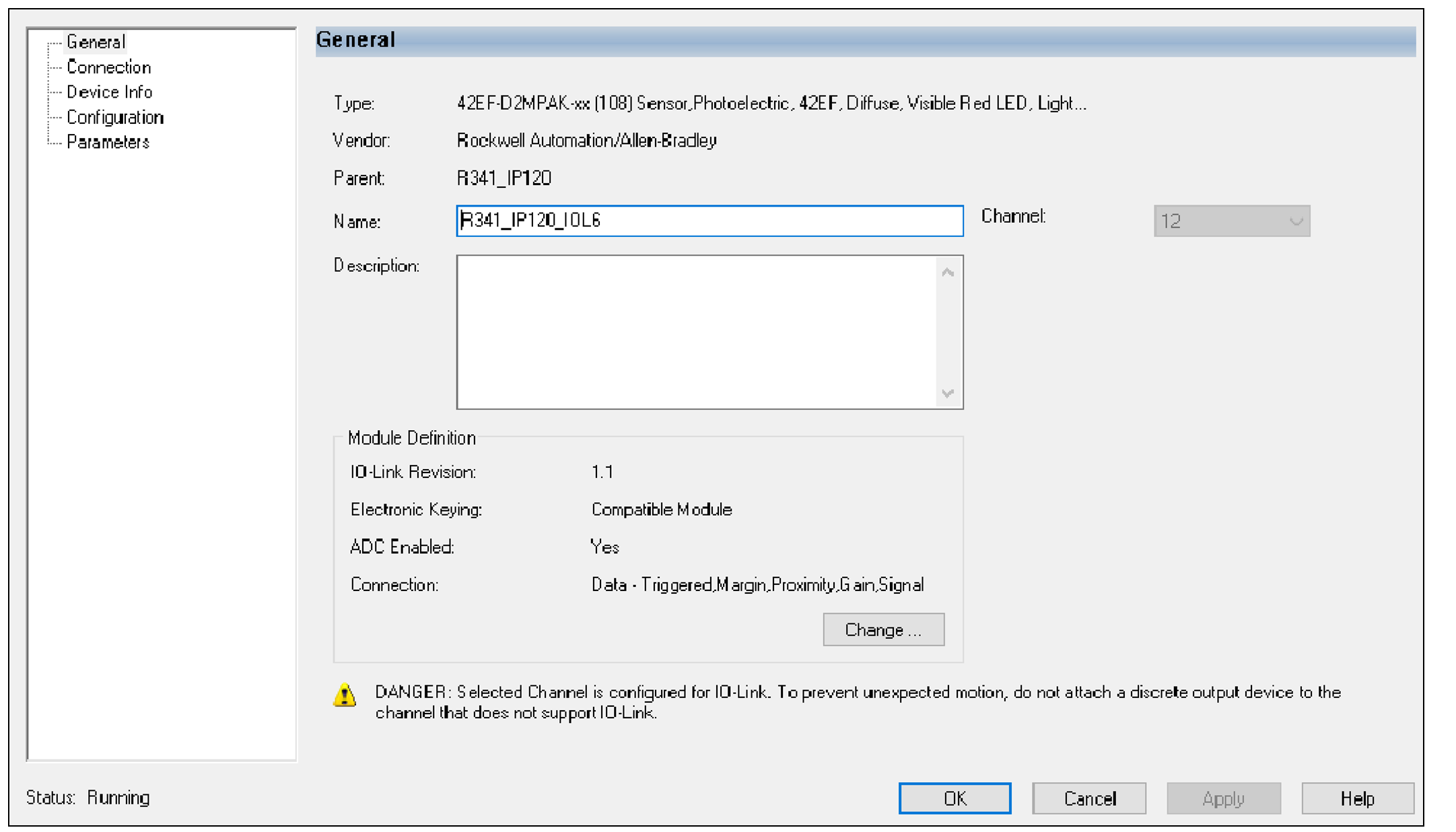
- Select OK to save the configuration.A prompt appears to request to inhibit the device. We recommend inhibiting the device if the device is not fully configured or not ready to be put into operation currently.
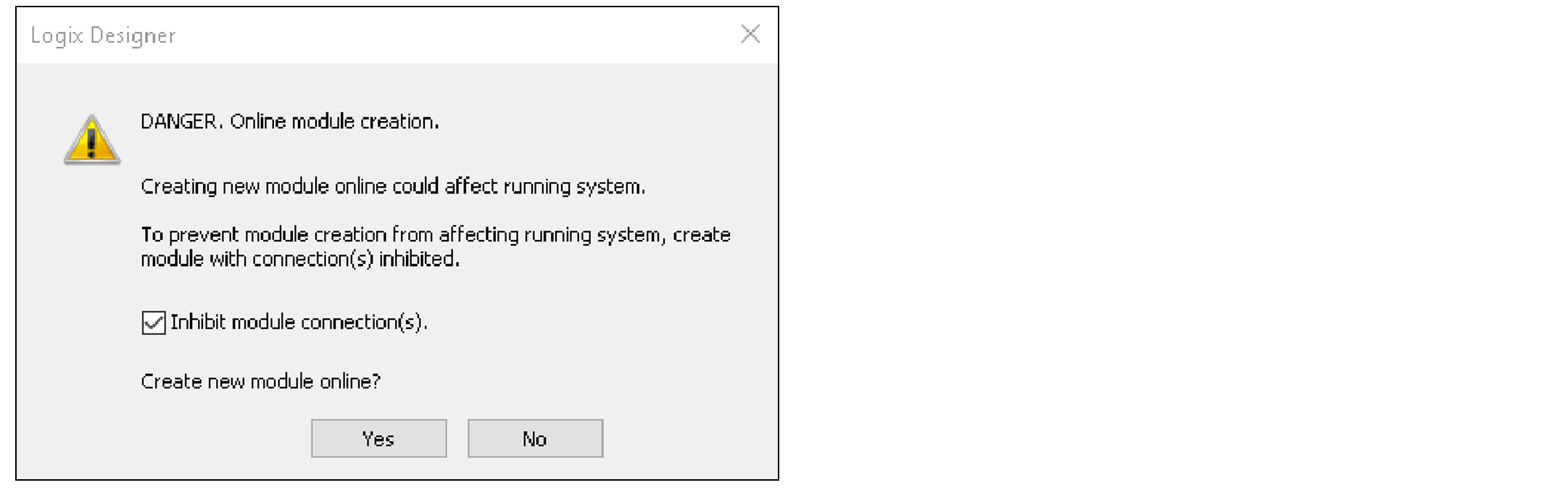
- Repeat Step 3…Step 5 to add another device, or close the Select Module Type dialog when done.If you selected the Close on Create checkbox in Step 3, the Select Module Type dialog automatically closes and you must start from Step 2 to add another device.
Provide Feedback