
Register IO-Link Device IODD
To register the IODD for new devices, complete these steps.
- In the Studio 5000 Logix Designer application, select Tools → Device Description Installation Tool.
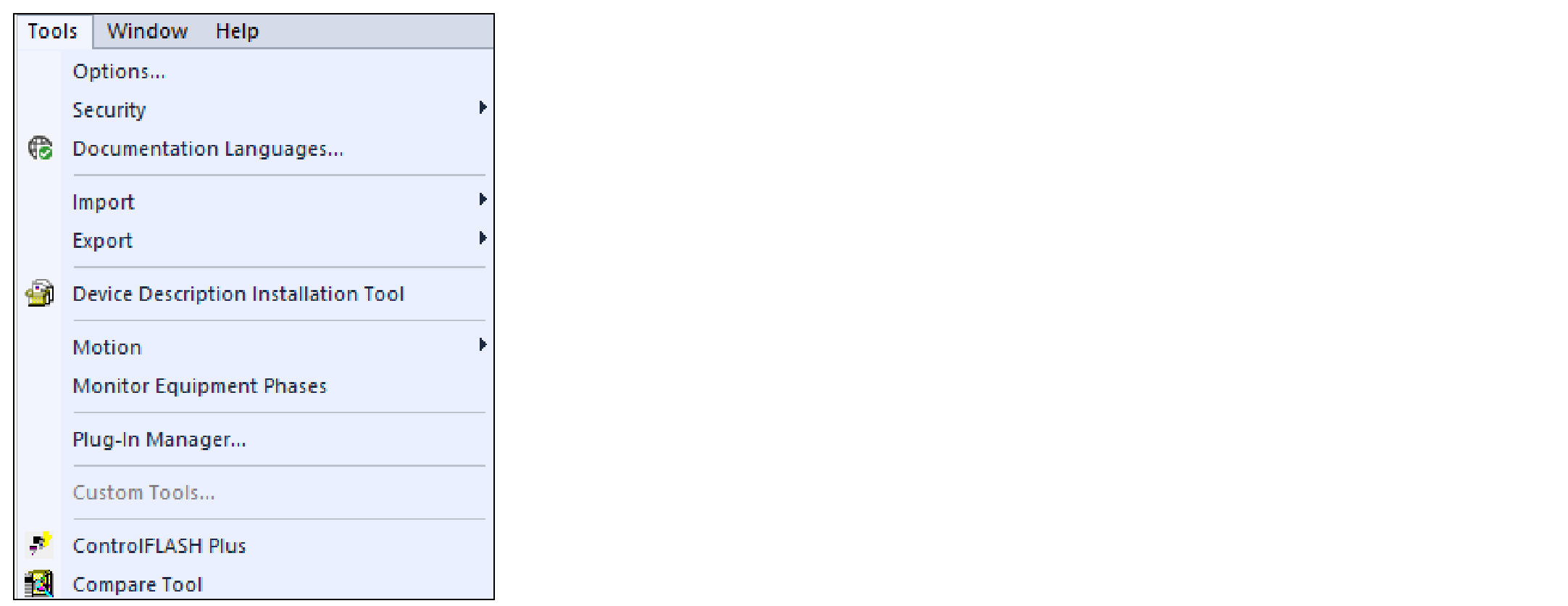 The Device Description File Installation Tool dialog appears.
 - Select Next to begin.
- Select Register a device description file(s) and select Next.
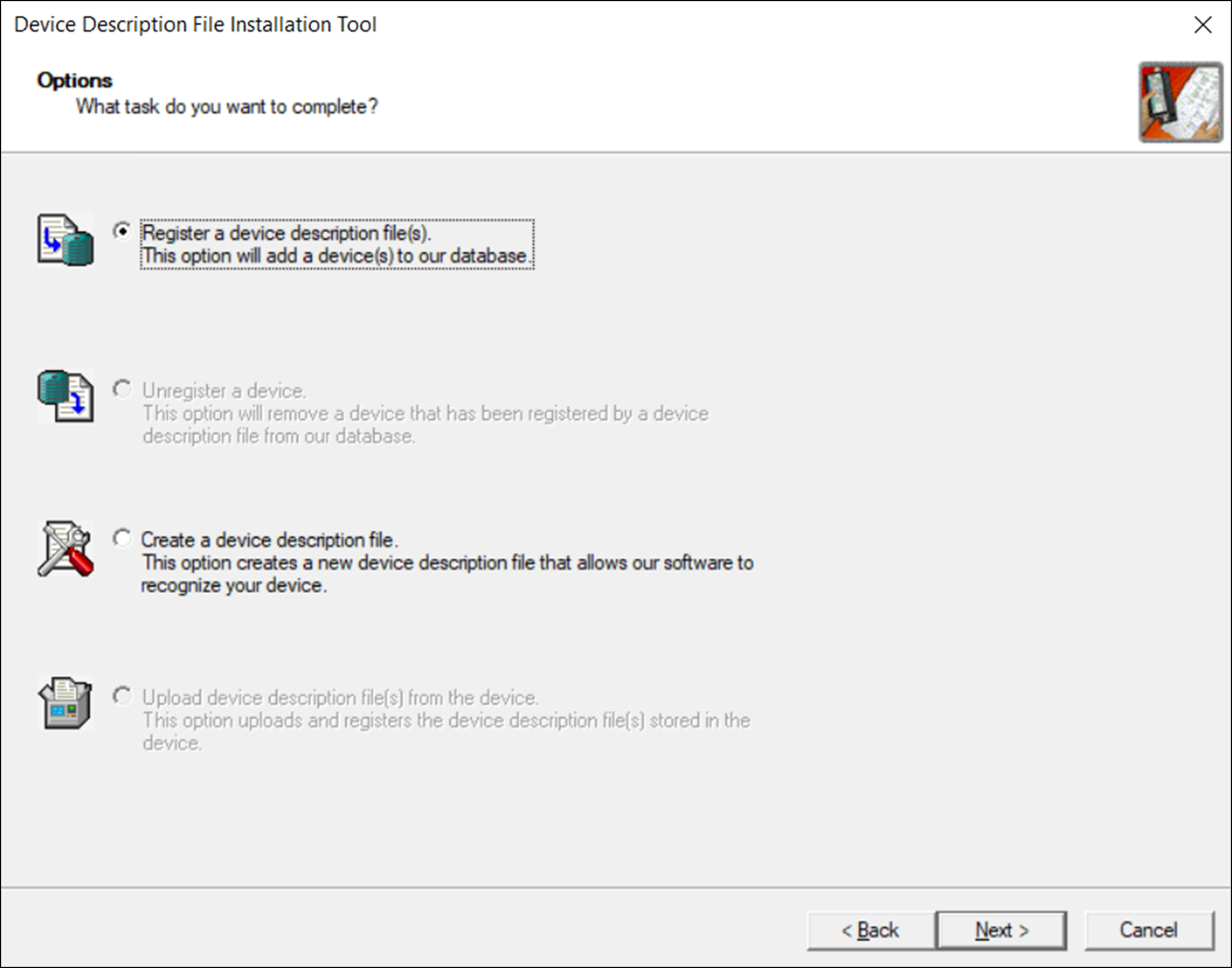
- Select either to register one file or a directory of files, and select Browse. If you selected to register one file:
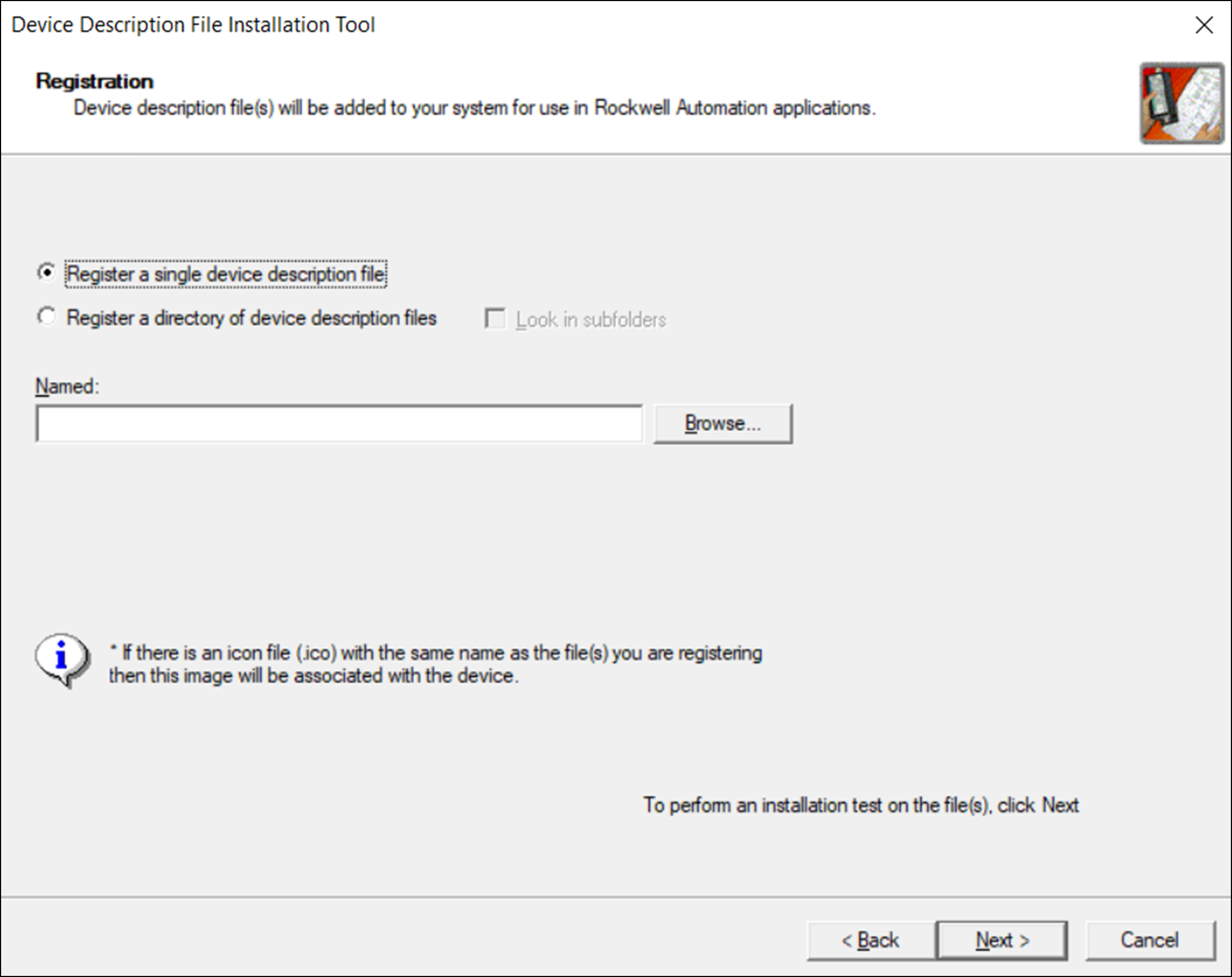 If you selected to register one file:
- Browse to the location of your IODD file.
- Select the file and select Open.
If you selected to register a directory of files:- In the Browse for Folder dialog, browse to the folder with your IODD files.
- Select the folder and select OK.
- Select Next and follow the on-screen prompts to complete the installation.IMPORTANT: If the IODD is already registered and you have selected to register the same version or an older version, you must confirm whether you want to overwrite the current version.
Provide Feedback