
Add Enterprise Node
An enterprise-level dashboard is a powerful tool that offers a unified view of energy performance indicators (EnPIs) and metrics across an organization. By integrating data from various regions and sites, it enables real-time monitoring, analysis, and decision-making. This dashboard empowers executives and managers to track progress, identify trends, and make informed strategic decisions, ultimately enhancing overall business performance.
NOTE:
To view data on the enterprise-level dashboard, ensure the following:
- For cost charts, configure the appropriate rate schedule at the site level.
- For emission charts, configure the appropriate emission factor at the site level.
- For production, ensure that energy-intensity charts have correct tag mappings for production count measurements.
- If more than one resource meter is configured, the harmonized unit defined at the enterprise level is used to display consumption, intensity, and emission data.
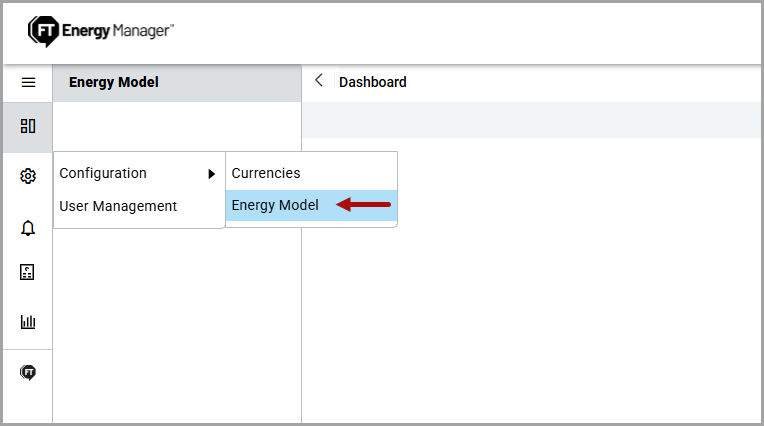
- On the left navigation menu, click theSettingsdropdown, clickConfigurationand clickEnergy Model.Configure Energy Model
- ClickAdd Node.Add Node
 TheAdd Nodedialog box is displayed.Add Node
- In theAdd Nodedialog box, provide the following details:
- Name: Provide an Enterprise name.
- Currency: Select a currency from the dropdown list.
- Description: (Optional) Provide a description of the Enterprise.
- ClickAdd.The "Added successfully" message is displayed and the node is added.Enterprise Node Added

Related Information
:Provide Feedback