
Managing inventory distribution
Managing lot distribution from the
Inventory
tab gives you an
opportunity to adjust the inventory levels in containers.- From theEdit Materialdialog, select theInventorytab.
- Select the record row, and then click theDistributebutton. TheDistribute Lotdialog opens.
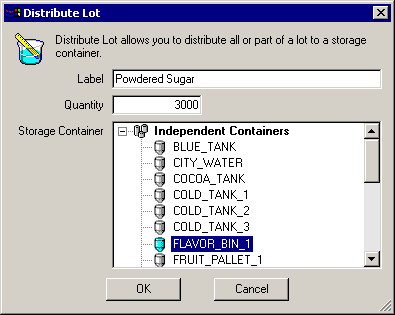
- In theLabelbox, type a unique name for the sublot.
- In theQuantitybox, type the amount to distribute.
- From theStorage Containerlist, select a container to store the distributed amount.
- ClickOKto return to theInventorytab on theEdit Lotdialog.
- ClickApplyto save the changes or clickOKto save the changes and close the dialog.
Provide Feedback