Loading

FactoryTalk Remote Access Software Solution

Supercharge Your Response Time and Support
Try it now
One employee sitting at a desk examining a computer with another employee standing over their shoulder pointing at information on the screen
Cloud Manufacturing Software
    • FactoryTalk Design Hub
    • FactoryTalk Design Hub
    • FactoryTalk Design Studio
    • FactoryTalk Design Studio
    • FactoryTalk Twin Studio
    • FactoryTalk Twin Studio
    • FactoryTalk Vault
    • FactoryTalk Vault
    • Fiix CMMS
    • Fiix CMMS
    • FactoryTalk Remote Access
    • FactoryTalk Remote Access
    • Plex APM
    • Plex APM
    • Plex MES
    • Plex MES
    • Plex Quality Management System
    • Plex Quality Management System
    • FactoryTalk Optix
    • FactoryTalk Optix
    • FactoryTalk Edge Manager
    • FactoryTalk Edge Manager
    • Plex Production Monitoring
    • Plex Production Monitoring
    • Login to FactoryTalk Hub
    • Login to FactoryTalk Hub
    • Technical Documentation Center
    • Technical Documentation Center
    • Knowledgebase
    • Knowledgebase
    • FactoryTalk Hub YouTube
    • FactoryTalk Hub YouTube
    • FactoryTalk Design Studio YouTube
    • FactoryTalk Design Studio YouTube
    • FactoryTalk Optix YouTube
    • FactoryTalk Optix YouTube
Contact a Distributor

Imagine being able to respond to customer needs faster and rapidly resolve production issues. With the FactoryTalk® Remote Access™ solution, you don’t have to travel to manage, configure, and initiate secure connections to automation equipment. Discover a faster way to deliver great support from anywhere, expand your workforce and enable new opportunities for revenue generation. 

See How the FactoryTalk Remote Access Solution Works

Dive into the functionality that makes up this complete remote access solution.

Discover How Remote Access Solutions Impact You

Clock

Improve Response Time

Remotely access and support customer equipment in a moment’s notice! When customers call, you can get connected quickly – no matter where you are.

Thumb up

Reduce Costs

With remote access, you don’t need costly travel time and expenses to help. Customers will appreciate this – and so will your bank account.

Arrow chart performance

Maximize Productivity

When you can service customer equipment on-demand, you’re poised to fast-track fixes, reduce downtime and maximize productivity.

Security Lock

Secure Connectivity

Protecting your work is serious business. From multi-factor authentication and encrypted protocols to local access control and more, you can make security a priority.

A Complete Industrial Remote Access Solution

Leverage the power of FactoryTalk Remote Access Manager available via FactoryTalk Hub. Then, create a secure connection to automation equipment using one of the remote access ready endpoints that best supports your application.

Scalable Secure Remote Access Solutions for OEMs
Man wearing glasses  standing at table making notes in a notebook with a laptop and coffe cup on the table
Whitepaper
Scalable Secure Remote Access Solutions for OEMs

Learn how the FactoryTalk® Remote Access™ solution can help reduce cost and add more value to your Industrial Automation and Control Systems customers.

Read Now
FactoryTalk Remote Access Security Architecture
Security Architecture
Whitepaper
FactoryTalk Remote Access Security Architecture

The core task of FactoryTalk Remote Access is to connect securely to a client to remote devices through the Internet. Therefore, security is paramount on all design and implementation decisions, more than any other usability aspects.

Read Now
Advance your Support Capabilities and Expand your Expertise with FactoryTalk Remote Access
Mature Caucasian man working on laptop in technology office
Webinar
Advance your Support Capabilities and Expand your Expertise with FactoryTalk Remote Access

Manage, configure and initiate secure connections to equipment.

Watch Now
FactoryTalk® Remote Access™
Man looking at computer screens
Brochure
FactoryTalk® Remote Access™

The FactoryTalk Remote Access solution delivers secure communications over the internet to enable performance and security.

Read Now
FactoryTalk® Remote Access Ordering Guide
illustration featuring laptop and overlay graphics
Guide
FactoryTalk® Remote Access Ordering Guide

The FactoryTalk Remote Access Manager provides the security and functionality needed to manage users and devices through an easy-to-use web-client based software.

Read Now
Try it now
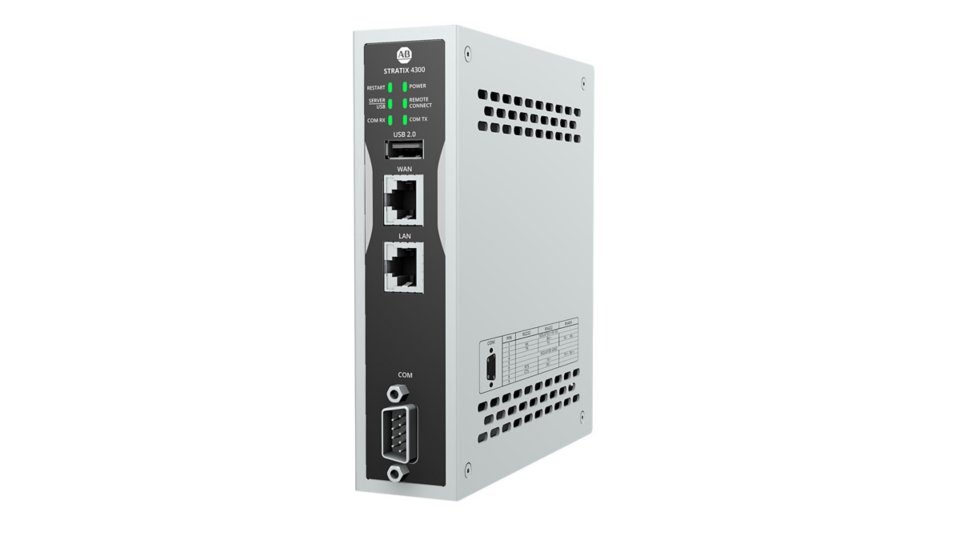
Stratix 4300 Remote Access Router Embedded Edge Compute Module ASEM 6300 Industrial PC OptixPanel
Stratix® 4300 Remote Access™ Router
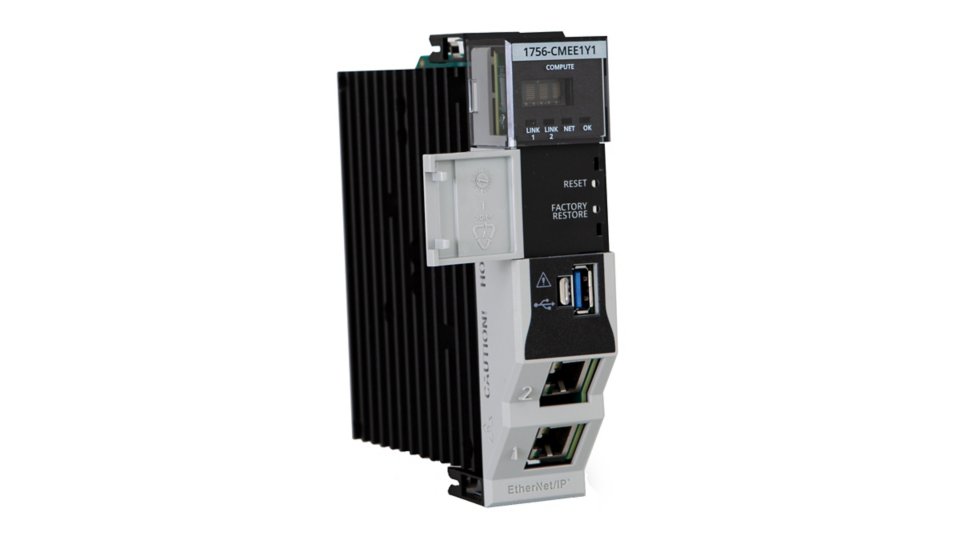
Left view of Embedded Edge Compute Module with gray door opening to the left
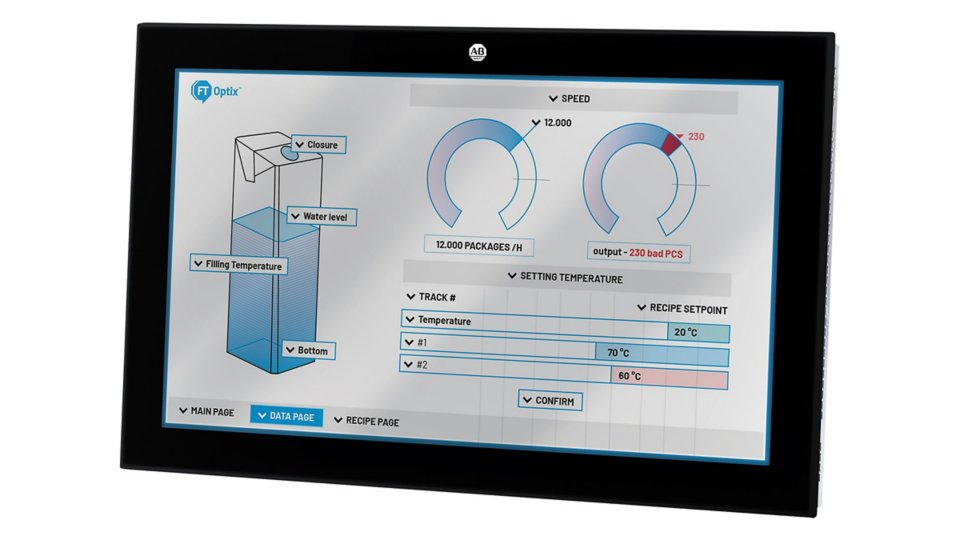
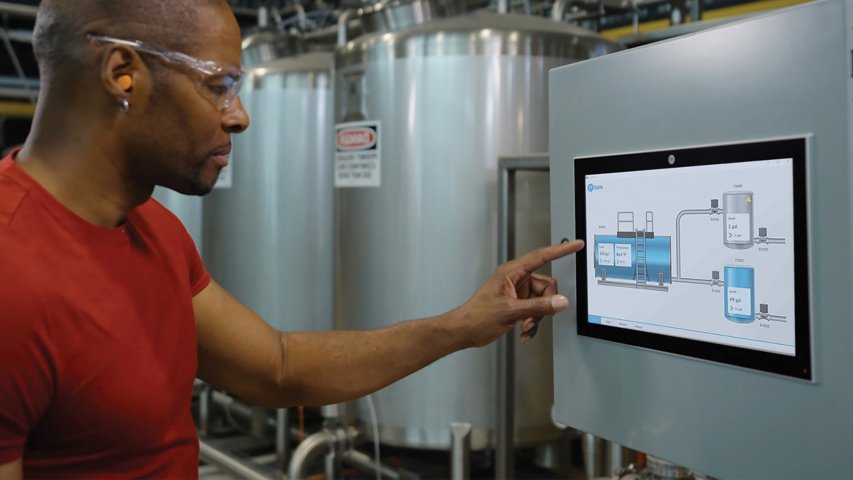
An OptixPanel HMI panel with a touchscreen displaying a 3D model of a partially filled container, with several dials.
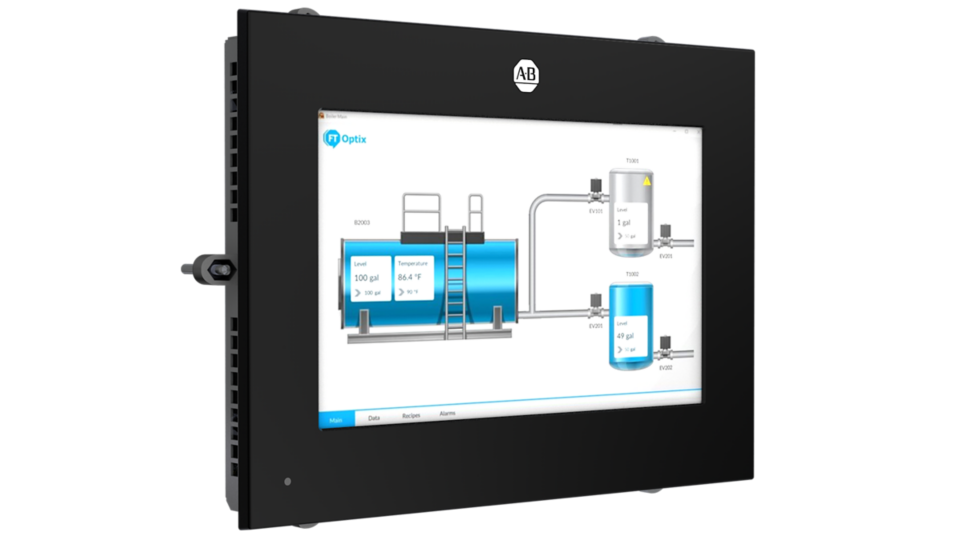
Optix panel compact 2800C-070AS-1S HMI55Q ALU 4 right side view

Stratix 4300 Remote Access Router

Our Stratix® 4300 Remote Access™ Router hardware is part of a complete solution, which also includes FactoryTalk® Remote Access™ Manager software. Together, these products make the FactoryTalk Remote Access solution. This connectivity provides support for installation, programming updates, and on-demand troubleshooting and maintenance when you cannot travel. 

Learn More

Embedded Edge Compute Module

The Embedded Edge Compute Module builds on Rockwell Automation’s recent history of enabling PC or compute functionality with the power of Logix. The Embedded Edge Compute Module provides a packaged solution for users to process visual data locally and remotely while maintaining the capability to grow and scale your system as their needs change. This Embedded Edge Compute release comes with an XS FactoryTalk Optix Runtime license and a FactoryTalk Remote Access Runtime Pro license.

Learn More

ASEM 6300 Industrial PC

ASEM™ 6300 Industrial PCs are available in box and panel form and allow for greater customization compared to the OptixPanel™ graphic terminals. Innovate with FactoryTalk® Optix™ software and seamlessly deploy your HMI solution to the ASEM™ 6300 device that best fits customer needs.

Learn More

OptixPanel Graphic Terminals

OptixPanel™ graphic terminals are sealed HMI appliances that come pre-loaded with FactoryTalk® Optix™ software licenses. This means that the device is an all-in-one solution that’s ready to run at first power-up and costs less than an industrial PC. The pre-installed, closed OS reduces risk in implementation and maintenance. OptixPanel graphic terminals run FactoryTalk Optix and FactoryTalk Remote Access software, providing flexibility, scalability and enhanced connectivity.

Learn More
Stratix 4300 Remote Access Router
Stratix® 4300 Remote Access™ Router
Embedded Edge Compute Module
Left view of Embedded Edge Compute Module with gray door opening to the left
ASEM 6300 Industrial PC
An OptixPanel HMI panel with a touchscreen displaying a 3D model of a partially filled container, with several dials.
OptixPanel
Optix panel compact 2800C-070AS-1S HMI55Q ALU 4 right side view

Remote Access is Making More Possible

The ability to securely connect to customer equipment from anywhere and at any time opens a new world of possibilities. This level of support bypasses the travel and expenses and gets straight to addressing any issues – helping to improve machine uptime and keep production moving.

Far-reaching on-demand support

Now, even your farthest operations are within reach! Being able to remotely support customer equipment means that no matter where your expert technicians and engineers are in the world, they are always nearby.

Act quickly at any stage

Think remote access is only a support solution? Think again! Whether it's virtual commissioning or remote firmware management, the FactoryTalk Remote Access solution can help your machine reach operation faster and keep it running at its best.

Be ready for the future

Part of delivering great support is being able to anticipate customer needs. With the FactoryTalk Remote Access solution, you can address today's data requirements while being poised to take on emerging applications, like remote support in an augmented or virtual reality (AR/VR) environment.

Unlock a Better Way to Support Your Assets

By using the FactoryTalk Remote Access solution, you can provide installation support, programming upgrades, break-fix applications, remote services and diagnostics – right from where you are.

Key features:

  • Easy and intuitive web-based user interface
  • Initiate and maintain remote connections independent of physical location
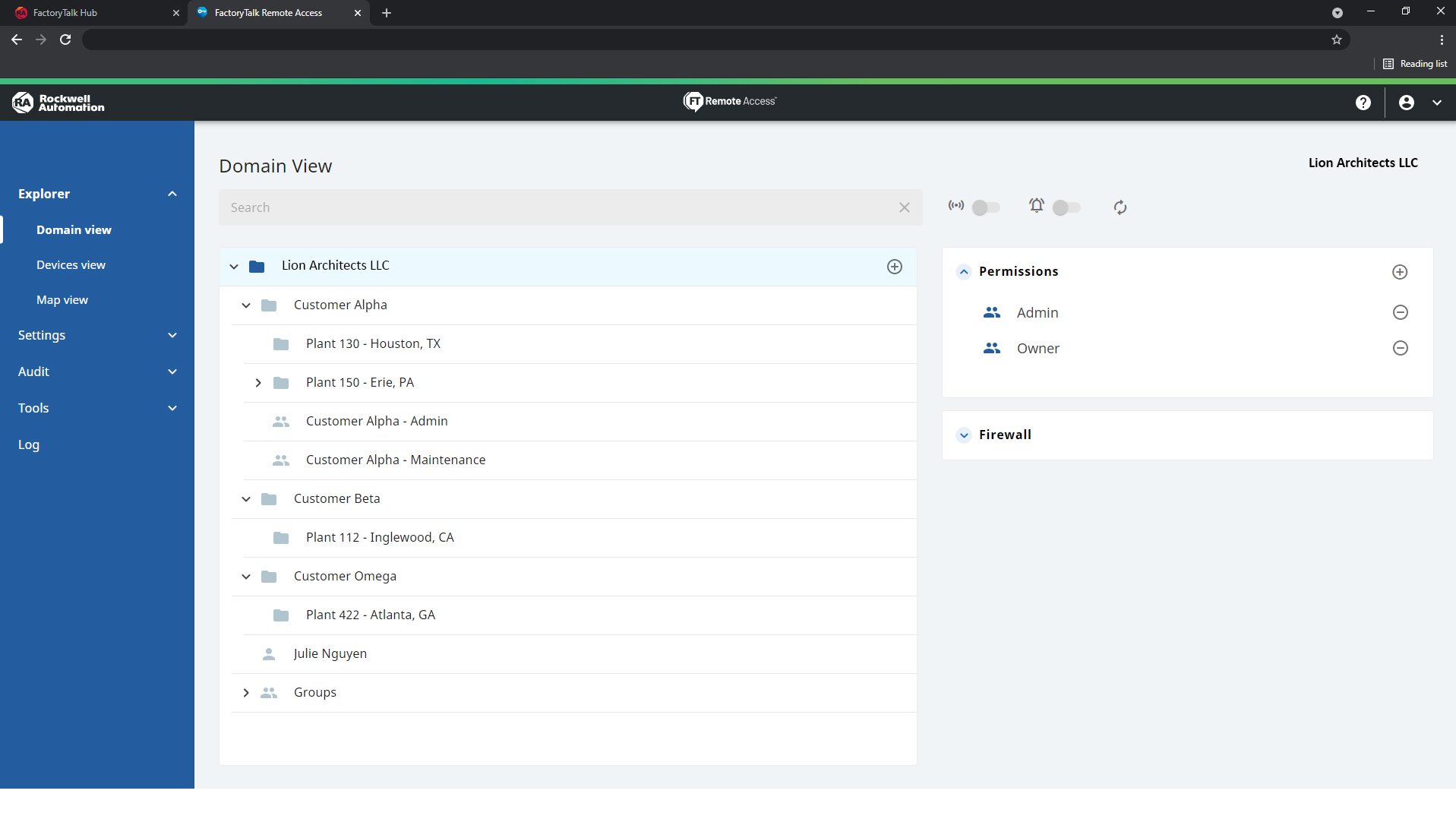
  • Centralized management of account, users, permissions and device registration
Main Image

Male engineer standing in a factory viewing machines operating and typing information into is laptop
View All Software Version History

FactoryTalk Software Version History

What’s New with FactoryTalk Remote Access

New details on key features rolled out in the previous and current versions of FactoryTalk Remote Access? Look no further! Our FactoryTalk Software Version History includes incremental changes made to software releases or major features that have recently been added.

FactoryTalk Remote Access Software Versions, Features and Benefits

Version 14.3

Features Benefits
VNC Support for Sub-Devices
  • The VNC protocol allows direct access to sub-devices with VNC servers via FactoryTalk® Remote AccessTM Manager. Access is provided through the integrated VNC client in the Manager Tools.
Invite User to Device Enhancements
  • The User invite to device feature was enhanced by extending the invitation to device for users without an FactoryTalk® Hub™ account and not belonging to the domain. A user identity is automatically created in both FactoryTalk® Hub® and FactoryTalk® Remote Access™ when the invitation is sent.
  • A User Invitations page was also added for user invite management.
Least Privilege for Windows Runtime
  • The Security feature was added to the Settings section in the Runtime UI to address the Runtime security vulnerability arising from privilege escalation. It enforces the Runtime strict adherence to the access controls defined by the system administrator, ensuring that Runtime operates within the boundaries of assigned privileges. The Runtime operates as a service using an agent that impacts the security restrictions set for files transferring and processes termination.
  • To activate this safeguard, enable one or both of the following restrictions:
    • File transfers security restriction
    • Processes security restriction
Runtime Pro Entitlement Always Assignable
  • To upgrade a Runtime Basic entitlement, you can purchase the appropriate Runtime Upgrade entitlement, which upgrades the entitlement from Basic to Pro.
  • If you already have a Pro entitlement, you can upgrade your Basic entitlement by selecting an existing Runtime Pro entitlement during the upgrade process for any device.
Access to SD and USB for File Transfer (embedded devices, firmware dependent)
  • In Remote Desktop Explorer tab, it is possible to manage files uploaded via an SD card or an USB memory stick connected to a device.
  • A device System Manager automatically applies predefined mounting options, allowing the contents of the SD card or USB memory stick to appear in the Explorer section.
  • From there, it is possible to read, write, and exchange data directly with a device.
Additional Language Support
  • French and Portuguese are now available in the FactoryTalk Remote Access Manager, Runtime software, and Tools.
  • Japanese and Korean are available in the Runtime software and Tools.
UI Improvements
  • Quick Action Toolbar
  • Copy & Paste for Sub-devices
  • Member of & Show Permissions Pane
  • Domain View Responsiveness
  • Ethernet Interface Labels
  • Editable Phone Number Field

Version 14.2

Features Benefits
Runtime Container Support
  • The FTRA Runtime is now available as a Docker Image for x86 architectures, OS Debian 11.9 and Ubuntu 22.04.
  • Supported features are: Remote Desktop, VPN, Sub-devices, Assistance Request and the Local Connection.
Local Connection UI Enhancements
  • The local connection applet has an improved UI with added functionality:
    • A checkbox was added to remember the password for a device
    • A “Managed Devices” dialog box was added to manage, name and save multiple devices
Windows 10 IoT Support for Runtime
  • There is a new download and install package option available in the FT Remote Access Manager and Product Compatibility & Download Center for devices using the Windows 10 IoT operating system.
Additional Language Support
  • Spanish, Italian, and German are now available in the FT Remote Access Manager, the FT Remote Access Runtime software, and the FT Remote Access Tools.
New Relay Servers Added
  • The platform now includes 5 new Relay Servers for the FTRA Runtime and FTRA Manager tools, starting with version 14.1, it also includes improvements in Relay Server selection when the user is connecting to a device.

Version 14.1

Features Benefits
Device Updater
  • The device updater enables the user to perform over-the-air updates for device firmware and runtime software directly from the FactoryTalk® Remote Access™ Manager Domain.
Runtime Web-based UI
  • The installable runtime application for Windows and Linux will be accessed through a new web-based UI. The web-based UI allows the user the ability to set a password for restricted access on the runtime PC.
FactoryTalk Design Studio Integration
  • This release will include the option for FT Design Studio integration that will enable secure cloud-to-controller connectivity.
Additional Language Support
  • Chinese is available in the FT Remote Access Manager, the FT Remote Access Runtime software, and the FT Remote Access Tools.
Local Connection for Linux Ubuntu 22
  • The Local Connection which allows access to the Interactive Access features to a remote device on the same LAN (local area network) without internet access will now be available for the Linux Ubuntu 22 Runtime software.

Version 14

Features Benefits
Sub-Devices
  • The Domain now supports the manual definition of sub-devices (PLCs, drives, iPCS, etc.) that are connected to the subnetwork behind the remote device and their related services
Invitation to Device Wizard
  • Invite a user directly to a device wizard, in this release a user will be able to invite users that have a FactoryTalk Hub account directly to a device and set an expiration time and date
UI Improvements
  • Contextual Menu visible after clicking on a device is improved
  • New "provide feedback" dialog
  • Improved search bar: it is now possible to filter devices not only by resource name, but also by their resource properties
Migration to .NET8 Software Framework
  • Providing enhancements in performance, stability and security

Version 13.6

Features Benefits
ASEM 6300 iPCs include a Runtime Basic Entitlement
  • FactoryTalk Remote Access Runtime 13.6 (or later) will recognize the ASEM 6300 hardware and assign a complimentary Basic Runtime entitlement
Device Geolocation by Public IP Address
  • A device that is registered to a FactoryTalk Remote Access Domain will have its public IP address recognized, so that its location will be automatically placed in the map view
FactoryTalk Hub Groups inheritance
  • What changed for newly created Domains:

    • Only the "Admin" group will inherit settings from FT Hub, with no option for editing

    • The Owner user will be assigned to the "Admin" group, while users designated as "Billing Admin" and "Contributors" will be placed in the root folder
       
  • What changed for existing Domains:

    • The groups "Contributors," "Owner," and "Billing Admin" will remain intact but will be made editable

    • The Owner will be transferred to the "Admin" group
Expired Entitlements & Devices
  • Devices can be associated to a new domain if the old one is expired, including Demo or Trial entitlements
Device Discovery Tool
  • The tools will include a new Device Discovery applet (firmware dependent feature)
Improved VPN Throughput
  • The VPN throughput for the Stratix 4300, OptixPanel Standard and Compact, and Embedded Edge Compute module have been improved; the Stratix 4300 has been doubled (firmware dependent feature)
UI Improvements
  • Audit Connections Details Button
  • Information Pane
  • Reduced Padding Naivagtion Menu Collapse
  • Copy IP Address from Device Information
  • Double-click to start VPN
  • Reconnect Device added to Interactive Access tools
  • Routing Rules added to Interactive Access tools

Version 13.5

Features Benefits
Local Connection
  • The local connection allows access to the Interactive Access features of FactoryTalk® Remote Access™ to a remote endpoint on the same LAN (local area network) without internet access. The local connection is established and managed via the interactive tools' applet installed on the local PC. (firmware dependent feature)
Device Log Export
  • Export device logs functionality added to the interactive access tools for the OptixPanel Standard and Compact, Embedded Edge Compute module and the Stratix 4300 (firmware dependent feature)
OptixPanel Compact Runtime Upgrade
  • Ability to upgrade the OptixPanel™ Compact basic runtime entitlement to the pro runtime entitlement
Remote Access Runtime Linux Ubuntu 22 Support
  • FactoryTalk® Remote Access™ runtime is now supported on Linux Ubuntu 22 (in addition to Windows OS support)

Protect the Work You Do

We know that security is a critical issue. Our solution enables you to initiate and maintain secure connections, from anywhere.

Security capabilities include:

  • VPN technology optimized for industrial connectivity with outbound only connections
  • User group management, permission control and role-based access
  • Auditing and logging of administration changes and remote connections
  • Integrated Firewall that allows configuration of permission policies over the VPN tunnel
  • Authentication that confirms only trusted devices may be registered to the account domain
  • Enable and Disable remote connectivity
  • Asset Management that supports organizing remote devices in a hierarchical form and enables enhanced role-based access
Learn More

Ready to Order Your Software?

Ordering Options
Software SubscriptionsSoftware Subscriptions
Ordering Options

One stop shopping for software and subscription services.

Explore Our Ordering Options
Talk to a Consultant
DistributorDistributor
Talk to a Consultant

Work with your local Rockwell Automation sales consultant to discuss your software requirements.

Contact Us

Recommended For You

FactoryTalk Optix
FactoryTalk Optix
FactoryTalk Optix
Achieve your HMI, IIoT, Edge and Data Platform vision with collaboration, scalability and interoperability that improve deliverables and efficiency.
FactoryTalk Design Studio
Work more efficiently and unleash your next-generation production systems using our modern, multi-user, multi-controller automation design software.
FactoryTalk
FactoryTalk
FactoryTalk
FactoryTalk® software is built for supporting an ecosystem of advanced industrial applications, including IoT.

You may also be interested in

Loading
Loading
Loading
Loading
  1. Chevron LeftChevron Left Rockwell Automation Home
  2. Chevron LeftChevron Left Pro...
  3. Chevron LeftChevron Left Software
  4. Chevron LeftChevron Left FactoryTalk
  5. Chevron LeftChevron Left FactoryTalk Remote Access Solution
Please update your cookie preferences to continue.
This feature requires cookies to enhance your experience. Please update your preferences to allow for these cookies:
  • Social Media Cookies
  • Functional Cookies
  • Performance Cookies
  • Marketing Cookies
  • All Cookies
You can update your preferences at any time. For more information please see our {0} Privacy Policy
CloseClose