
Configuration - Internet Protocol View
Use the Internet Protocol view to view and configure the Internet Protocol (IP) settings for the gateway.
Gateway Internet Protocol View
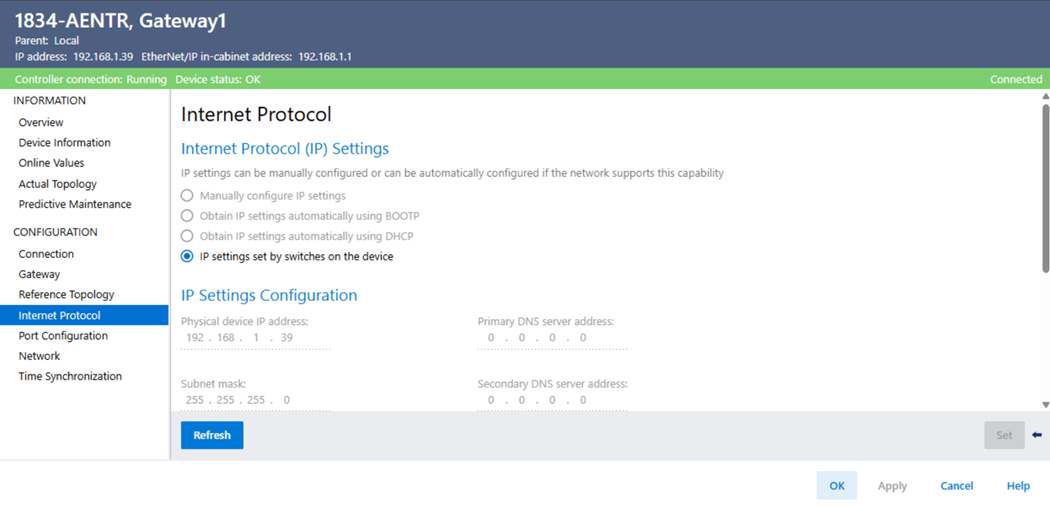
Parameter | Description |
|---|---|
Internet Protocol (IP) settings | Specifies the IP settings configuration mode:
|
Physical device IP address | Specifies the address that is used by the IP protocol to route information to and from the device. |
Subnet mask | Specifies an extension of the IP address scheme that lets a site use one net Id for multiple physical networks. |
Gateway address | Specifies the gateway device address that is used to connect individual physical networks into a system of networks. |
Primary DNS server address | Specifies the IP address for the primary DNS server that holds the main copy of the data. |
Secondary DNS server address | Specifies the IP address for the secondary DNS server that holds a copy of the data in case the primary DNS is unavailable. |
Domain name | Specifies the name that identifies the domain in which the device resides. |
Host name | Specifies the unique identification string for the device. |
Provide Feedback