
Client interface
The Client provides a graphical representation of a running batch and its associated data.
e
Procedure
TIP:
If the Client does not
display when you open Internet Explorer, you must set the Client
as your home page. In Internet Explorer, select Client on the computer.
e
Proceduree
ProcedureInternet Options
from the Tools
menu, enter http://[computer name]/
(where [computer name] is the name of the computer where the Client is installed) in the
Home page box, and then click e
ProcedureOK
. Do the same for any other user accounts that also
use the e
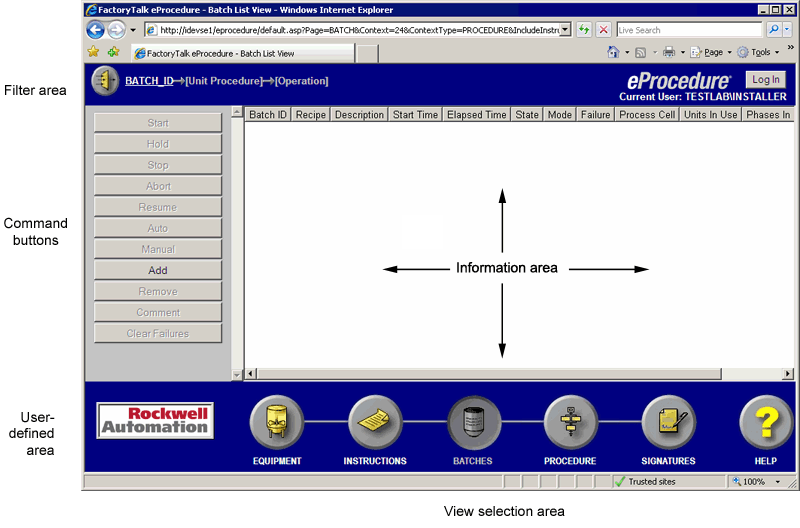
ProcedureThe display is divided into five areas:
Information area, Filter area, View Selection area, User-Defined area,
and Command area
.
Provide Feedback