
User Interface
Use the
FactoryTalk® Design Studio™
interface
to create a project and arrange the user interface to depict your system. Specify which panes
to view and reset the layout to the default if necessary.FactoryTalk® Design Studio™
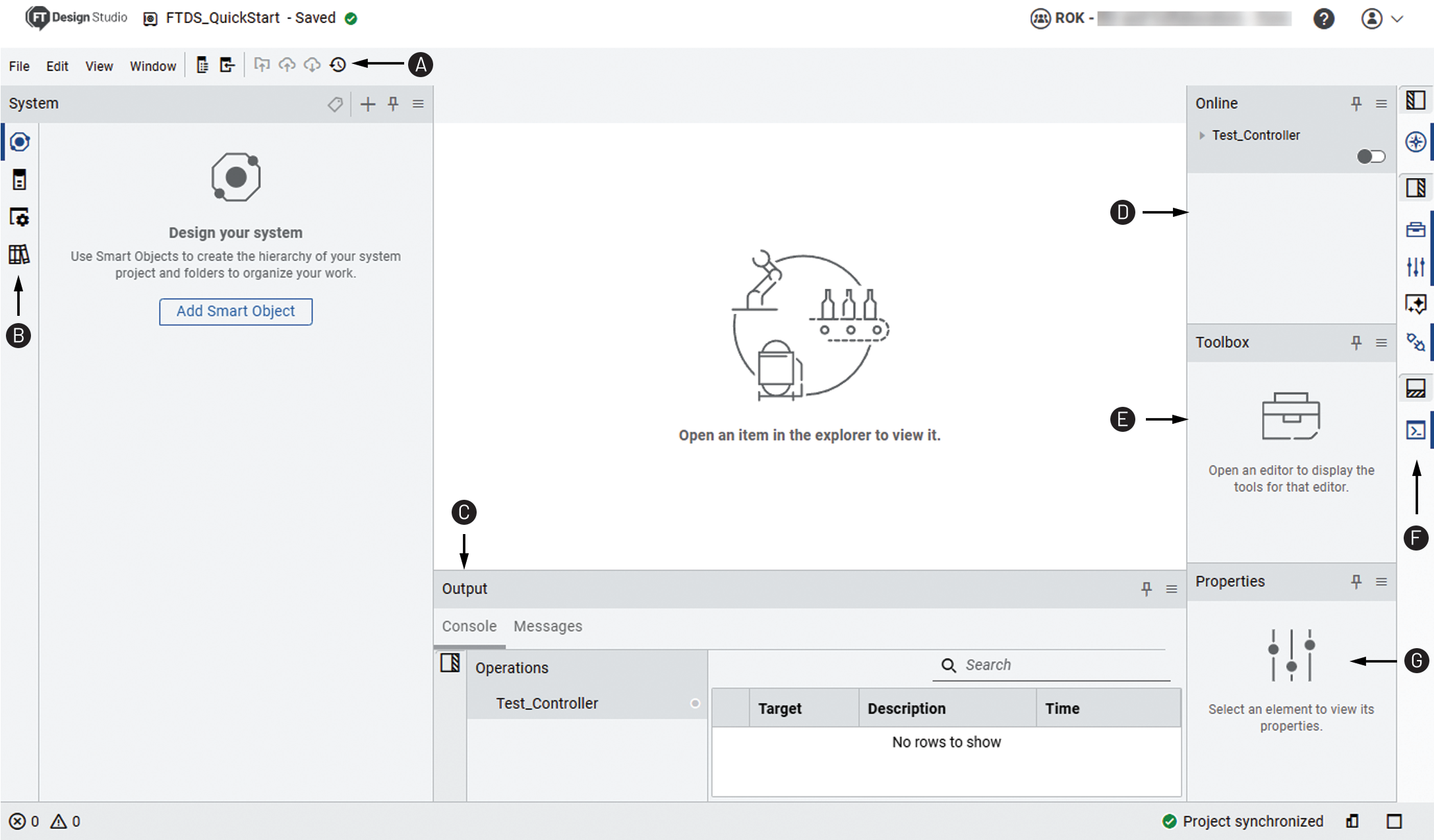
Item | Description |
|---|---|
 | Toolbar |
 | Explorer bar |
 | Output pane |
 | Online pane |
 | Toolbox |
 | Pane bar |
 | Properties pane |
Safety Element Indicators
- The category or class label of Safety indicates safety devices.Safety Device Category

- The
 icon
decorator indicates safety objects.Safety Icon Decorator
icon
decorator indicates safety objects.Safety Icon Decorator
- TheGuardmaster®watermark indicates safety routines.Safety Routine Watermark

Provide Feedback