
Add Device to Controller
To add a device to a controller, follow these steps:
- InDevicesexplorer, right-click the backplane and selectAdd device...
- In theAssign devices todialog, underCategory filter, select the category of the device you want to add. In this example, we are adding two I/O modules.
- Select the devices from the list, and underDevices to assign, choose the number of each device to add to the chassis.
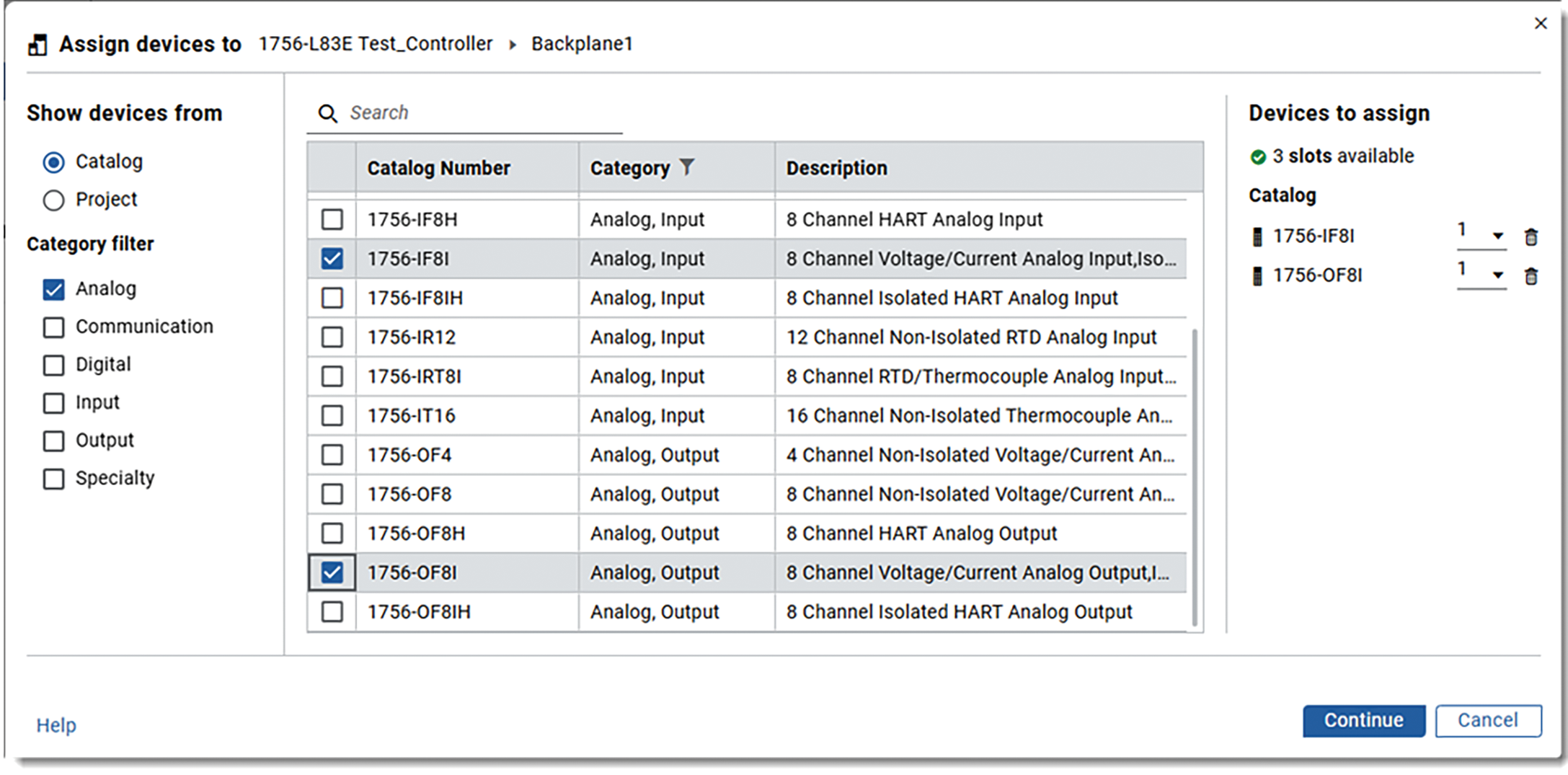
- SelectContinue.
- UnderPending to configure, enter the device name and slot number.
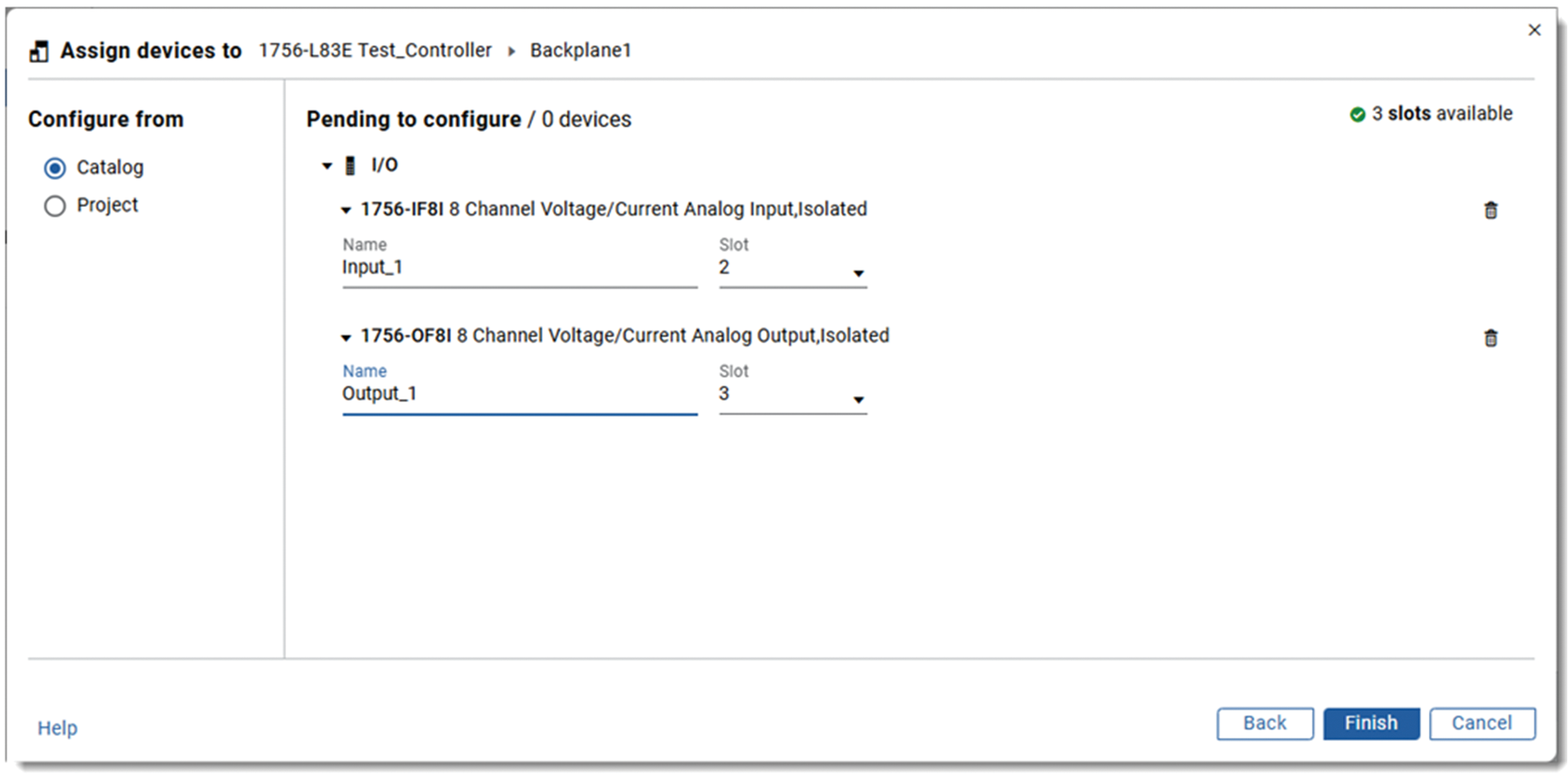
- SelectFinishto add the devices.
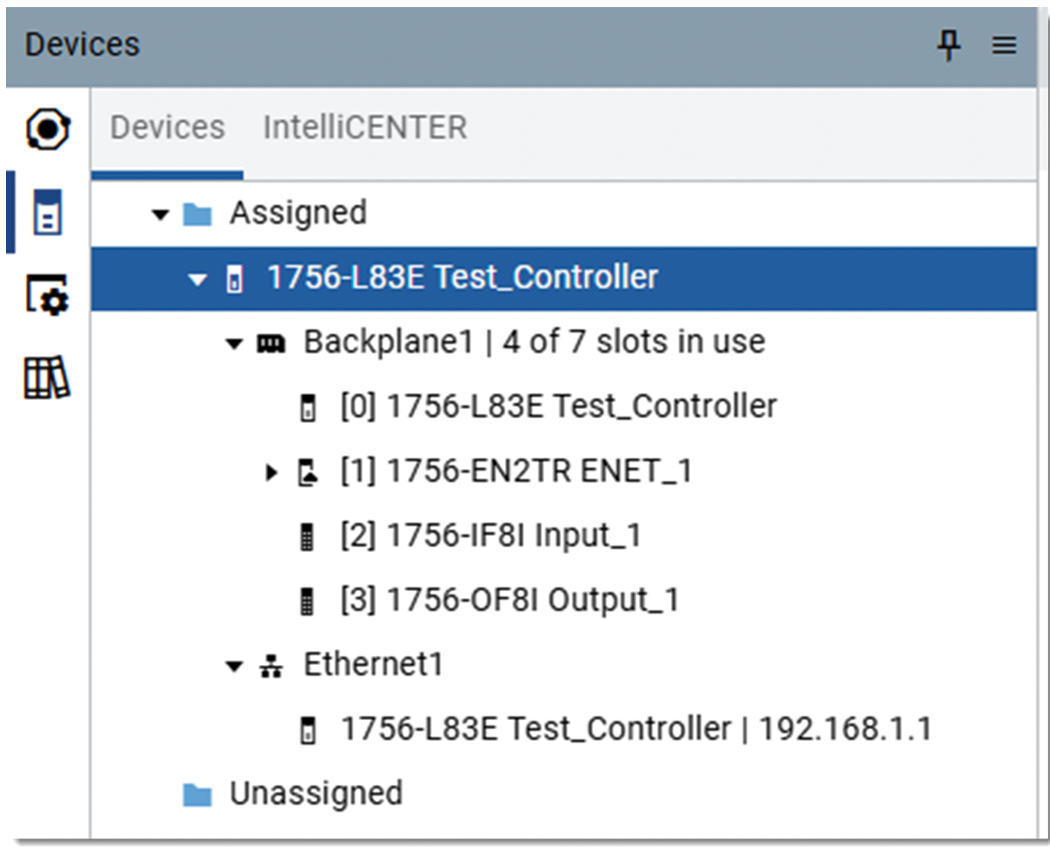
- The devices appear in theDevicesexplorer.
Provide Feedback