
General View
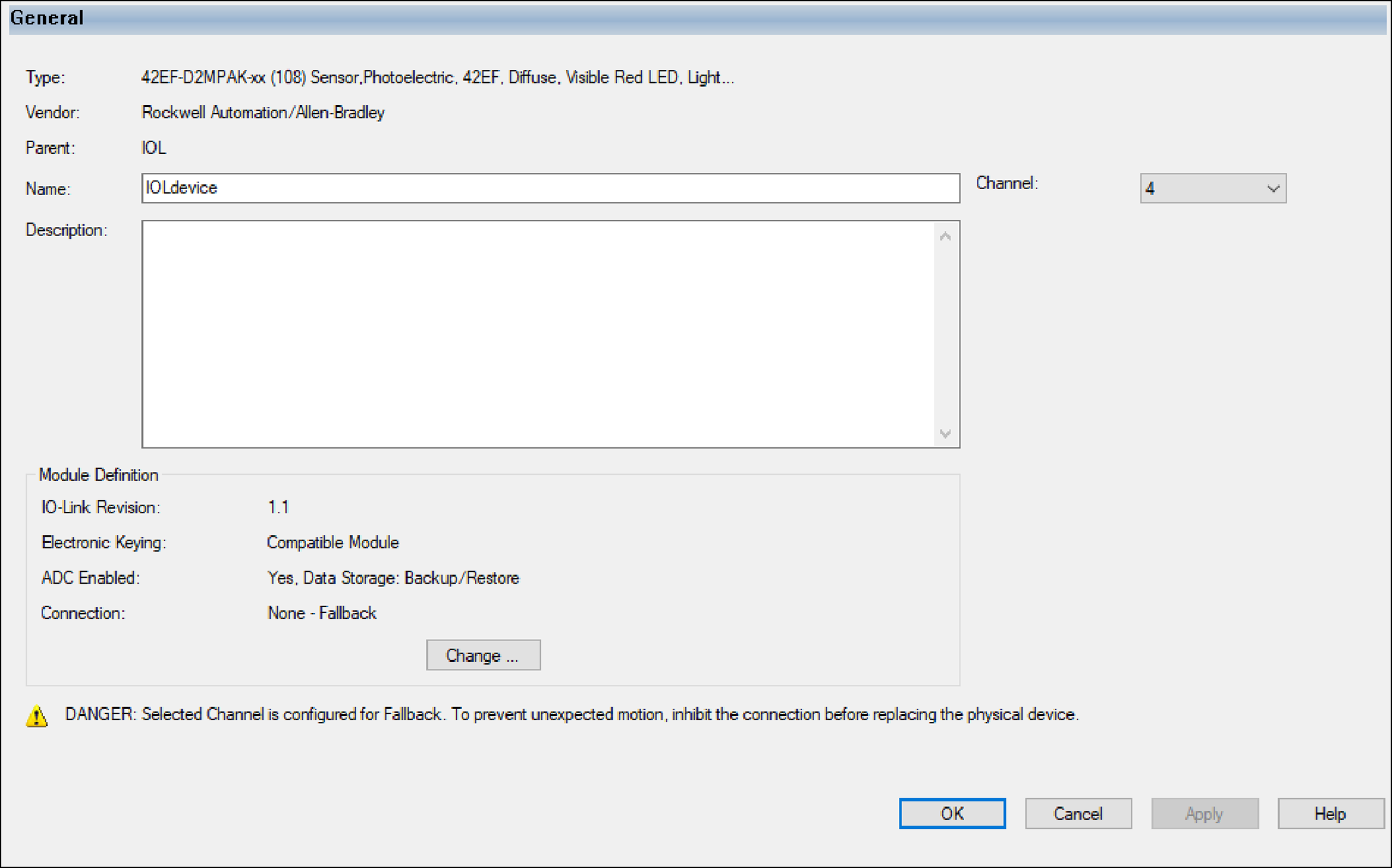
The General view appears first when you create an IO-Link device. Use this view to
complete the following tasks:
- Name the device.
- Describe the device.
- Change the Channel number.
- Access the Module Definition.
Module Definition
Module Definition parameters are accessed from the General view of the Module
Properties window.
TIP:
In online mode, only the Electronic Keying
parameter can be changed.
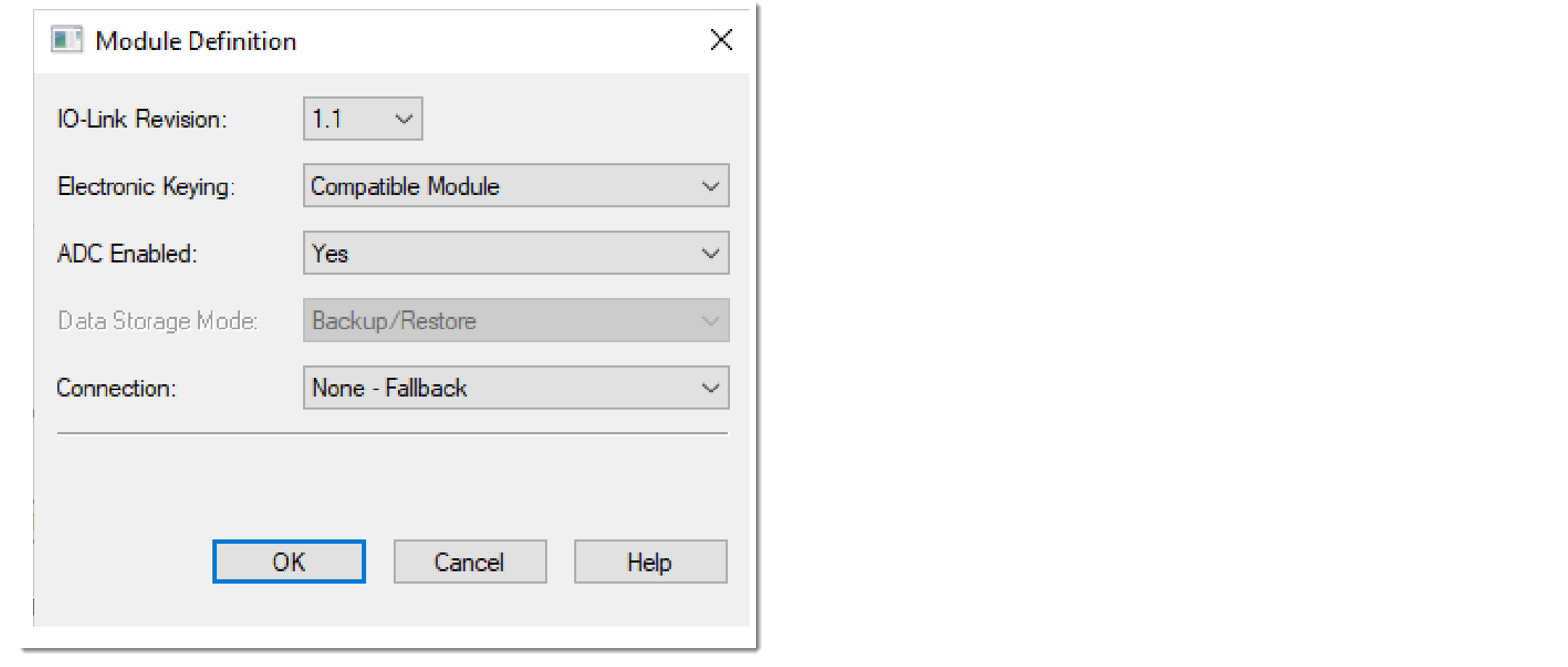
Parameter | Definition | Available Choices |
|---|---|---|
IO-Link Revision | Device IO-Link protocol revision You can switch between IO-Link revision 1.0 and 1.1 if the
IODD for both revisions is registered. |
|
Electronic Keying | Software method by which you reduce the possibility of using
the wrong device in a control system For more information, see IO-Link Device Electronic Keying. |
|
Firmware Revision | Device firmware revision This control is enabled only when you configure Electronic
Keying as Exact Match. | Device-specific |
ADC Enabled | When ADC is enabled, it is used to back up and restore the
device configuration. For more information, see Automatic Device Configuration. |
|
Data Storage | When ADC is disabled and the device supports Data Storage,
you can configure either to use Data Storage Backup/Restore
or to disable Data Storage on the port. For more information, see Data Storage. |
|
Connection | When the device is attached to an IO-Link (non-Fallback)
channel, determines which set of process data to use if the
device supports multiple sets. Only “Data” is available if
the device only supports one set of process data. When the device is attached to a Fallback channel, you must
select “None - Fallback” as the connection type. For more information, see IO-Link Device Connection. | Device-specific |
Provide Feedback