
Automatically Download IODD File From IODDFinder
If there are unregistered IO-Link devices in your project or that are found during device discovery, you can use the Device Description File Installation Tool to download the IODD file automatically from the IODDFinder website.
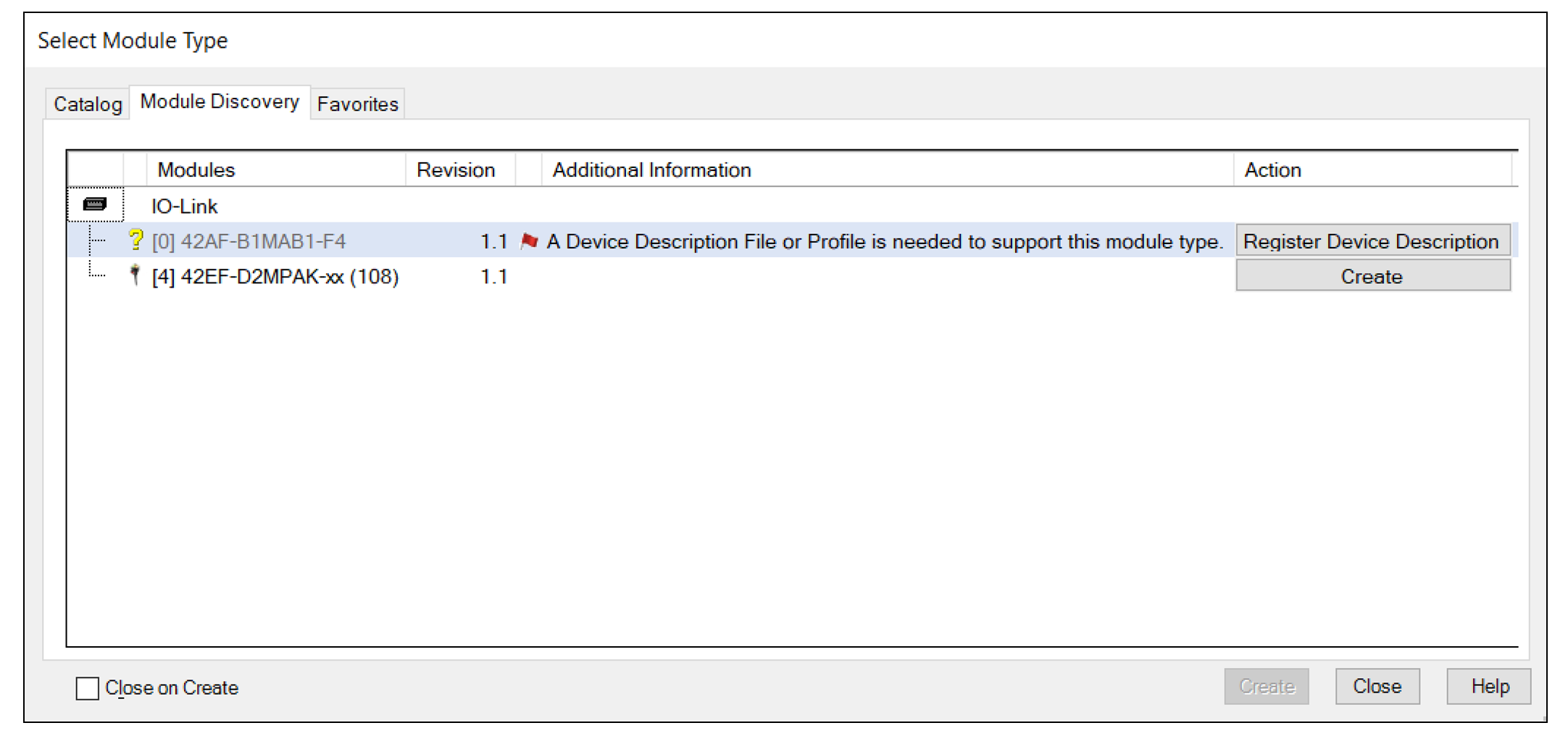
The steps to register the IODD file are identical, regardless of where you register the device from.
To register the IODD file, complete these steps.
- Select Register Device Description (File).The Device Description File Installation Tool dialog appears.
- Select Next to begin.
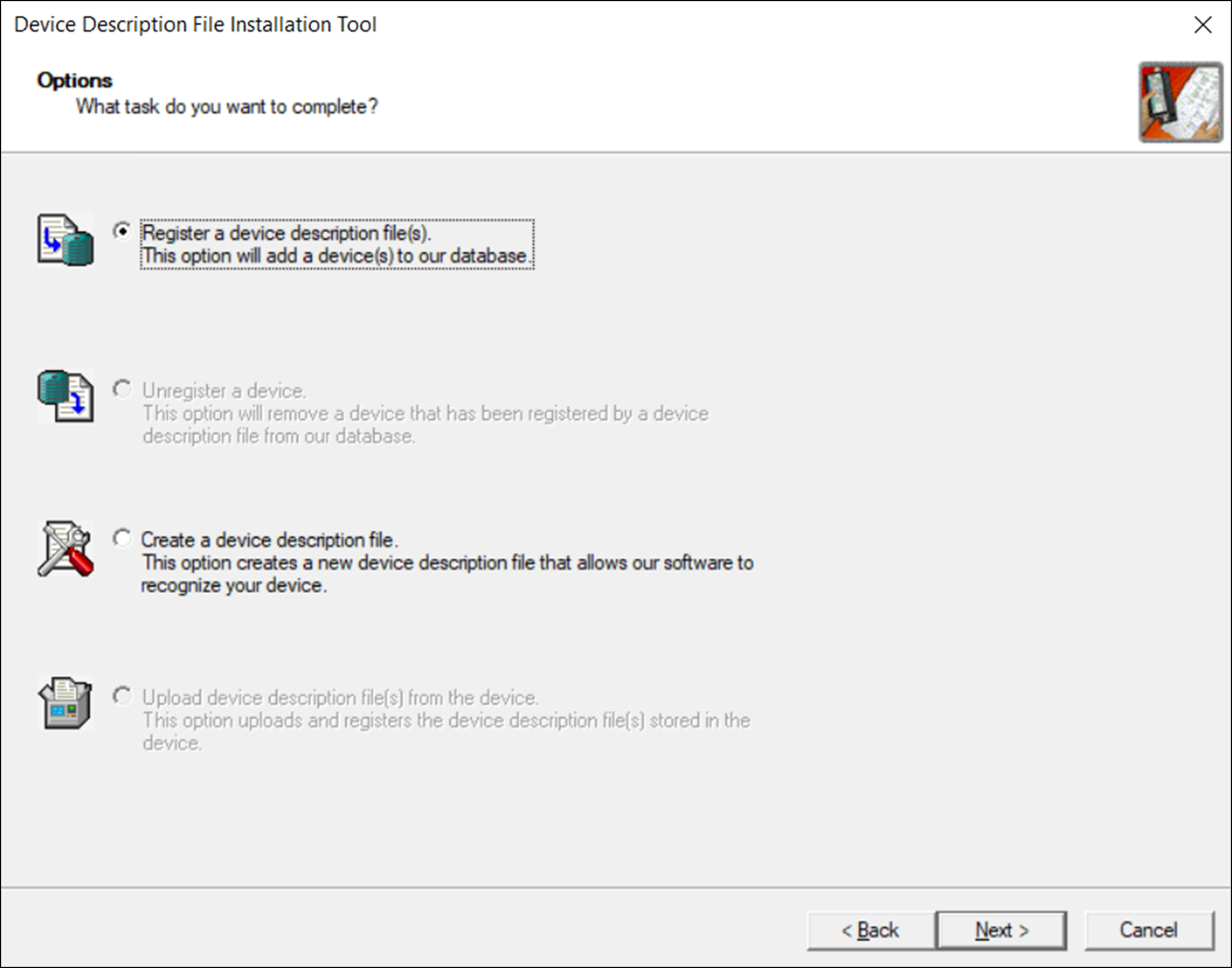
- Select Register a device description file(s) and select Next.
- Select Download Device Description File.If the IODD file download is successful, a default file path to save the IODD file is provided.
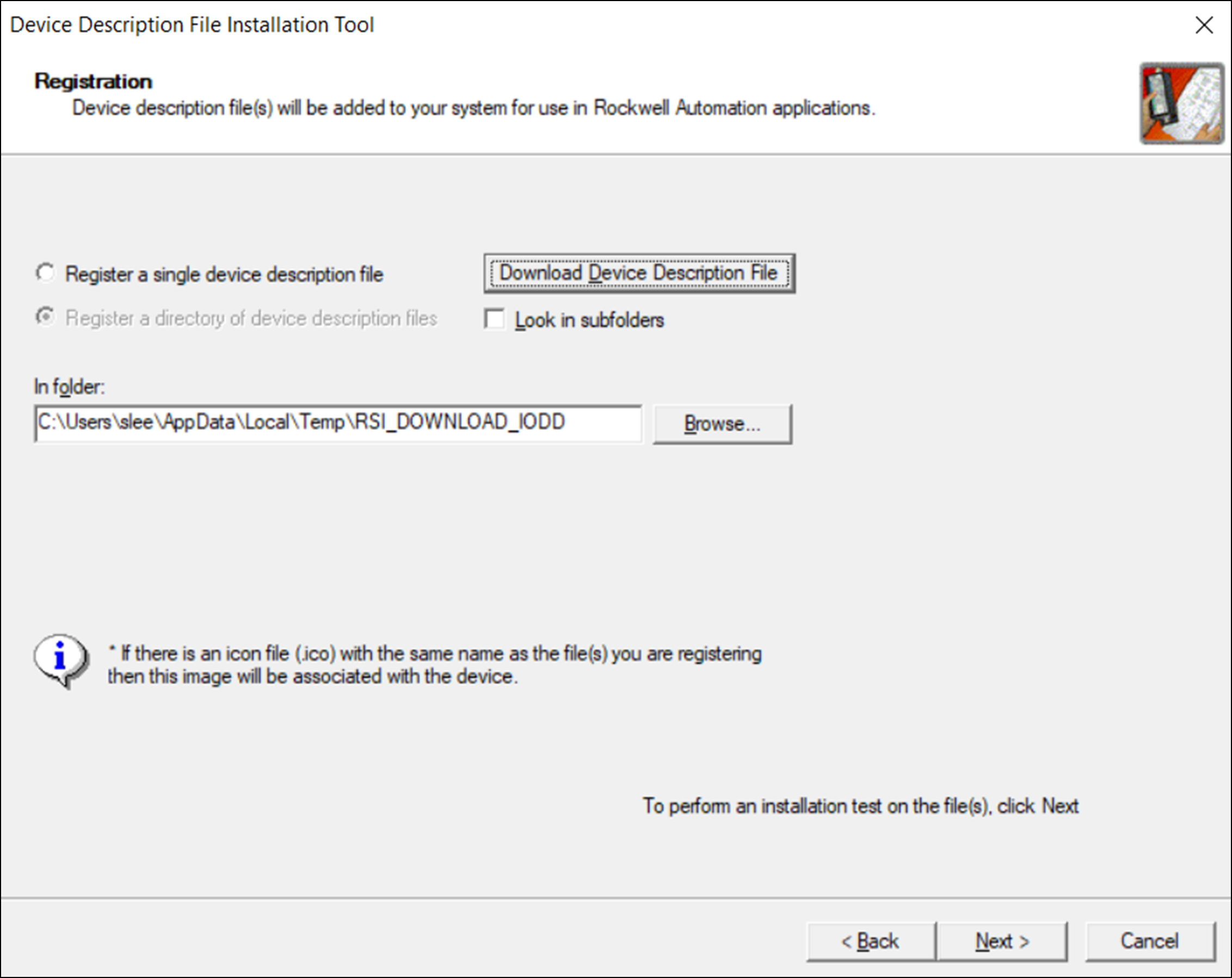 If an error message appears that indicates that the IODD file cannot be found, contact the device manufacturer for the required IODD file.
 - Follow the onscreen prompts to complete the installation.
Provide Feedback