Loading
Blog
Recent ActivityRecent Activity

Repeat Successful OT Rollouts with Software Containers

Containerized software reduces environment drift and improves consistency from development to production across IT & OT

Share This:

LinkedInLinkedIn
XX
FacebookFacebook
PrintPrint
EmailEmail
A close-up photos of multiple stacked metal shipping containers: red, blue, yellow, white.

Like shipping containers, software containers package apps to run consistently anywhere.

Containerization is well-established in IT and is now gaining traction in OT (industrial) deployments to bundle an application and its dependencies into a single package that runs consistently across environments. It aligns informational technology and operational technology expectations around deployment, scaling, security and recovery.

Now let’s apply that idea to factory floor visualization.

FactoryTalk® Optix™ is an intuitive HMI design and visualization platform that delivers fast, flexible and scalable solutions across your manufacturing and production applications.

Its connectivity options include OPC UA information model integration, MQTT connectivity and database choices such as embedded SQLite, ODBC and InfluxDB support. Plus, FactoryTalk Optix applications can be run in Docker and ThinManager® containers.

Why containerize runtime applications?

Operation technology teams are often asked to maintain consistent runtime behavior across multiple machines and sites. Yet, deployment environments naturally drift over time.

As a result, differences in operating system updates, libraries, drivers and local configuration changes can introduce inconsistencies that show up during commissioning or upgrades.

Containers help address these possible errors by encapsulating the runtime environment so applications can be deployed and launched in a consistent way across container-capable hosts. This aligns with the broader containerization goal: improving consistency and portability from development to production.

When standardization is key, FactoryTalk Optix container deployment is a supported approach that’s anchored by Rockwell Automation run guidance (including port publishing and licensing behavior).

FactoryTalk Optix
FactoryTalk Optix
FactoryTalk Optix
Achieve your HMI, IIoT, Edge and Data Platform vision with collaboration, scalability and interoperability that improve deliverables and efficiency.
Learn More

Try FactoryTalk Optix Software for Free

Experience the unlimited options of HMI development in the cloud. Download FactoryTalk Optix Studio Standard for free or get a 90-day trial of FactoryTalk Optix Studio Pro.

Repeatable, successful containerized software deployment patterns

These three patterns help visualize how software containers can look in operational technology:

1: Fleet HMI rollout across similar machines

Scenario: You have multiple similar assets, like lines, skids, cells or sites, and want a consistent human-machine interface (HMI) operator experience and a predictable update model.

A container-based approach offers consistency by launching the runtime application in a standardized container context, and repeatability by using documented container launch parameters such as port publishing, container naming and optional restart behavior. If you need the runtime application to keep files or settings it creates, connect the container to a real folder on the computer. That way the data stays even if the container is restarted or replaced.

2: Side-by-side modular edge services

Scenario: You want visualization at the edge and may also want adjacent capabilities deployed alongside it (for example, FactoryTalk® Remote Access™ Runtime).

Containers make it possible to deploy multiple components side by side on a host while keeping them packaged independently. And the FactoryTalk Optix container run guidance provides the concrete mechanism for running the Optix runtime application in Docker as the visualization component within the deployments.

In a composable edge architecture, it’s also advantageous to run remote connectivity services alongside the visualization runtime. For example, FactoryTalk® Remote Access™ Runtime is available as a Docker image, enabling it to be deployed as a separate container next to a FactoryTalk Optix runtime container (or alongside another complementary containerized service on the same host). This is a natural fit for container hosts because containers are designed to run adjacent to each other on the same machine while maintaining process isolation.

3: Cloud deployments

Scenario: Some organizations also extend this container approach into cloud-hosted environments when they want a centrally managed runtime footprint, standardized rollout mechanics or easier alignment with cloud-essential operations.

In these scenarios, the same core containerized software principle applies. An Optix runtime can be packaged and operated as a containerized workload, while the underlying compute is provided by the customer’s cloud infrastructure and governed by their IT policies and security posture.

This fits naturally alongside the Optix cloud-enabled workflows: FactoryTalk® Optix Studio™ Pro supports cloud-hosted collaboration and repository-based development. And Rockwell Automation describes remote deployment patterns that leverage FactoryTalk Remote Access, reducing the need to be physically on-site to deliver updates.

FactoryTalk Optix containerized deployment considerations

Third‑party boundary

For those just starting with containerized software, please refer to the third‑party provider, such as Docker or Portainer, for assistance and licensing terms.

Licensing behavior

If you do not provide an entitlement license key, the FactoryTalk Optix application stops running after 120 minutes. More information can be found in the FactoryTalk Optix help.

Port publishing ties back to application configuration

When Optix runs in a container, choose a port on the host PC and “forward” it to the port Optix uses for its web client. That inside port is the Web Presentation Engine port you set in FactoryTalk® Optix Studio™.

Persistence should be intentional

Decide up front what should be saved versus what can be temporary. The volume binding option exists to persist changes made at runtime by writing runtime changes to a local folder on the host machine, so changes aren’t lost when the container restarts or is replaced.

Repeatability is first, everything else is second

The practical value of deploying FactoryTalk Optix with containerized software is repeatability.

Software containers offer a consistent, documented way to run the same runtime application across environments using standard container launch concepts like port publishing, restart behavior and (when needed) volume mapping for persistence. This supports the broader containerization goal of reducing environment drift and improving consistency from development to production across information technology and operation technology.

Want to take the next step? Explore how ThinManager® software and FactoryTalk Optix relate in the broader containerization conversation, without changing the fundamentals described. And you can dig deeper into the entire portfolio of FactoryTalk Optix portfolio cloud-based software and hardware devices here.

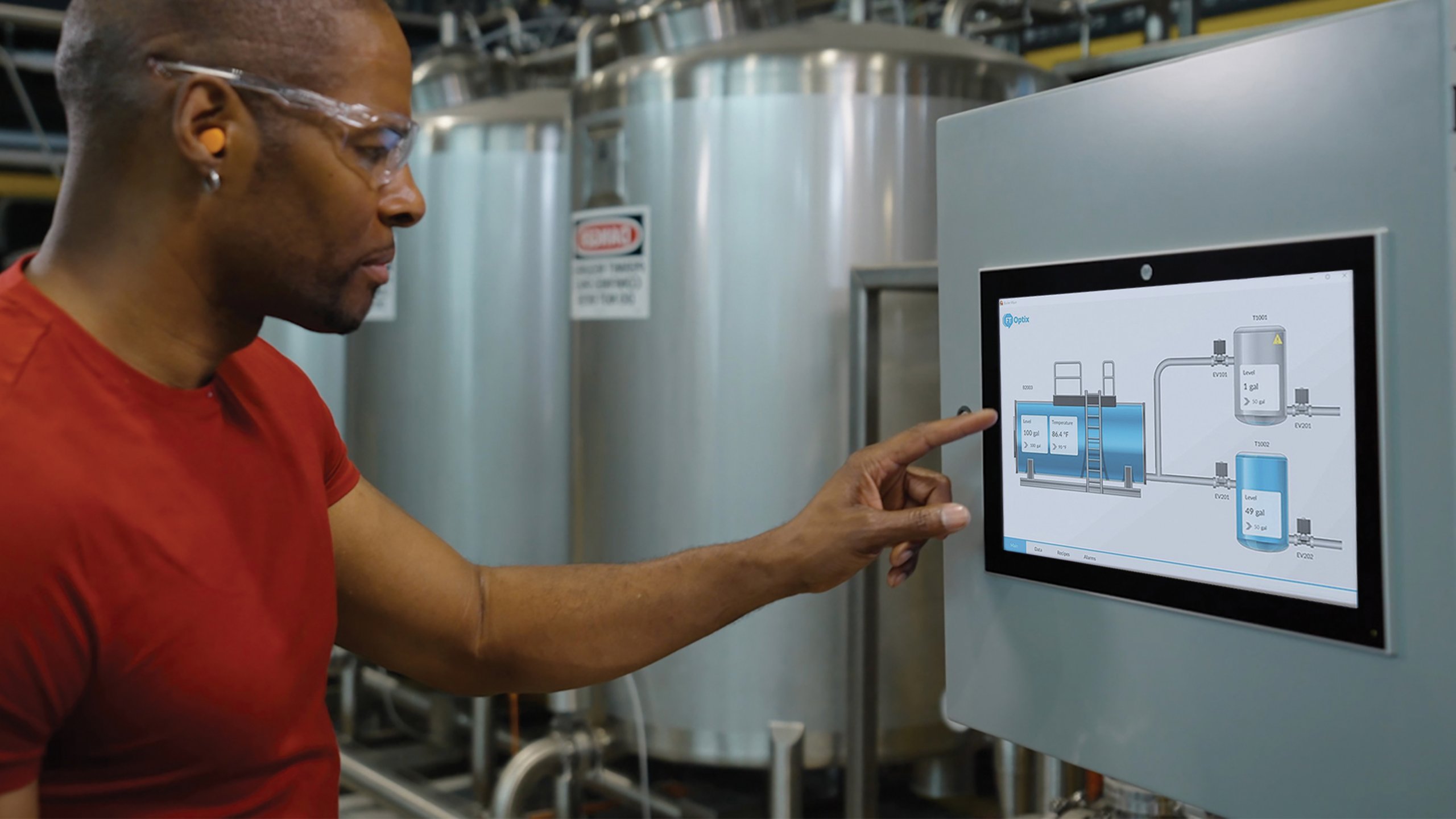
What is FactoryTalk Optix?

FactoryTalk Optix is a new, cloud-enabled HMI platform from Rockwell Automation designed for flexible, browser-based visualization and edge data management.

It allows users to design, test, and deploy applications across diverse hardware, featuring open architecture, multi-user collaboration via FactoryTalkR HubTM and essential support for OPC UA and MQTT protocols.

Top 3 FactoryTalk Optix benefits:

1. Cloud-enabled collaboration, design: Teams can work on projects from anywhere using a web browser, with built-in Git integration for version control and simultaneous multi- user editing

2. Maximum interoperability, flexibility: The Optix platform supports both Rockwell Automation and third-party devices, allowing deployment on various platforms (local, edge or cloud)

3. Modern, scalable visualization features responsive, object-oriented graphics that automatically adapt to different screen sizes and devices, including mobile and tablets

Project implementation references:

Access the public Rockwell Automation GitHub repository. Sample projects show how to accelerate value delivery with modern technologies, innovative designs and scalable deployment options.

An Optix_Docker_FTOptixUpdateServer sample project provides a reference implementation for building and running a Docker image for FactoryTalk Optix Runtime, then deploying an Optix application to that container.

Published April 14, 2026

Topics: Optimize Production Accelerate Digital Transformation Automotive & Tire Chemical Food & Beverage Human Machine Interface FactoryTalk Optix FactoryTalk ThinManager

Paul Haikal
Paul Haikal
Commercial Portfolio Manager, Visualization Software, Rockwell Automation
Paul has 20+ years’ experience in industrial automation,  spanning remote support, enablement and product and portfolio leadership -- with a passion for visualization to deliver intuitive, connected operations. He leads programs improving customer outcomes and enabling large-scale deployments, helping teams move faster from operational data to action through secure, scalable design- and data-driven decision support across HMI and SCADA offerings like FactoryTalk View and FactoryTalk Optix.
Subscribe to Rockwell Automation

Receive the latest news, thought leadership and information directly to your inbox.

Subscribe now

You may also be interested in

Introduction to Containerization: Bridging IT and OT
Blog
Blog
Introduction to Containerization: Bridging IT and OT
The goal of this post is to demonstrate containerization’s power to streamline application deployment across IT and OT environments.
Loading
Loading
Loading
  1. Chevron LeftChevron Left Rockwell Automation Home
  2. Chevron LeftChevron Left Com...
  3. Chevron LeftChevron Left News
  4. Chevron LeftChevron Left Blogs
  5. Chevron LeftChevron Left Containerized software solves IT & OT integration
Please update your cookie preferences to continue.
This feature requires cookies to enhance your experience. Please update your preferences to allow for these cookies:
  • Social Media Cookies
  • Functional Cookies
  • Performance Cookies
  • Marketing Cookies
  • All Cookies
You can update your preferences at any time. For more information please see our {0} Privacy Policy
CloseClose