
進行乙太網連接埠設定
若您尚未使用
FactoryTalk Linx
軟體設定乙太網連接埠速度與雙工設定,請完成以下工作:- 將控制器模式開關切換至 REM 位置。
- 將Studio 5000 Logix Designer應用程式專案變更為Run模式。當出現change the controller mode to Remote Run提示時,選擇Yes。
- 用右鍵按一下轉接器並選擇Properties。
- 在Device Information檢視中,選擇Port Configuration。
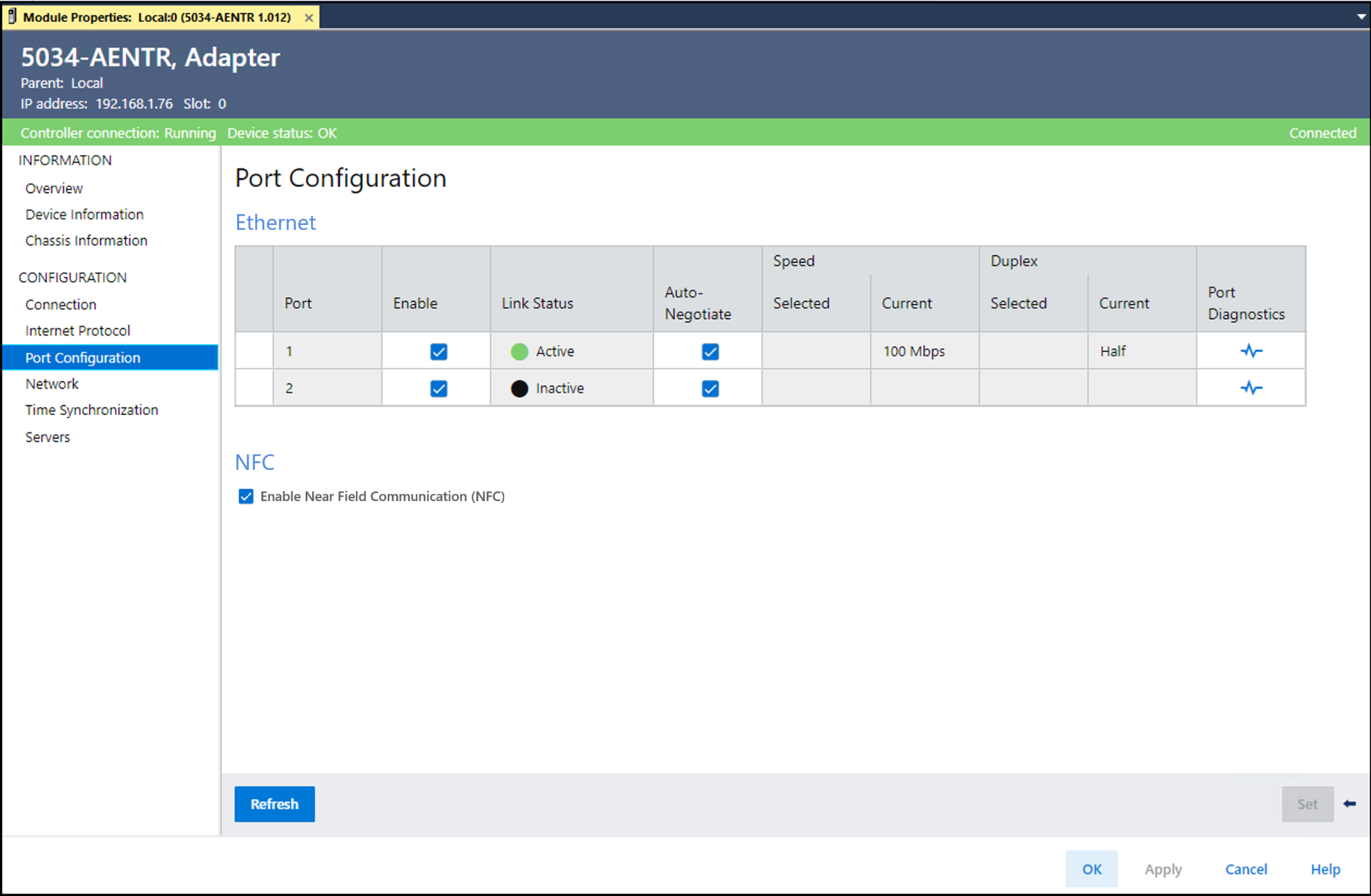 期望的工作操作讓模組自動設定連接埠速度與雙工設定。維持選擇Auto-Negotiate核取方塊。手動設定連接埠的速度與雙工設定。請遵循以下步驟。
- 清除Auto-Negotiate核取方塊。
- 在Speed category Selected欄下,從下拉式清單中選擇連接埠速度。
- 在Duplex category Selected欄下,從下拉式清單中選擇Full,將連接埠設定為全雙工模式。
停用NFC功能。清除Enable Near Field Communication (NFC)核取方塊。 - 從Module Properties檢視中,選擇Internet Protocol。
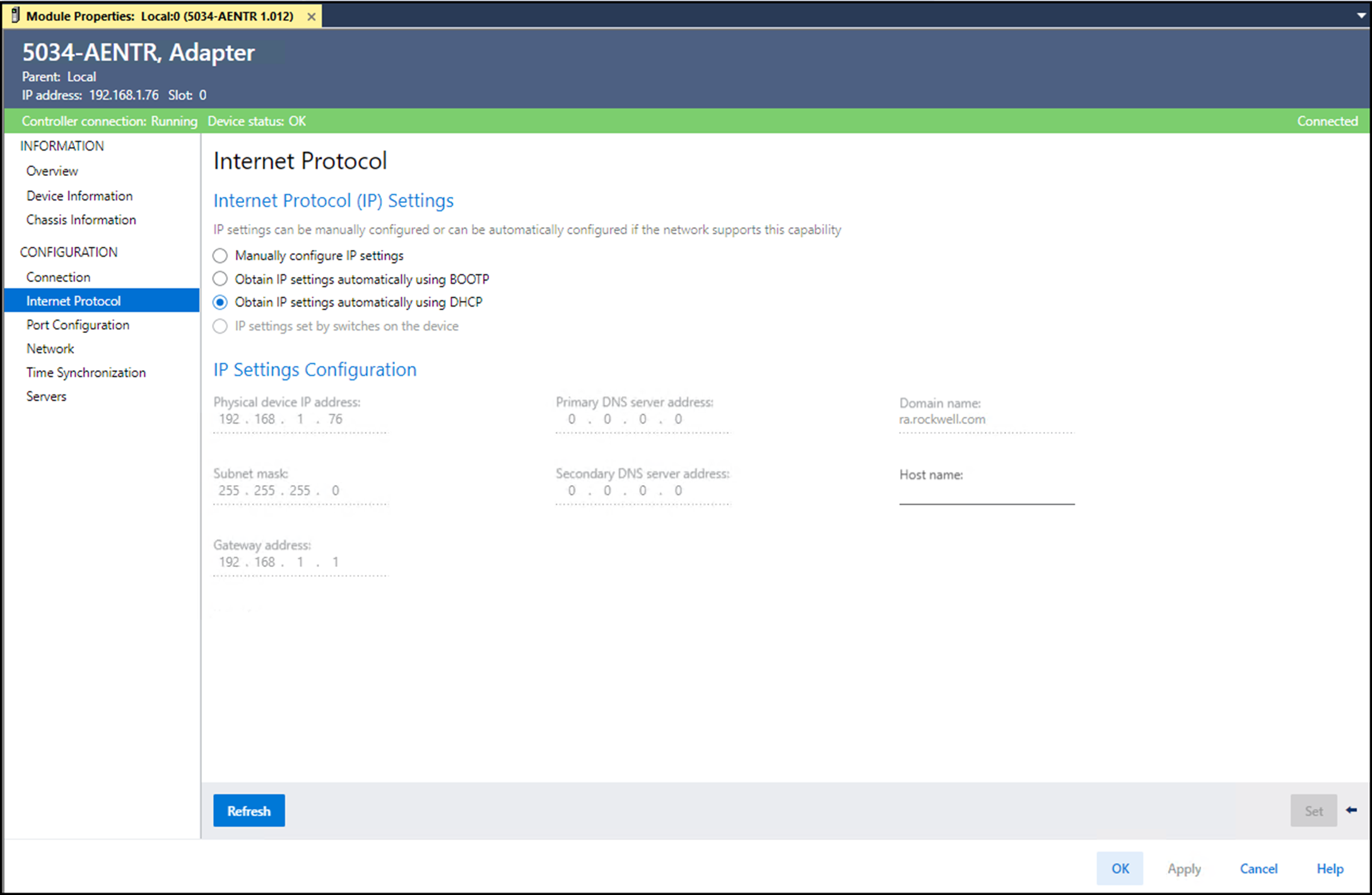 必要時,可設定以下Internet Protocol屬性:
- Domain Name
- Host Name
- Gateway Address
- Primary DNS Server Address
- Secondary DNS Server Address
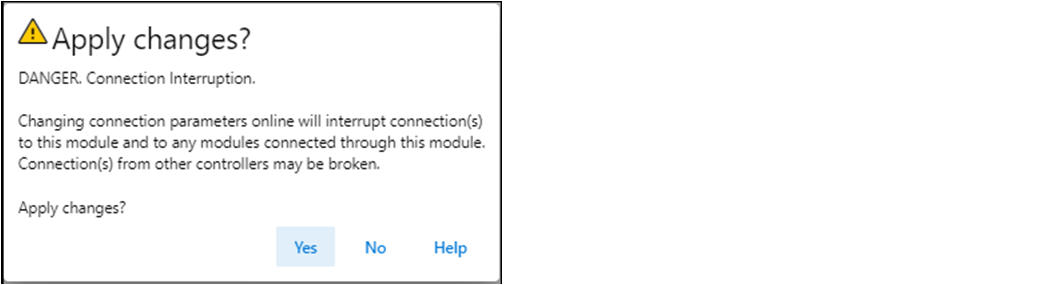
- 在Module Properties對話方塊上,選擇OK。重要:若嘗試變更此頁的IP位址,則會出現以下警示:
- 儲存專案。
意見提供