Loading
  • alt text
alt text
Best Selling
2080-LCD

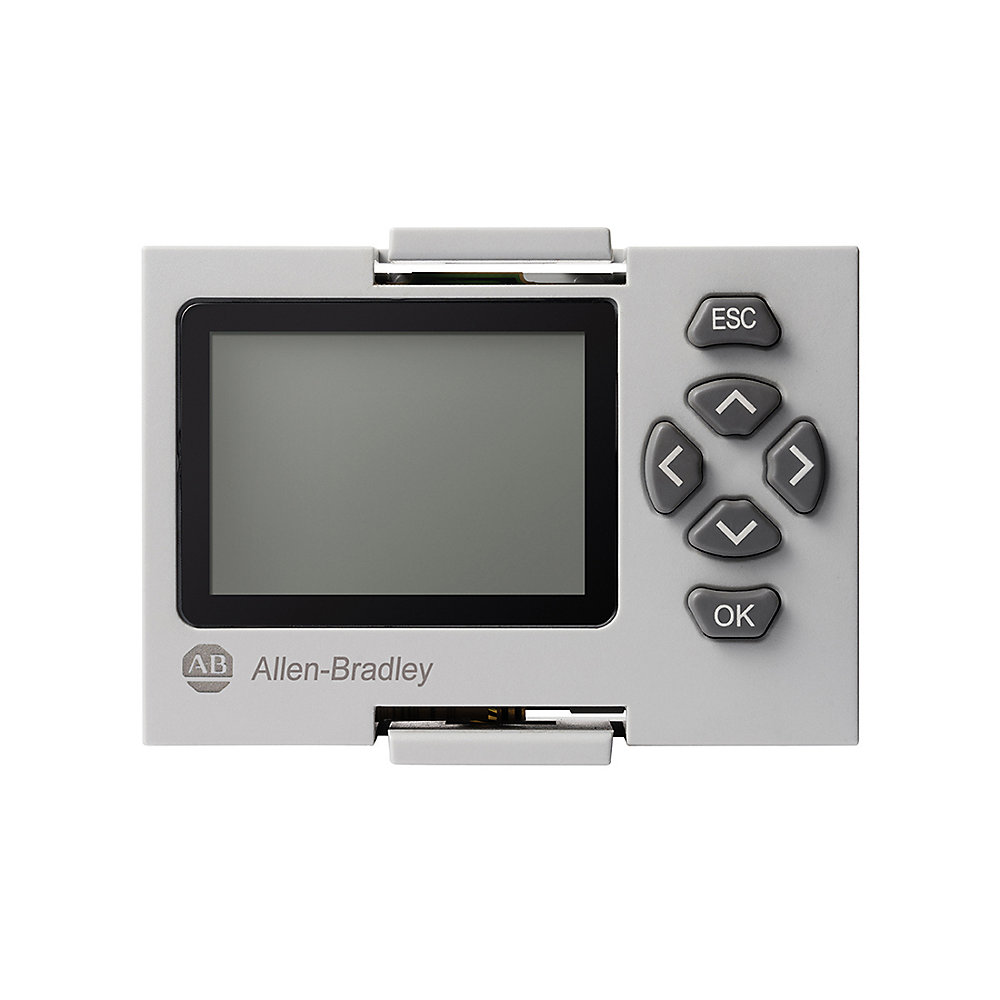
Micro810 LCD Display With Keypad

PrintPrint
Print
EmailEmail
Share
Product RegistrationProduct Registration
QR code
Allen-Bradley 2080-LCD product image
Lifecycle status: Active
Product at a glance
Product Registration
Lifecycle status: Active
Product at a glance
Product Registration
Add to BoM
  • Register Product
  • Get Support
Technical Specifications
General
Mechanical
Certification
Environmental
Electrical
Drawings
Documents
Alternative Products
Technotes
Temperature Rating
-20…55 °C (-4…131 °F)
With mounting set
True
Mounting method
Other
North American temperature code
T5
Explosion-proof
False
Operating temperature
-20 °C
Nonoperating temperature
-40 °C
Surrounding air temperature, max
55 °C
With PC connection
False
Communication medium fibre optic
False
Communication medium wireless
False
Option for configuring controller
True
Communication medium copper
True
Drawings
3D STP (STEP) Model Download (ZIP)
Drawings
3D STP (STEP) Model Download (ZIP)
Sign in to your Rockwell Automation account to view and download technical drawings.
Sign In
Type Resource Publication
General Wiring Diagram --
General Brochure --
General Product Cutsheet --
User Manual 2080-um004_-en-e 2080-UM004
User Manual Micro800 Plug-in Modules User Manual 2080-UM002
Looking for more documentation?
Find curated technical documentation for this product in the Technical Documentation Center, or search our full Literature Library.
Visit the Technical Documentation Center Search the Literature Library
Items Per Page:
1-1 of 1
Looking for more Technotes?
Find questions and answers from Rockwell Automation technical experts for this product in our Knowledgebase.
Search Knowledgebase
Technical Specifications
Temperature Rating
-20…55 °C (-4…131 °F)
With mounting set
True
Mounting method
Other
North American temperature code
T5
Explosion-proof
False
Operating temperature
-20 °C
Nonoperating temperature
-40 °C
Surrounding air temperature, max
55 °C
With PC connection
False
Communication medium fibre optic
False
Communication medium wireless
False
Option for configuring controller
True
Communication medium copper
True
Drawings
Drawings
3D STP (STEP) Model Download (ZIP)
Drawings
3D STP (STEP) Model Download (ZIP)
Sign in to your Rockwell Automation account to view and download technical drawings.
Sign In
Documents
Wiring Diagram General
--
Brochure General
--
Product Cutsheet General
--
2080-um004_-en-e User Manual
2080-UM004
Micro800 Plug-in Modules User Manual User Manual
2080-UM002
Type Resource Publication
General Wiring Diagram --
General Brochure --
General Product Cutsheet --
User Manual 2080-um004_-en-e 2080-UM004
User Manual Micro800 Plug-in Modules User Manual 2080-UM002
Looking for more documentation?
Find curated technical documentation for this product in the Technical Documentation Center, or search our full Literature Library.
Visit the Technical Documentation Center Search the Literature Library
Alternative Products
Items Per Page:
1-1 of 1
Technotes
Looking for more Technotes?
Find questions and answers from Rockwell Automation technical experts for this product in our Knowledgebase.
Search Knowledgebase
Loading
Find your nearest distributor
Contact your distributor in {0}
Change location
EmailEmail
PhonePhone
Find a partner
Micro810 LCD Display With Keypad
CloseClose
2080-LCD
Close
Print
Allen-Bradley 2080-LCD product image
Phone:
Call
Rockwell Automation Home
Copyright ©2025 Rockwell Automation, Inc.
Sign in to your Rockwell Automation account to submit a repair documentation request.
Sign In
Request repair documentation
All fields with * are required for processing your request.
This field is required
Documentation of liability insurance is required for anyone who is requesting documentation for product repairs.
UploadUpload
Please upload documentation of liability insurance.*
1 file selected
CloseClose
File size is too large. Must be less than 5 MB.
Accepted file types: zip, pdf; Maximum size: 5 MB.
Right to Repair Terms and Conditions
Rockwell Automation is making, parts, and service documentation available at your request in compliance with applicable right to repair laws and regulations. By signing below, you are agreeing to the following terms and conditions of your purchase of Rockwell Automation genuine repair parts for repair of a Rockwell Automation product. As used below, “Self Service Repair Parts” means genuine Rockwell Automation parts (components of Rockwell Automation products) purchased from Rockwell Automation for installation in a Rockwell Automation product as part of a Self Service Repair. Self Service Repair Parts may be new or previously used genuine Rockwell Automation parts that have been tested and passed Rockwell Automation functional requirements. “Self Service Repair Tools” means equipment and related materials purchased for the purpose of performing repairs.
Your request has been successfully submitted.
Please allow up to 5 business days to receive a response to your inquiry.
  1. Chevron LeftChevron Left Rockwell Automation Home
  2. Chevron LeftChevron Left Products
Please update your cookie preferences to continue.
This feature requires cookies to enhance your experience. Please update your preferences to allow for these cookies:
  • Social Media Cookies
  • Functional Cookies
  • Performance Cookies
  • Marketing Cookies
  • All Cookies
You can update your preferences at any time. For more information please see our {0} Privacy Policy
CloseClose