
Use AutoFlash to Update Firmware
To update your controller firmware with the AutoFlash feature, complete these steps.
IMPORTANT:
If the Secure Digital Card is locked and set to load on power-up, then this update can be overwritten by firmware on the SD card.
- Verify that the network connection is made and your network driver is configured in Linx-based communication software.
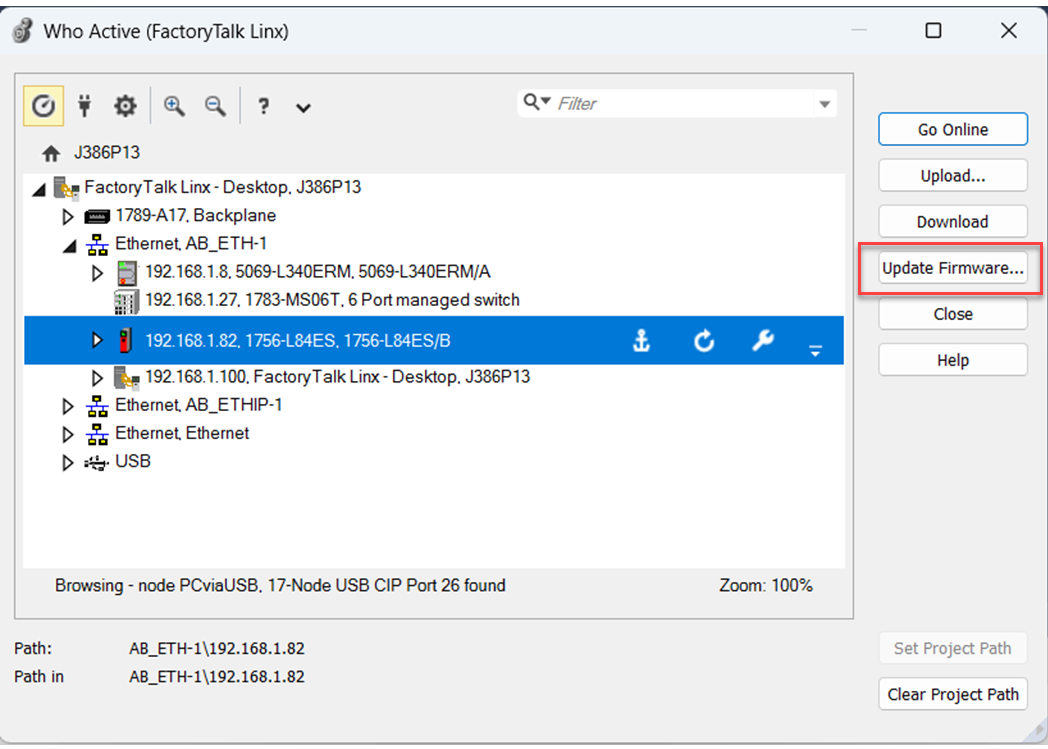
- On the Path bar in the programming software, click Who Active.

- On the Who Active dialog box, select your controller under the communication driver you want to use, and click Update Firmware.
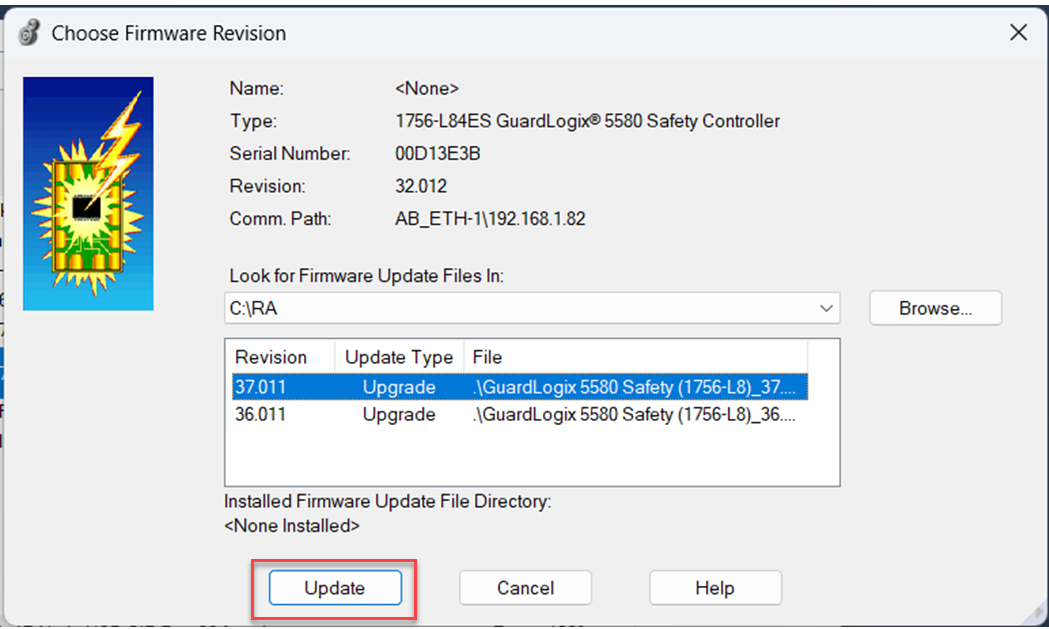
- On the Choose Firmware Revision dialog box, browse to the location of the firmware files.
- Select the firmware revision, and click Update.
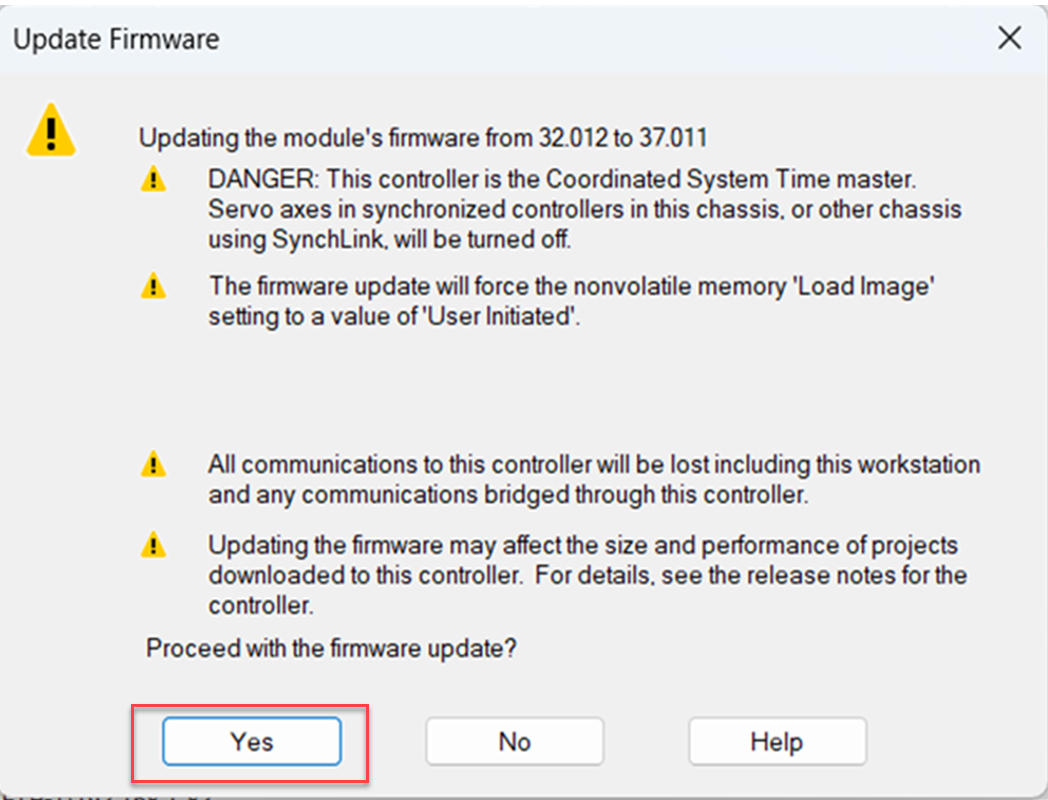
- On the Confirmation dialog box, click Yes.
- When the memory card warning appears on the the ControlFLASH Attention dialog box, click OK.The firmware update begins.Allow the firmware update to complete without interruption. When the firmware update is complete, the process dialog box closes.
Provide Feedback