
ListView
Display large datasets with flexible row templates and dynamic data binding at
runtime.
TIP:
ListView provides a robust preview of the data to
display at design time.
Use cases
- Large dataset display
- Efficiently display thousands of items. ListView is more performant than vertical layout and scroll view. For more information, see Vertical layout and Scroll view.Examples: Machine parameters, alarms, and recipe entries.
- Flexible row templates
- Apply multiple row templates to display different data types.Examples: Motors, pumps, and sensors.
- Dynamic data binding
- Bind rows to hierarchical models, recipes, or database stores.Examples: Binding to alarm data or recipe configurations.
- Sorting and filtering
- Use sorting and filtering capabilities to improve navigation and data manipulation.Examples: Filtering alarms by severity or sorting machine parameters alphabetically.
Best practices
- Ensure all child objects of the ListView have fixed sizes for consistent visualization.
- Use flat structures, as ListView visualizes not-nested objects and folders.
- Design rows to fit within the available width, as ListView does not include a horizontal scrollbar for wide rows.
Example
ListView displaying motors and a tank
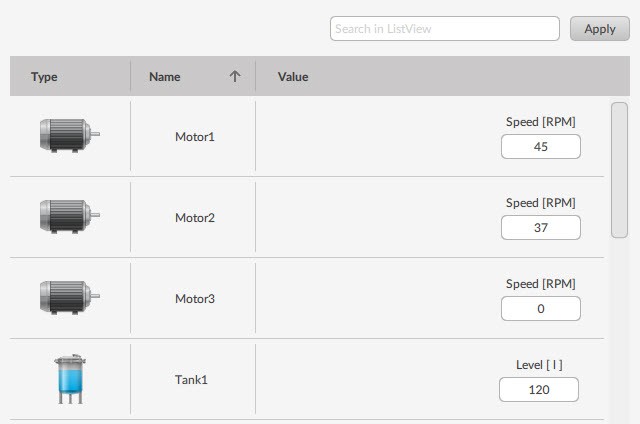
ListView
list view
Provide Feedback