
RTO (retentive timer, on-delay)
The RTO instruction increases an internal timer when input is active, but does not reset the
internal timer when input changes to inactive.
Operation details:
- ForMicro810LC10 orMicro820L20E controllers, the RTO internal timer does not persist through a power cycle by default. To persist the internal timer, set the Retained configuration parameter to true.
- ForMicro850L50E controllers, the RTO internal timer persists through a power cycle.
Languages supported: Function block diagram, ladder diagram, structured text.
This instruction applies to the
Micro810
LC10, Micro820
L20E, Micro850
L50E, and Micro870
L70E controllers.RTO
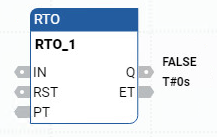
Parameter | Parameter type | Data type | Description |
|---|---|---|---|
IN | Input | BOOL | Input control.
|
RST | Input | BOOL |
|
PT | Input | TIME | Maximum programmed on-delay time. PT is defined using the Time data type. |
Q | Output | BOOL |
|
ET | Output | TIME | Current elapsed time. Values range from 0ms through 1193h2m47s294ms. ET is defined using the Time data type. |
RTO examples
RTO timing diagram example

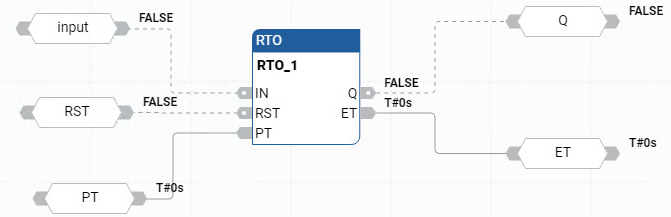
RTO function block diagram example
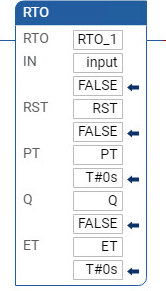
RTO ladder diagram example
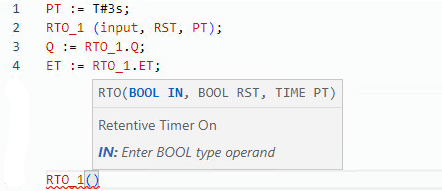
RTO structured text example
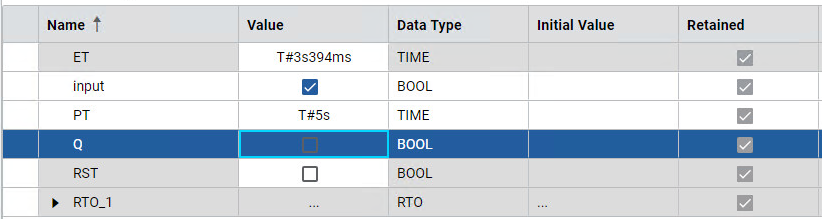
Results
Provide Feedback