
Embedded I/O configuration page
Use the
<controller-catalog-number> Embedded I/O
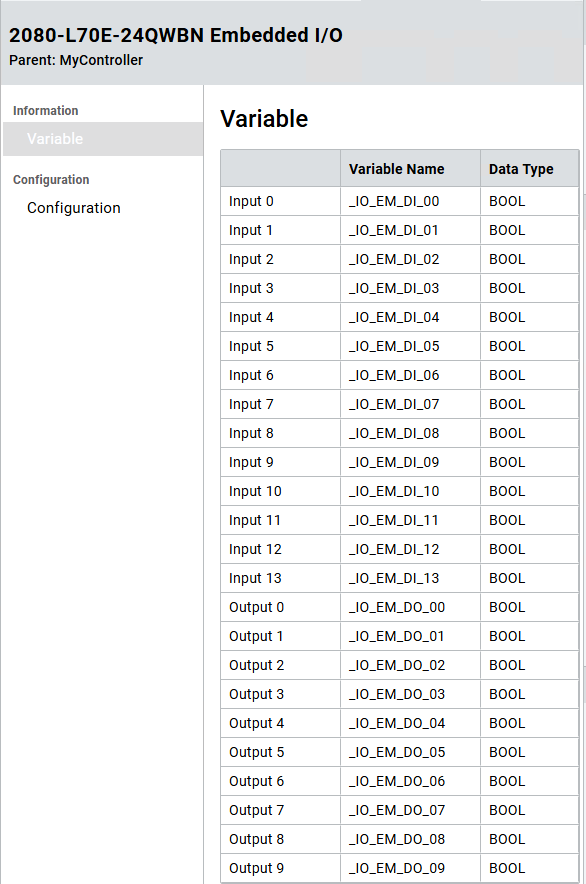
page to:- View the variables associated with the I/O points by selecting theVariablenode.
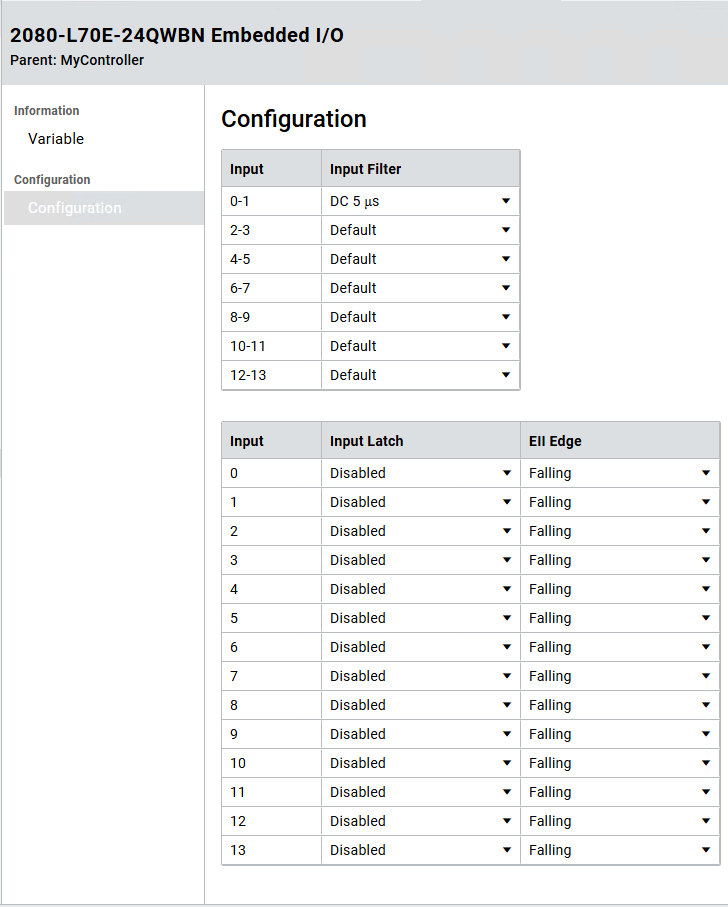
- View and configure the embedded I/O parameters of aMicro800controller by selecting theConfigurationnode.
The number of I/O parameters varies with the
Micro800
controller type. For
Micro850
L50E and Micro870
L70E controllers, you can
configure the inputs as latch inputs that detect
the rising and falling edge of external inputs.To open the embedded I/O configuration page, do one of the following:
- InProject Organizer, expandI/O Configurations, and then double-clickEmbedded.
- InProject Organizer, expandI/O Configurations, right-clickEmbedded, and then selectProperties.
Micro800 controller embedded I/O Configuration - Variable page
Micro800 controller embedded I/O Configuration - Configuration page
Provide Feedback