
View Flexible Data Models
Perform the following steps to view the flexible data models:
- ClickData Modelsfrom the left pane.
- Click any data model in theData Modelssection.Click Data Models
 TheData modelpage is displayed.Data Model Page
- Click the [
 ] icon to view the expanded view of Flexible Data Model.Expanded View
- Click the [
 ] icon to view the instances of types.View Instances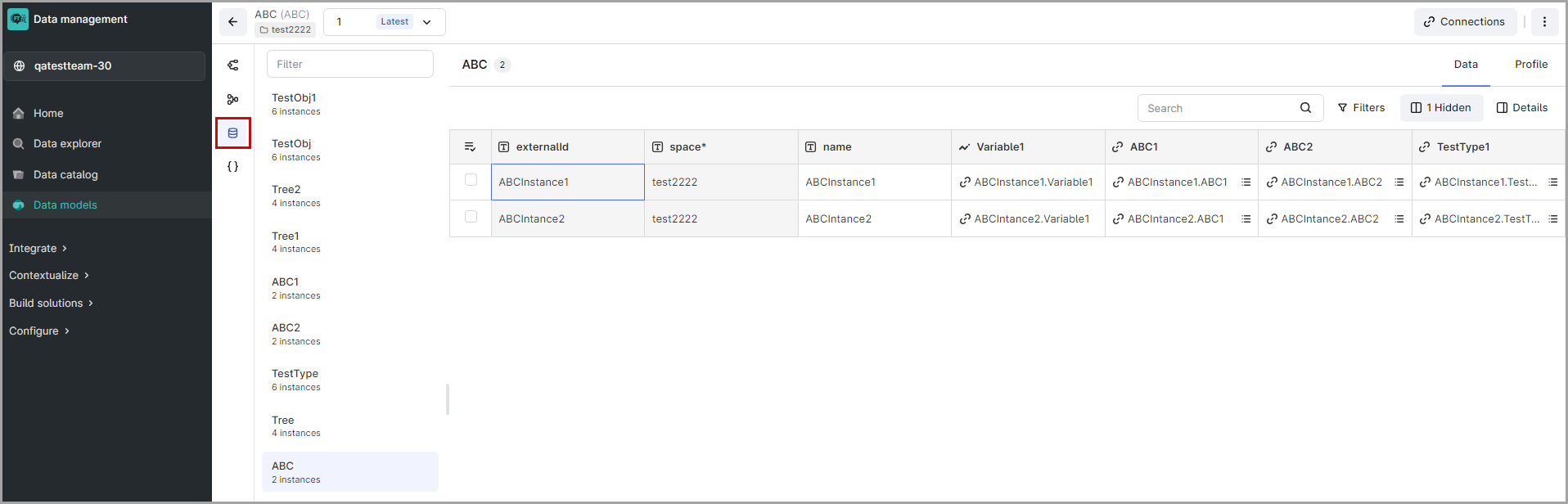
NOTE:
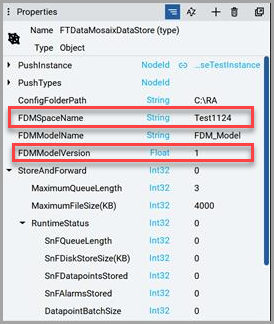
To edit flexible data models, either change the
FDMModelVersion
or FDMSpaceName
in FactoryTalk Optix
.Edit - FDM
Provide Feedback