
View Events Data
Perform the following steps to view and validate
Events
in Main DataMosaix:- Click onData Explorerin the left panel of Main DataMosaix.Click Data Models
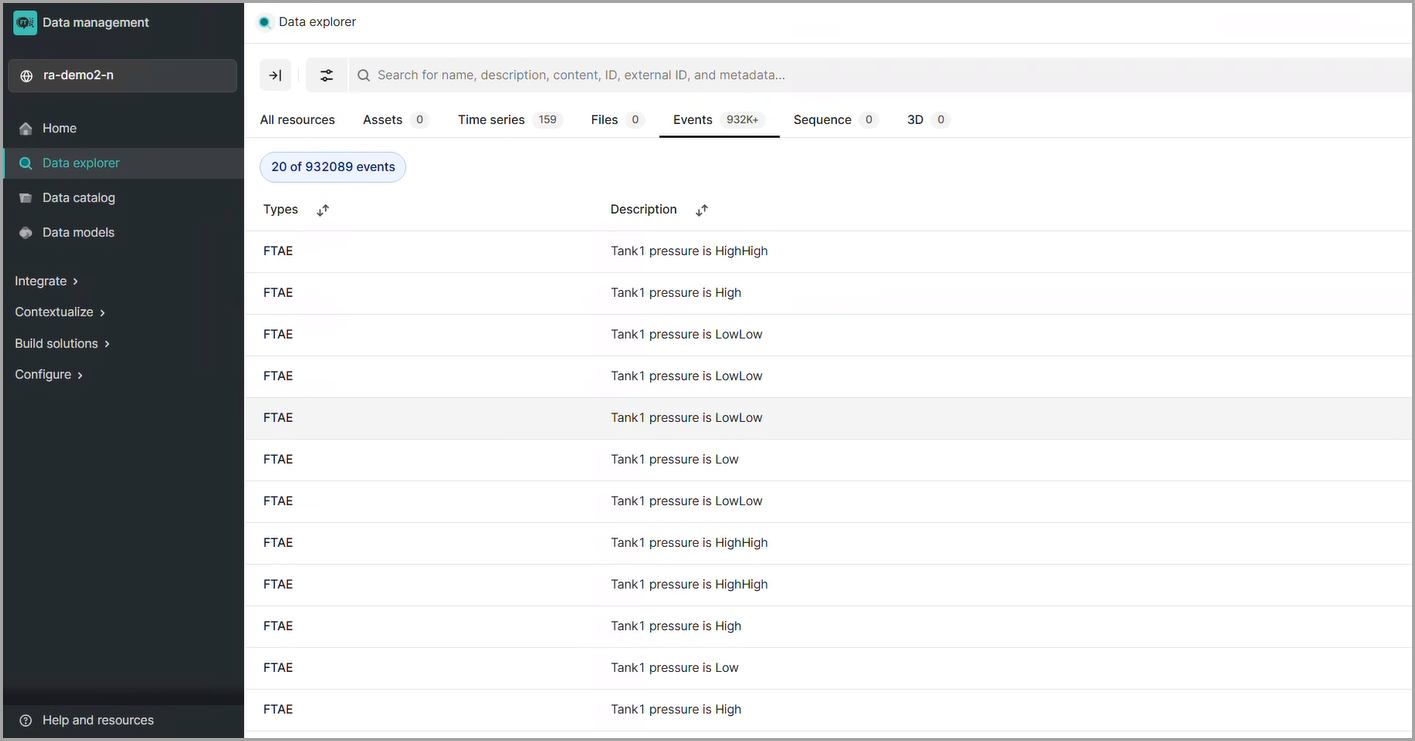
- Search for the required tag and open it ineventsto view the event data details.Expanded View
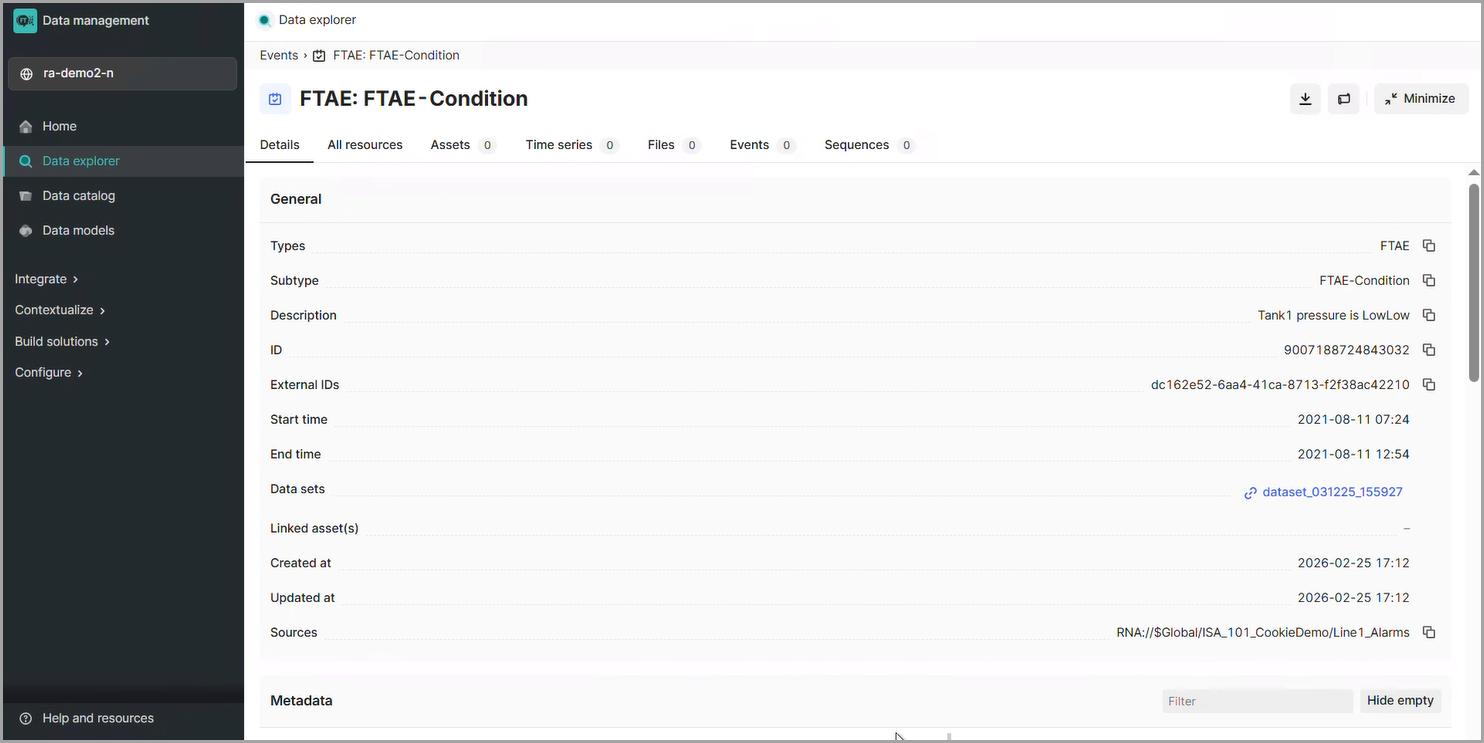
Provide Feedback