
Configure the proxy for Assets Lifecycle
To synchronize the lifecycle status of assets and asset inventory, FactoryTalk AssetCentre
needs to retrieve the information from the Product Compatibility and Download Center (PCDC). If the network
of your hardware devices has no internet connection, configure a proxy to access the PCDC.
This proxy acts as an intermediary between the FactoryTalk AssetCentre requests and the PCDC
providing a more secure and isolated connection between your OT and IT networks.
To configure the proxy for Assets Lifecycle
- On the FactoryTalk AssetCentre server computer, selectStart > Rockwell Software > FactoryTalk AssetCentre Server Settings.
- In theConfigure Server Settings Utilitywindow, select theUse the forward proxyoption.
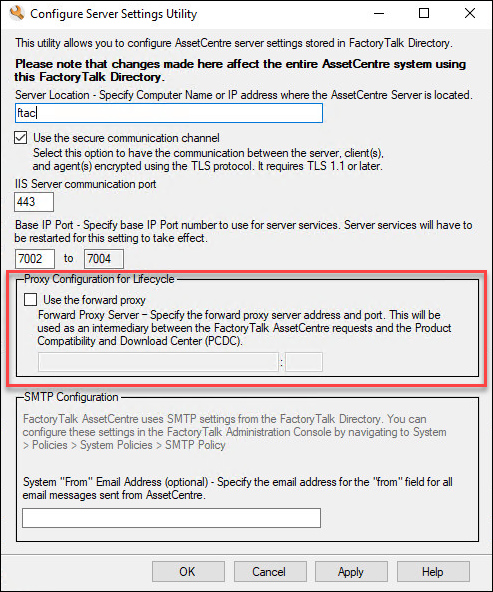
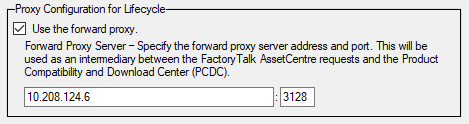
- Specify the forward proxy server address and port. The port number is set as 80 by default.
- SelectApply.
Provide Feedback