
Security posture check dashboard widgets
The dashboard includes various widgets. Selecting the name, number, or chart in each
widget will show the detailed filter results on the
Report
page.Security Posture Check Summary
The
Security Posture Check Summary
widget shows a comprehensive overview of rule
compliance statuses across devices, categorizing them into six statuses:- Total: The total number of devices.
- Matching: Devices that match the configured security posture check rules.
- With exceptions: Devices that have exceptions detected based on configured security posture check rules.
- Status unknown: Devices that have connection issues or other unexpected problems.
- Skipped: Devices that support running security posture check schedules but are not selected when configuring schedules.
- Rules not set: Devices that do not have any security posture check rules set.

Exceptions Aging
The
Exceptions Aging
widget provides a time-based overview of devices with
exceptions. A time period filter allows you to view both ongoing and resolved exceptions
within a selected time frame of a device. For example, if the period is set to the last
seven days, you can see the number of devices that have exceptions detected within seven
days, the number of devices with unresolved exceptions more than seven days, and the
number of devices that have exceptions resolved within seven days. 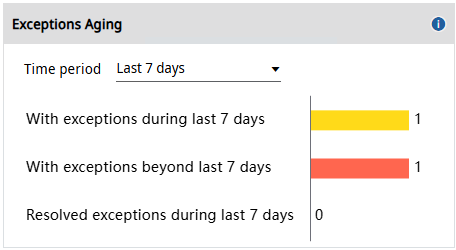
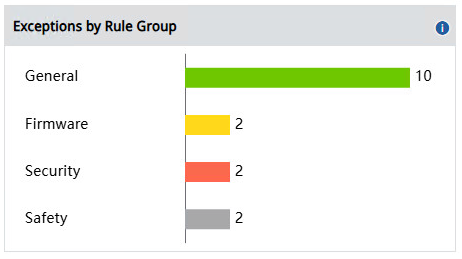
Exception by Rule Group
The
Exception by Rule Group
widget displays the number of devices with exceptions
across four groups: General
, Firmware
, Security
, and
Safety
.
Top 5 Rules with Exceptions
The
Top 5 Rules with Exceptions
widget displays the number of devices with
exceptions for each of the five rules, ranked from highest to lowest.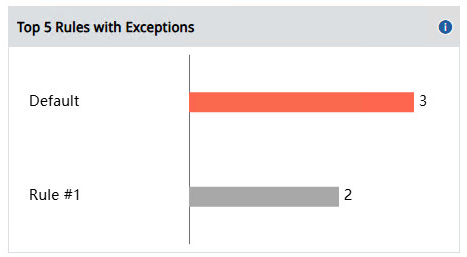
General
The
General
widget provides a detailed breakdown of all attributes within the
General group, displaying the number of devices with exceptions for each specific
attribute. For example, Controller Mode
shows the number of devices with
exceptions in the Controller Mode
attribute.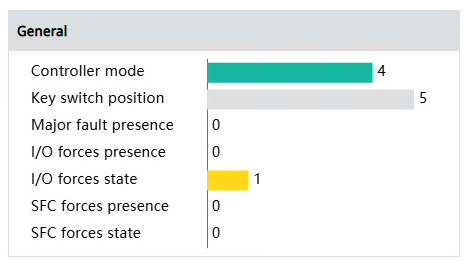
Security
The
Security
widget provides a detailed breakdown of all attributes within the
Security group, displaying the number of devices with exceptions for each specific
attribute. For example, Change to detect bit mask
shows the number of devices
with exceptions in the Change to detect bit mask
attribute.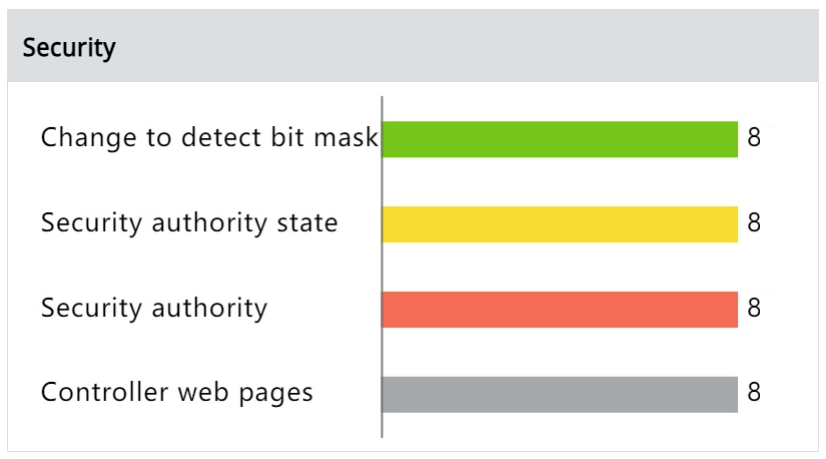
Safety
The
Safety
widget provides a detailed breakdown of all attributes within the
Safety group, displaying the number of devices with exceptions for each specific
attribute. For example, Safety application state
shows the number of devices with
exceptions in the Safety application state
attribute.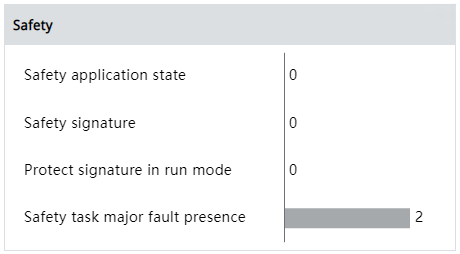
Provide Feedback