
Axes View
Use Axes to view or configure the axes for the device.
Axes View Example
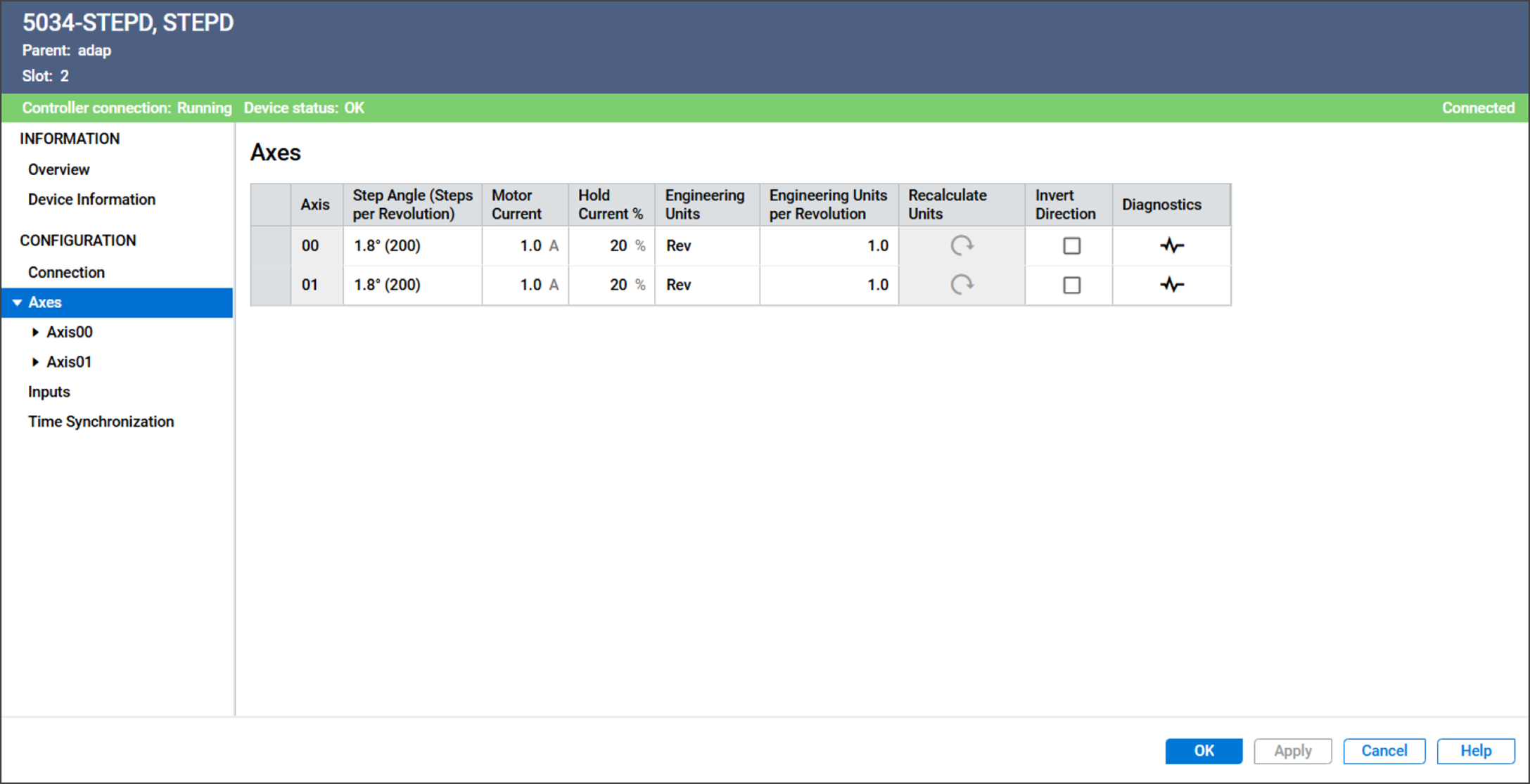
The Axes view includes these parameters:
Parameter | Description | |||||||||
|---|---|---|---|---|---|---|---|---|---|---|
Axis | Displays the axis number to which this configuration applies. | |||||||||
Step Angle (Steps per Revolution) | Specifies the degree of movement for each step that the motor
takes.
| |||||||||
Motor Current | Specifies the continuous current that is supplied to the motor
when the motor is moving. Valid values are 0.1…4.0 A | |||||||||
Hold Current % | Specifies the percentage of motor current to apply to maintain
holding torque while the axis is stationary. Valid values are 0…100% | |||||||||
Engineering Units | Specifies the unit of measurement for position or distance. Valid values are text strings. The string is used on the
following fields:
| |||||||||
Engineering Units per Revolution | Specifies the number of engineering units in one revolution. The
module uses this value to convert position, speed, and
acceleration parameters between revolutions and engineering
units. | |||||||||
Recalculate Units | When Engineering Units per Revolution is changed, use this button
to recalculate values automatically for these configuration
parameters:
| |||||||||
Invert Direction | Specifies whether to invert the logical motor direction to
account for installation or mechanical orientation
differences.
| |||||||||
Diagnostics | Opens the Diagnostics dialog, which contains diagnostic
information. |
Provide Feedback